21
Getting the most out of it
4. Labeling Elements
The following elements can be labeled:
• control panel buttons,
• devices, macro groups and timer groups,
• macros and timers,
• the Left/Right buttons labels.
To label control panel buttons, macros, timers and the Left/Right buttons labels, go to
“Labeling a button”.
To label devices, macro groups and timer groups, go to “Labeling a device”.
You cannot label buttons on the second and third home menu panel directly. You must label
them via the Device menu.
Labeling a button
1 Navigate to the panel containing the button you want to label.
2 Switch to Label mode via the Mode button .
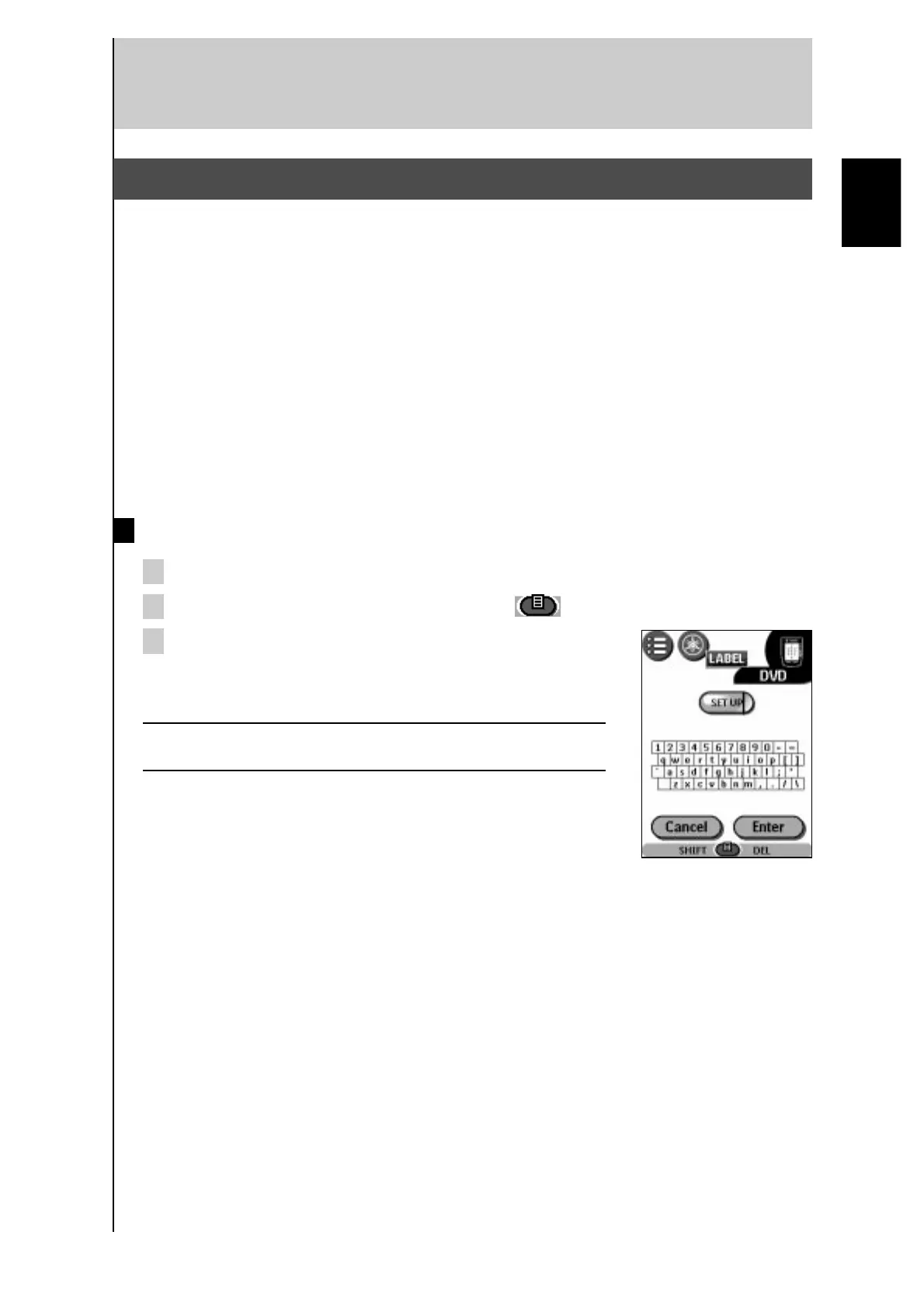
3 Tap the button you want to label.
The display shows a “virtual auto-zooming” mini-keyboard.
The button you want to label is displayed above the keyboard.
Note There are some buttons you cannot label. If you tap a button
you cannot label, you will hear a short beep.
English



 To Next Page