7
Getting started
8 Select a code set from the list.
The selected code set turns black. The Search button becomes to Next.
9 Tap Next.
The Remote Control switches to Try mode. The first control panel of the selected device
is displayed.
10 Try out the buttons on the different control panels and check whether the device
responds to the RC codes the Remote Control is sending.
Note Even when your device is responding to the current code set, it is advised to try out other code
sets. When your device responds to more then one code set, install the most suitable one.
11 If you are not satisfied with the way the device responds to the selected code
set, tab Back to select another code set.
-or-
If you are satisfied with the selected code set, tap Install.
When the RC codes for your device are installed, the Remote Control beeps and returns
to Use mode. Your brand is now defined for the selected device.
12 Define other devices you want to operate.
Defining brands by searching
You can use Search mode to find the matching RC codes for your device when:
• your brand is not displayed in the list of brands,
• you selected your brand, but do not know which code set to select.
4 Tap Next.
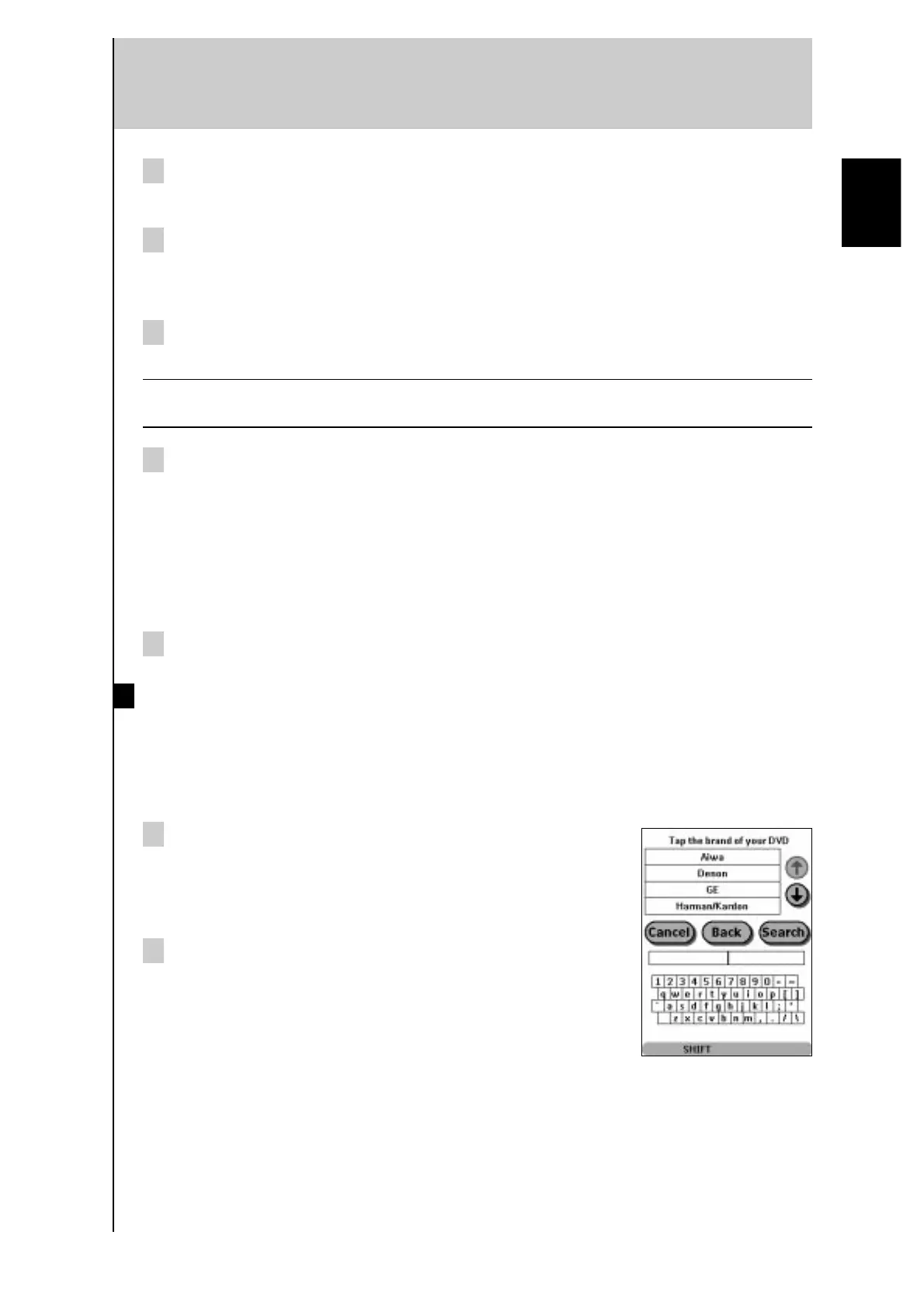
The display shows a scrollable list of brands for the selected
device and a “virtual auto-zooming” mini-keyboard.
5 Tap Search.
The Remote Control automatically searches through all
available brands and code sets to find the matching RC codes
for your device.
English



 To Next Page