English
13
RM-TT Installation Manual
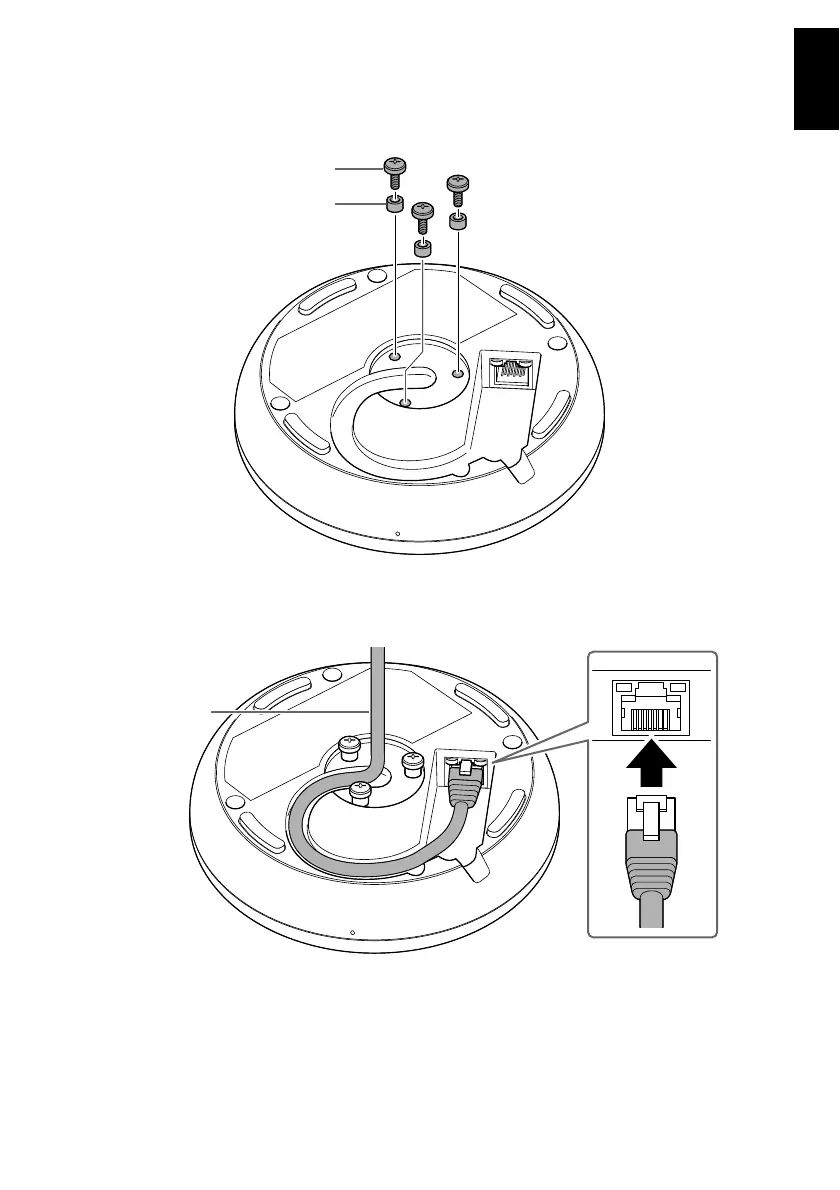
3. Remove the cap from the bottom of this unit, and then install three
mounting screws through the mounting holes.
Place one spacer on each screw.
4. Plug the LAN cable into the Dante/PoE port.
Route through the cable slot as shown below.
NOTICE
: Use STP (Shielded Twisted Pair) cable to prevent electromagnetic interference.
: When disconnecting the LAN cable from the Dante/PoE port, wait at least
five seconds before reconnecting the cable. Otherwise, damage or malfunctions
may result.



 To Next Page