EasyManua.ls Logo

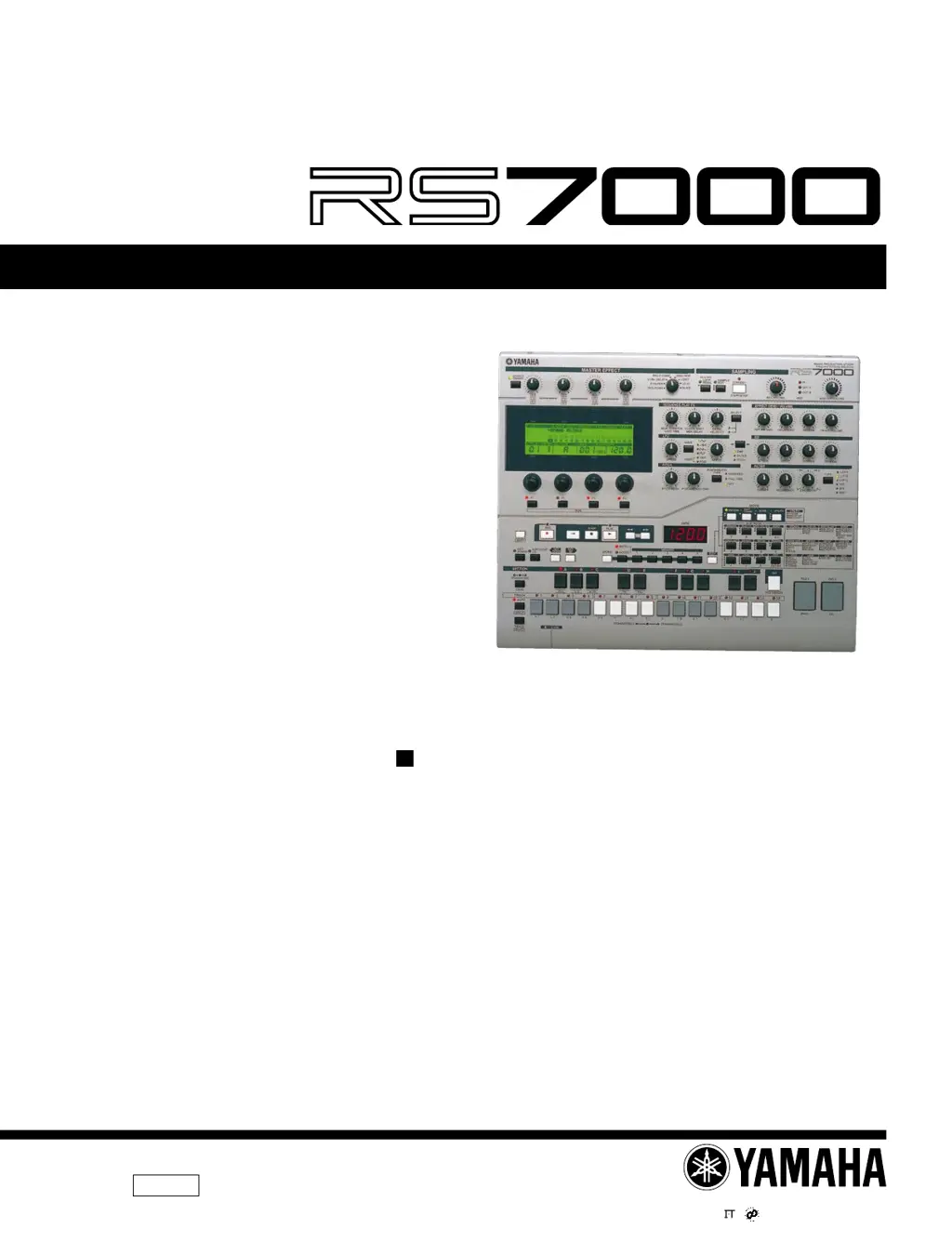
Yamaha RS7000 - Service Manual

Yamaha RS7000
97 pages
Print Icon
To Next Page IconTo Next Page
Loading...
1.498K-6451
Printed in Japan ’01.07
20010630-175000
SERVICE MANUAL
SY
011572
MUSIC PRODUCTION STUDIO
HAMAMATSU, JAPAN
CONTENTS
DIMENSIONS ............................................................ 3
SPECIFICATIONS .............................................. 4/6
PANEL LAYOUT ...................................... 8
CIRCUIT BOARD LAYOUT ............... 11
WIRING ............................................................. 13
BLOCK DIAGRAM ......................... 14
DISASSEMBLY PROCEDURE ............................ 15
INSTALLING OPTIONAL EQUIPMENT
...... 19
LSI PIN DESCRIPTION .............................. 27
IC BLOCK DIAGRAM ................................... 32
CIRCUIT BOARDS ......................................... 34
TEST PROGRAM ............................. 46/56
ERROR MESSAGE ........................... 66/69
MIDI IMPLEMENTATION CHART......................................... 72
OS UPDATE .................................... 74/75
PARTS LIST
OVERALL CIRCUIT DAIGRAM
This document is printed on chlorine free (ECF) paper with soy ink.

Other manuals for Yamaha RS7000

Questions and Answers

  • B
    Beverly CastroAug 18, 2025
    Why is there no sound from my Yamaha RS7000 Music Equipment?
    • M
      Misty DawsonAug 19, 2025
      There could be several reasons for the lack of sound. First, ensure that the power supplies to the unit and any related external equipment are turned on. Check if the unit is properly connected to external equipment via MIDI or audio cables. Make sure the MASTER VOLUME control is turned up to an appropriate level. Verify that the MIDI filter isn't blocking note-on messages and that the output select setting is correct. Also, check the effect and filter settings, individual track volume levels, and ensure tracks are not muted. Confirm the Out Channel is not set to OFF, and the playback data volume and expression settings are appropriate. Finally, check if the groove or playback effect velocity offset is set too low and ensure the sample volume and Original Key parameter are properly set.
  • D
    Dalton WhiteAug 21, 2025
    What to do if my Yamaha RS7000 sound is distorted?
    • M
      mdanielsAug 21, 2025
      If you're experiencing distorted sound, first check if the MASTER VOLUME is set too high, causing clipping. Also, verify if the Out Level is set too high. The distortion might also be due to certain effect settings or the Unison effect being turned on. Try adjusting these parameters to see if the issue resolves.
  • C
    Carla Kirk DDSAug 23, 2025
    How to fix wrong pitch or intervals on Yamaha RS7000 Music Equipment?
    • D
      Dana GonzalezAug 23, 2025
      If the pitch or intervals are incorrect, check if the Master Tune parameter is set at a value other than “0”. Ensure the pitch bend wheel on any external device hasn't been moved. Also, verify that Transpose is set to “0”, the groove note offset isn't changing the pitch, and the Pitch Bend knob is in the center position. Finally, confirm that the Original Key parameter is set properly.
  • S
    Stephanie WagnerAug 26, 2025
    What to do if Yamaha Music Equipment sound level is too low?
    • J
      Jorge VaughnAug 26, 2025
      If the sound level is too low, start by checking if the volume or expression settings are set too low. Also, verify that the groove or playback effect velocity offset isn't set too low, and ensure that the Out Level is not set too low.
  • K
    kimpaulAug 28, 2025
    What to do if the sound is cut off on Yamaha RS7000?
    • K
      Kyle EdwardsAug 28, 2025
      The sound being cut off may be due to exceeding the maximum polyphony of the instrument. Try reducing the number of notes played simultaneously.
  • P
    pandersonAug 30, 2025
    Why doesn't playback begin when pressing the [PLAY] button on my Yamaha Music Equipment?
    • A
      aliciawilsonAug 30, 2025
      If playback doesn't start when you press [PLAY], confirm that the selected pattern, phrase, pattern chain, or song contains data. Also, ensure that the MIDI SYNC parameter is set to INTERNAL.
  • J
    Jesse BennettSep 1, 2025
    Why does rhythm and note timing change on Yamaha Music Equipment after recording?
    • A
      Amy HendersonSep 1, 2025
      If the rhythm and note timing differ from when recorded, it may be because the groove or play effect parameters are set to change the timing. Check these settings and adjust as needed.
  • E
    Erin Kelly MDSep 4, 2025
    Why do voice and effect settings change when playback starts on my Yamaha RS7000 Music Equipment?
    • J
      James HarrisSep 4, 2025
      The voice and effect settings might be changing at the start of playback because data that resets the tone generator is recorded at the beginning of the sequence. Review the beginning of your sequence for any such data.
  • S
    Sheila AcostaSep 6, 2025
    Why can’t I record a phrase or song on my Yamaha Music Equipment?
    • H
      haleynewmanSep 6, 2025
      If you're unable to record a phrase or song, check if a preset phrase is selected. Also, verify whether memory protection is turned on, as this can prevent recording.
  • H
    Heather JordanSep 8, 2025
    Why can’t I save data on my Yamaha RS7000?
    • M
      Mark TerrySep 9, 2025
      If you can't save data, check if the memory card or disk you're using is write-protected. Also, make sure the memory card or disk is properly formatted.

Summary

Dimensions and Specifications

Technical Specifications

Comprehensive list of technical parameters for the RS7000.

Panel Layout and Controls

Top Panel Layout

Detailed layout of controls and displays on the upper and lower top panels.

Internal Structure and Wiring

Circuit Board Layout

Layout diagrams for main circuit boards.

Disassembly and Installation Procedures

Optional Equipment Installation

Procedures for installing SIMMs and I/O expansion boards.

Test Programs and Error Handling

Categorized Error Messages

Lists and explanations of operational and system errors.

MIDI Implementation and OS Update

MIDI Implementation Chart

Details MIDI message transmission and recognition.

OS Update Procedure

Instructions for updating the RS7000 operating system.

Parts Identification and Lists

Electrical Components List

Comprehensive list of electrical parts and their specifications.

Yamaha RS7000 Specifications

General IconGeneral
Polyphony64 voices
SequencerYes
Synthesis MethodAWM2 (Advanced Wave Memory 2)
SamplingYes
Sampling Frequency44.1 kHz
Sampling Memory4MB (expandable to 64MB)
Patterns256
FilterYes
Audio InputsStereo input
Sequencer Resolution480 PPQN
EffectsReverb, Chorus
Display240 x 64 dot LCD
MIDIIn, Out, Thru
ConnectivityMIDI, SCSI
StorageSmartMedia
Songs20

Related product manuals