EasyManua.ls Logo

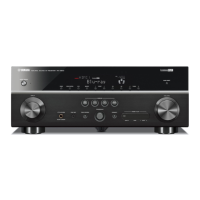
Yamaha RX-A800 - User Manual

Yamaha RX-A800
154 pages
Print Icon
To Next Page IconTo Next Page
Loading...
Owner’s Manual
AV Receiver English for U.S.A.

Table of Contents

Other manuals for Yamaha RX-A800

Questions and Answers

  • D
    Dr. Dan ReyesJul 31, 2025
    What to do if my Yamaha RX-A800 Receiver remote control is not working?
    • P
      Paula MorseJul 31, 2025
      If your Yamaha Receiver's remote control isn't working, here's what to check: * **Distance and Angle:** Ensure you're within 20 ft (6 m) and no more than 30 degrees off-axis from the receiver. * **Lighting:** Adjust the lighting or move the unit if direct sunlight or strong lighting is hitting the remote sensor. * **Batteries:** Replace all batteries in the remote. * **Remote ID:** Match the remote control ID of the unit and the remote control.
  • M
    Michael SingletonAug 9, 2025
    How to fix Yamaha Receiver when Bluetooth component is not found?
    • B
      bedwardsAug 9, 2025
      If the Bluetooth component cannot be found on your Yamaha Receiver, consider the following: * **Pairing:** Ensure pairing is performed simultaneously on both the Bluetooth component and the receiver. Verify that the Bluetooth component is in pairing mode. * **Connection:** Check if the Bluetooth component is turned on and is within 32 ft (10 m) of the Yamaha Bluetooth wireless audio receiver. * **Pairing Status:** If pairing wasn't achieved, try the pairing process again.
  • E
    Elizabeth FosterAug 20, 2025
    Why can't I control external components with my Yamaha Receiver remote?
    • J
      Jennifer AlexanderAug 20, 2025
      If you can't control external components with your Yamaha Receiver's remote, here are a few things to try: * **Remote Control Code:** Ensure the remote control code is correctly set using 'Remote control code search' on the CD-ROM. * **Alternative Code:** Try setting another code for the same manufacturer using 'Remote control code search' on the CD-ROM. * **Button Functionality:** If Cursor B / C / D / E don't work during DVD disc menu operation, press the Input selector again. For OPTION/Setup menu issues, press SOURCE/RECEIVER (it should glow orange) and try again. * **Compatibility:** Even with the correct code, some models may not respond to the remote.

Summary

Introduction

Using the TV OSD to operate the unit

Explains how to use the on-screen display for unit operations and settings.

Connections

Setting up the speaker parameters automatically (YPAO)

Describes the YPAO function for automatic speaker setup and acoustic optimization.

Setup

Configuring input sources (Input menu)

How to rename input sources, assign icons, and configure input settings.

Extended functionality that can be configured as needed (Advanced Setup menu)

Covers advanced settings like impedance, TV format, and initialization options.

Using the HDMI Control function

Explains how to use HDMI Control for synchronized operation with TVs and players.

Appendix

Troubleshooting

Provides solutions for common problems and malfunctions of the unit.

Yamaha RX-A800 Specifications

General IconGeneral
Channels7.2
Power Output (8 ohms, 20 Hz - 20 kHz)90W per channel
HDMI Inputs6
HDMI Outputs2
HDMI Version1.4a
3D SupportYes
Audio Return Channel (ARC)Yes
Audio Formats SupportedDolby TrueHD, DTS-HD Master Audio
YPAO CalibrationYes
DSP Programs17
Dimensions (W x H x D)435 x 171 x 364 mm
Weight12.3 kg
Network ConnectivityEthernet
Network FeaturesNapster, Pandora
Video UpscalingYes (to 1080p)
BluetoothOptional (with Yamaha Bluetooth adapter)

Related product manuals