EasyManua.ls Logo

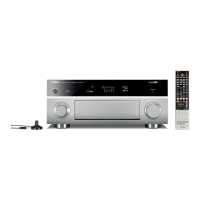
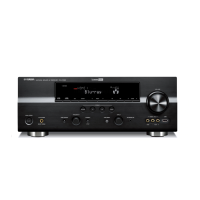
Yamaha RX-V1400 - Service Manual

Yamaha RX-V1400
147 pages
Print Icon
To Next Page IconTo Next Page
Loading...
SERVICE MANUAL
100867
IMPORTANT NOTICE
This manual has been provided for the use of authorized YAMAHA Retailers and their service personnel.
It has been assumed that basic service procedures inherent to the industry, and more specifically YAMAHA Products, are already
known and understood by the users, and have therefore not been restated.
WARNING: Failure to follow appropriate service and safety procedures when servicing this product may result in personal
injury, destruction of expensive components, and failure of the product to perform as specified. For these reasons,
we advise all YAMAHA product owners that any service required should be performed by an authorized
YAMAHA Retailer or the appointed service representative.
IMPORTANT: The presentation or sale of this manual to any individual or firm does not constitute authorization, certification or
recognition of any applicable technical capabilities, or establish a principle-agent relationship of any form.
The data provided is believed to be accurate and applicable to the unit(s) indicated on the cover. The research, engineering, and
service departments of YAMAHA are continually striving to improve YAMAHA products. Modifications are, therefore, inevitable
and specifications are subject to change without notice or obligation to retrofit. Should any discrepancy appear to exist, please
contact the distributor's Service Division.
WARNING: Static discharges can destroy expensive components. Discharge any static electricity your body may have
accumulated by grounding yourself to the ground buss in the unit (heavy gauge black wires connect to this buss).
IMPORTANT: Turn the unit OFF during disassembly and part replacement. Recheck all work before you apply power to the unit.
P.O.Box 1, Hamamatsu, Japan
CONTENTS
TO SERVICE PERSONNEL .......................................... 2
FRONT PANELS ........................................................ 3~5
REAR PANELS ........................................................ 6~12
REMOTE CONTROL.................................................... 13
SPECIFICATIONS.................................................. 14~17
INTERNAL VIEW ......................................................... 18
DISASSEMBLY PROCEDURES/分解手順 ......... 19~22
UPDATING FIRMWARE/
ファームウェアの書き込み..................................... 23~24
SELF DIAGNOSIS FUNCTION (DIAG)/
自己診断機能(ダイアグ)..................................... 25~49
AMP ADJUSTMENT/アンプ部調整 ..................... 50~51
DISPLAY DATA ..................................................... 52~53
IC DATA ................................................................. 54~63
BLOCK DIAGRAM ................................................. 64~65
PRINTED CIRCUIT BOARD .................................. 66~85
PIN CONNECTION DIAGRAM .................................... 86
SCHEMATIC DIAGRAM ........................................ 87~97
PARTS LIST ......................................................... 99~141
REMOTE CONTROL.......................................... 142~147
Parts List for Carbon Resistors .............................. 148
AV RECEIVER/AV AMPLIFIER
RX-V2400/RX-V2400RDS/DSP-AX2400
RX-V1400/RX-V1400RDS/HTR-5690/DSP-AX1400
RX-V2400/RX-V2400RDS/DSP-AX2400
RX-V1400/RX-V1400RDS/HTR-5690/DSP-AX1400
Copyright 2003 YAMAHA CORPORATION
This manual is copyrighted by YAMAHA and may not be copied or 
redistributed either in print or electronically without permission.

Other manuals for Yamaha RX-V1400

Questions and Answers

  • A
    Angela NorrisSep 15, 2025
    What does E-6:CHECK SURR mean on my Yamaha Stereo Receiver?
    • J
      Jake HurstSep 16, 2025
      If the Yamaha Stereo Receiver displays E-6:CHECK SURR, connect surround speakers when you use surround back speaker(s), as surround back speaker(s) is (are) connected, though surround L/R speakers are not.
  • T
    Thomas DavisAug 25, 2025
    What to do if my Yamaha RX-V1400 shows error E-5 NOISY?
    • Q
      qjenkinsAug 25, 2025
      If your Yamaha Receiver displays the error 'E-5:NOISY', it indicates that the background noise is too loud. Try performing the auto setup procedure in a quiet environment. Also, turn off any noisy electrical equipment like air conditioners or move them away from the unit.
  • T
    Tina MccormickAug 25, 2025
    What to do if my Yamaha Receiver displays E-1 NO FRONT SP?
    • T
      Timothy PattonAug 26, 2025
      If your Yamaha Receiver displays 'E-1:NO FRONT SP', it means the front L/R channel signal(s) is (are) not detected. Make sure you select the front speakers using SPEAKER A or B. Also, check the front L/R speaker connections.
  • S
    Sandra SmithAug 26, 2025
    What to do if my Yamaha Receiver shows W-3 LEVEL ERROR?
    • B
      Brent HolmesAug 27, 2025
      If your Yamaha Receiver shows 'W-3:LEVEL ERROR', it means the volume level difference among the speakers is excessive. To resolve this: 1. Readjust the speaker installation. 2. Check the speaker connections. 3. Use speakers of similar quality. 4. Adjust the output volume of the subwoofer.
  • C
    Charlotte Diaz DDSSep 16, 2025
    How to fix Yamaha Stereo Receiver error W-2: OVER 24m (80ft)?
    • B
      Brittany CooperSep 17, 2025
      If the Yamaha Stereo Receiver displays W-2: OVER 24m (80ft), bring the speaker closer to the listening position. This message appears when the distance between the speaker and the listening position is over 24 m (80 ft.).
  • T
    Tyler RandallSep 23, 2025
    What does 'Unplug HP!' mean on my Yamaha Stereo Receiver?
    • T
      Tracey SanchezSep 23, 2025
      Unplug the headphones, because headphones are connected.
  • M
    Michael RobersonSep 8, 2025
    How to fix Yamaha Stereo Receiver E-5: NOISY error?
    • E
      Eddie RamirezSep 8, 2025
      If the Yamaha Stereo Receiver shows E-5: NOISY, try running the auto setup procedure in a quiet environment. Also, turn off noisy electrical equipment like air conditioners or move them away from the unit.
  • R
    Robert McmahonSep 9, 2025
    Why does my Yamaha Stereo Receiver show W-1: OUT OF PHASE?
    • A
      Amanda FletcherSep 9, 2025
      If the Yamaha Stereo Receiver displays W-1: OUT OF PHASE, check the speaker connections. This message may appear even when the speakers are connected correctly, depending on the speakers.
  • S
    Susan JonesSep 2, 2025
    What to do if my Yamaha RX-V1400 Receiver displays E-4 SBR->SBL?
    • R
      Robert FergusonSep 2, 2025
      If your Yamaha Receiver displays 'E-4:SBR->SBL', it means only the right surround back channel signal is detected. Connect the surround back speaker to the LEFT SURROUND BACK SPEAKERS terminal if you only have one surround back speaker.
  • A
    Austin WilsonAug 31, 2025
    What to do if my Yamaha Receiver displays E-6 CHECK SURR.?
    • M
      Melissa KennedyAug 31, 2025
      If your Yamaha Receiver displays 'E-6:CHECK SURR.', it means surround back speaker(s) is (are) connected, though surround L/R speakers are not. Connect surround speakers when you use (a) surround back speaker(s).

Summary

TO SERVICE PERSONNEL

Critical Components Information

Components requiring exact replacement parts due to special characteristics.

Leakage Current Measurement

Post-service verification of insulation and leakage current.

FRONT PANELS

RX-V2400 (U, C, A models)

Front panel view for RX-V2400 U, C, and A model variations.

RX-V2400 (L, R, T, K models)

Front panel view for RX-V2400 L, R, T, and K model variations.

RX-V2400 RDS (B, G models)

Front panel view for RX-V2400RDS B and G model variations.

REAR PANELS

RX-V2400 (U, C models)

Rear panel view for RX-V2400 U and C models.

RX-V2400 (A model)

Rear panel view for RX-V2400 A model.

RX-V2400 (L model)

Rear panel view for RX-V2400 L model.

REMOTE CONTROL

RX-V2400;RX-V2400 RDS; DSP-AX2400

Remote control layout for RX-V2400/RX-V2400RDS/DSP-AX2400 models.

RX-V1400;HTR-5690;DSP-AX1400 (U, C, A, R, L, T, K, J models)

Remote control layout for RX-V1400/HTR-5690/DSP-AX1400 models.

RX-V1400 RDS (B, G models)

Remote control layout for RX-V1400RDS B and G models.

SPECIFICATIONS

Audio Section; オーディオ部

Detailed specifications for the audio output power and related parameters.

Video Section; ビデオ部

Specifications for video signal types, levels, and frequency response.

DISASSEMBLY PROCEDURE; 分解手順

1. Removal of Top Cover

Step-by-step instructions for removing the top cover.

2. Removal of Front Panel

Instructions for removing the front panel assembly.

4. Removal of DSP P.C.B.

Steps for removing the DSP Printed Circuit Board.

UPDATING FIRMWARE; ファームウェアの書き込み

Equipment required

List of necessary equipment for firmware updates.

Firmware updating procedure

Initial steps for connecting the PC to the unit for firmware update.

SELF DIAGNOSIS FUNCTION (DIAG); 自己診断機能(ダイアグ)

No DIAG menu

List of main diagnostic menu items.

sub-menu

List of sub-menu options for each diagnostic item.

AMP ADJUSTMENT; アンプ部調整

Confirmation of Idling Current of Amp Unit

Procedure to confirm idling current of the amplifier unit.

REMOTE CONTROL RAV228

Key Key Name

List of remote control keys and their corresponding codes.

REMOTE CONTROL RAV238, RAV239

Initial Code

Table of initial codes for remote control functions.

No. Key Key Name

List of remote control keys and their corresponding codes.

Yamaha RX-V1400 Specifications

General IconGeneral
BrandYamaha
ModelRX-V1400
CategoryReceiver
LanguageEnglish

Related product manuals