PREPARATIONS ➤ Selecting an on-screen menu language En 49
Select the desired on-screen menu language from English,
Japanese, French, German, Spanish, Russian and Chinese.
1
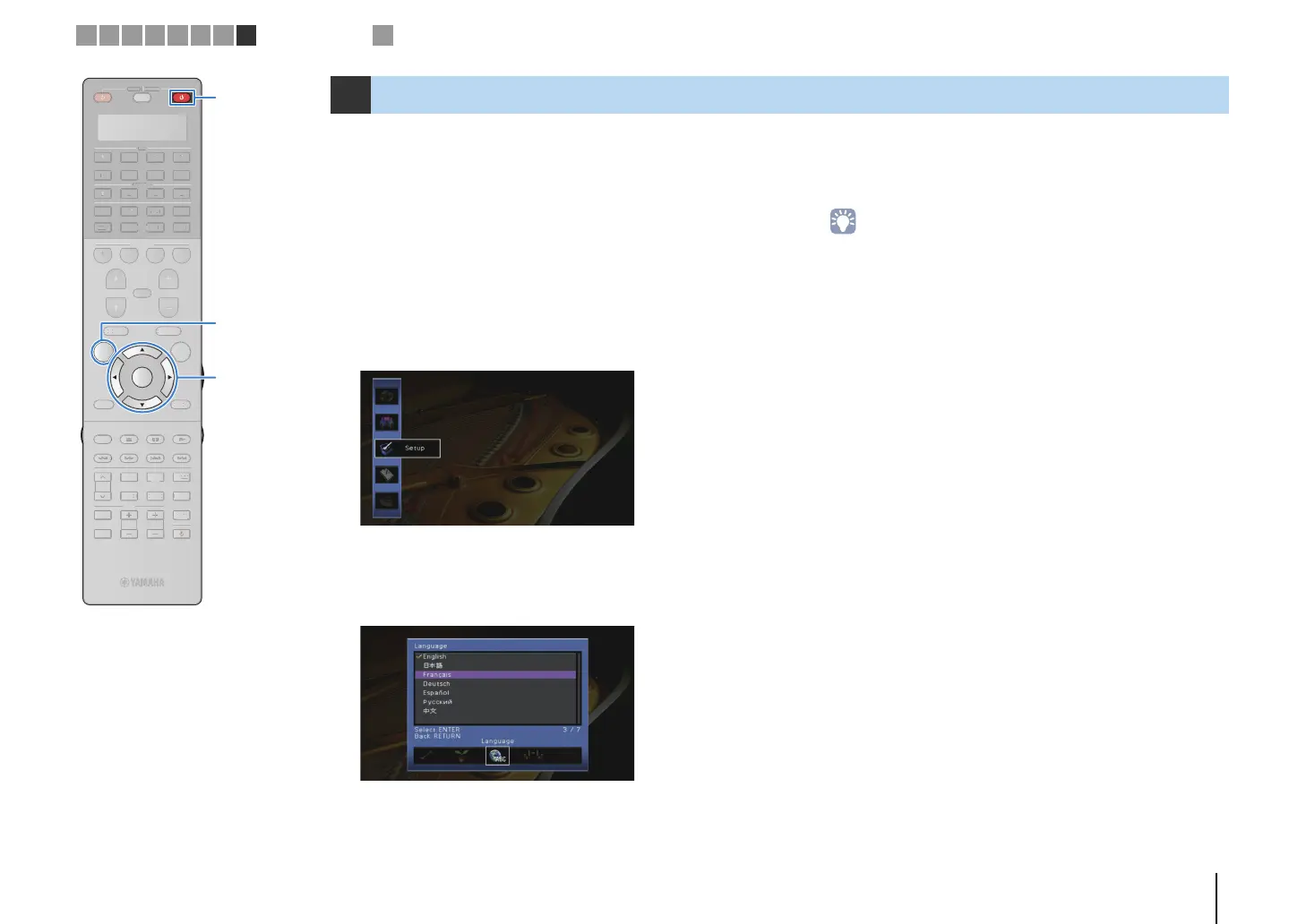
Press RECEIVER z to turn on the unit.
2
Turn on the TV and switch the TV input to display
video from the unit.
3
Press ON SCREEN.
4
Use the cursor keys to select “Setup” and press
ENTER.
5
Use the cursor keys (e/r) to select “Language” and
the cursor keys (q/w) to select the desired
language.
6
To confirm the setting, press ENTER.
7
To exit from the menu, press ON SCREEN.
• The information on the front display is provided in English only.
8 Selecting an on-screen menu language
1 2 3 4 5 6 7 8
Language setting
9
SOURCE
RECEIVER
AV
AUDIO
1 2 3 4
5 6 7
V-A UX
1 2 3 4
MULTI
PHONO
USB NET
TUNER
[ C ][ A ] [ B ]
CLASSICAL
LIVE
CLUB
ENTERTAIN
MOVIE
STEREO STRAIGHT
INPUT
PURE
DIRECT
MUTE
TV
SCENE
1 2 3 4
PROGRAM
VOLUME
TV VOL
MUTE
MODE
TOP MENU
RETURN DISPLAY
POP-UP/MENU
TV CH
PRESET
ENTER
ON SCREEN
OPTION
SOURC
RE
EIVE
D
PH
N
C
A
LA
I
A
L
M
TERE
TRAI
HT
DIRE
EN
OGR
V
LUME
V
M
D
T
DI
P
P
P-
P
MEN
TV
PRE
E
PTI
ON SCREEN ON SCREEN
ENTER
RECEIVER z RECEIVER z
Cursor keys


 To Next Page