PLAYBACK ➤ Listening to FM/AM radio En 71
■ Browse screen
1 Preset station list
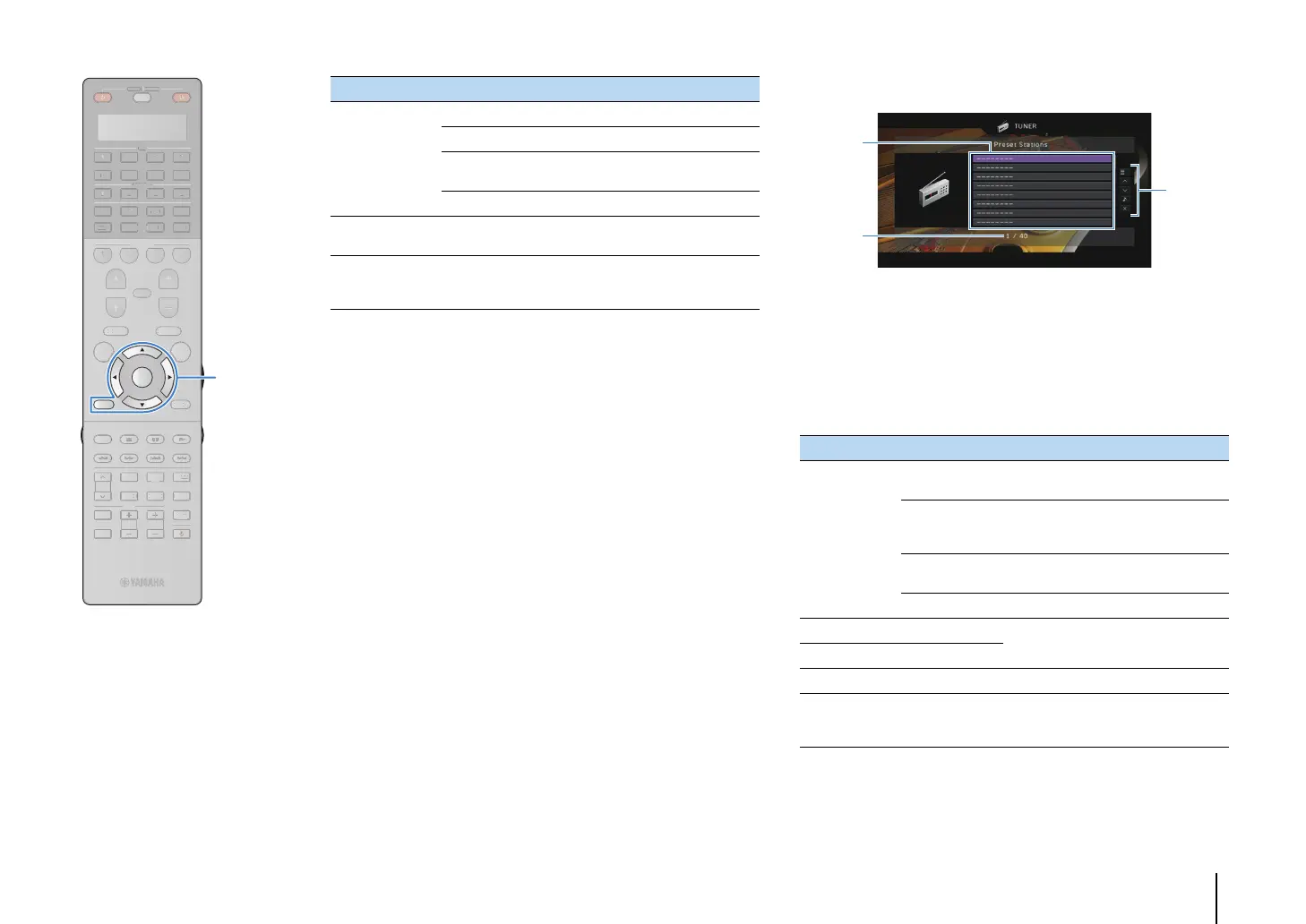
Displays the list of preset stations. Use the cursor keys (q/w) to select a
preset station and press ENTER to tune into it.
2 Preset number
3 Operation menu
Press the cursor key (r) and then use the cursor keys (q/w) to select an
item. Press ENTER to confirm the selection.
To close the submenu, press RETURN.
Menu Submenu Function
Manual Tuning
Tuning (+/-) Selects a frequency.
Auto (+/-) Selects a radio station automatically.
Memory
Registers the selected station as
presets.
Direct Enters a frequency directly.
Browse
Moves to the browse screen (preset
station list).
Screen Off
Closes the screen display and shows
the background. Press one of the
menu operation keys to redisplay it.
Menu Submenu Function
Utility
Memory
Registers the current station to the
preset number selected in the list.
Auto Preset
Automatically registers FM radio
stations with strong signals (up to 40
stations).
Clear Preset
Clear the preset station selected in the
list.
Clear All Preset Clear all the preset stations.
1 Page Up
Moves to the previous/next page of the
list.
1 Page Down
Now Playing Moves to the playback screen.
Screen Off
Closes the screen display and shows
the background. Press one of the
menu operation keys to redisplay it.
3
2
1
SOURCE
RECEIVER
AV
AUDIO
1 2 3 4
5 6 7
V-A UX
1 2 3 4
MULTI
PHONO
USB NET
TUNER
[ C ][ A ] [ B ]
CLASSICAL
LIVE
CLUB
ENTERTAIN
MOVIE
STEREO STRAIGHT
INPUT
PURE
DIRECT
MUTE
TV
SCENE
1 2 3 4
PROGRAM
VOLUME
TV VOL
MUTE
MODE
TOP MENU
RETURN DISPLAY
POP-UP/MENU
TV CH
PRESET
ENTER
ON SCREEN
OPTION
SOURC
RE
EIVE
D
PH
N
C
A
LA
I
A
L
M
TERE
TRAI
HT
DIRE
EN
OGR
V
LUME
V
M
D
T
DI
P
P
P-
P
MEN
TV
PRE
E
N
REE
PTI
ENTER
RETURN
Menu operation keys
Cursor keys


 To Next Page