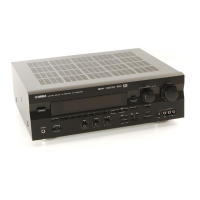
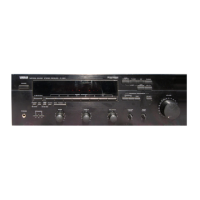
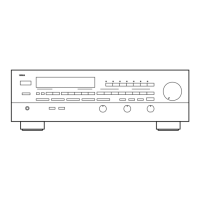
EasyManua.ls Logo

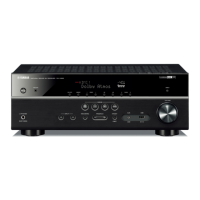
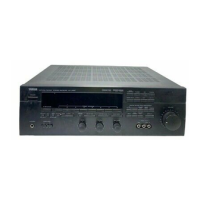
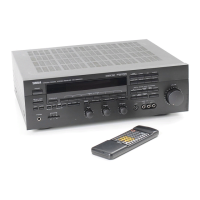
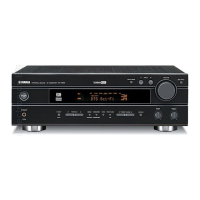
Yamaha RX-V520 - Service Manual

Yamaha RX-V520
66 pages
Print Icon
To Next Page IconTo Next Page
Loading...
SERVICE MANUAL
AV RECEIVER
RX-V520/RX-V520RDS/
HTR-5450/HTR-5450RDS

100755
IMPORTANT NOTICE
This manual has been provided for the use of authorized YAMAHA Retailers and their service personnel.
It has been assumed that basic service procedures inherent to the industry, and more specifically YAMAHA Products, are already
known and understood by the users, and have therefore not been restated.
WARNING: Failure to follow appropriate service and safety procedures when servicing this product may result in personal
injury, destruction of expensive components, and failure of the product to perform as specified. For these reasons,
we advise all YAMAHA product owners that any service required should be performed by an authorized
YAMAHA Retailer or the appointed service representative.
IMPORTANT: The presentation or sale of this manual to any individual or firm does not constitute authorization, certification or
recognition of any applicable technical capabilities, or establish a principle-agent relationship of any form.
The data provided is believed to be accurate and applicable to the unit(s) indicated on the cover. The research, engineering, and
service departments of YAMAHA are continually striving to improve YAMAHA products. Modifications are, therefore, inevitable
and specifications are subject to change without notice or obligation to retrofit. Should any discrepancy appear to exist, please
contact the distributor's Service Division.
WARNING: Static discharges can destroy expensive components. Discharge any static electricity your body may have
accumulated by grounding yourself to the ground buss in the unit (heavy gauge black wires connect to this buss).
IMPORTANT: Turn the unit OFF during disassembly and part replacement. Recheck all work before you apply power to the unit.
P.O.Box 1, Hamamatsu, Japan
CONTENTS
TO SERVICE PERSONNEL .......................................... 1
IMPEDANCE SELECTOR ............................................. 1
FRONT PANELS ............................................................ 2
REAR PANELS .......................................................... 3~4
SPECIFICATIONS.......................................................... 5
INTERNAL VIEW ........................................................... 6
DISASSEMBLY PROCEDURES ................................... 7
SELF DIAGNOSIS FUNCTION (DIAG) ................... 8~24
AMP ADJUSTMENTS .................................................. 24
DISPLAY DATA ..................................................... 25~26
IC DATA ................................................................. 27~32
BLOCK DIAGRAM ................................................. 33~36
PRINTED CIRCUIT BOARD .................................. 37~52
IC BLOCK DIAGRAM ............................................ 53~54
SCHEMATIC DIAGRAM ........................................ 55~58
PARTS LIST ........................................................... 59~73
REMOTE CONTROL TRANSMITTER .................. 74~76
SURROUND
DIGITAL
SILENT VIDEO AUX
PHONES S VIDEO VIDEO L AUDIO R OPTICAL
6CH INPUTINPUT MODE
INPUT
VOLUME
RDS MODE/FREQ
EON
PTY SEEK
MODE START
TUNING
MODE
PRESET
/TUNING
FM/AM
MEMORY
EDIT
BASS BALANCE SPEAKERS
PROGRAM
PRESET/TUNINGEFFECT A/B/C/D/E
AB
OFF
ON
STANDBY
/ON
DIGITAL
+
LR
TREBLE
+
MAN'L/AUTO FM AUTO/MAN'L MONO
RX-V520RDS
RX-V520/RX-V520RDS/
HTR-5450/HTR-5450RDS
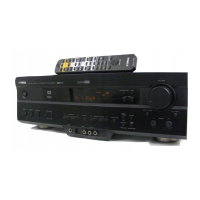
Other manuals for Yamaha RX-V520

Questions and Answers

  • M
    Mark SpencerSep 10, 2025
    Why the settings of the SET MENU and some other settings on my Yamaha Stereo Receiver cannot be changed?
    • C
      Christopher BurnsSep 10, 2025
      If the settings of the SET MENU and some other settings on your Yamaha Stereo Receiver cannot be changed, check if “9 MEM. GUARD” in the SET MENU is set to ON. If it is, select OFF to enable changes.
  • D
    Douglas AyalaAug 22, 2025
    What to do if the sound suddenly goes off on my Yamaha Stereo Receiver?
    • J
      Jeffrey MartinezAug 22, 2025
      If the sound suddenly goes off on your Yamaha Stereo Receiver, it could be due to several reasons. First, the protection circuit might have been activated due to a short circuit; check that the IMPEDANCE SELECTOR switch is in the correct position and then restart the unit. Second, the sleep timer may have activated; simply turn the power back on and restart your source. Lastly, ensure the sound is not muted by pressing the MUTE button to cancel any mute settings and adjust the volume.
  • B
    Brian BrooksAug 25, 2025
    How to fix no sound from the subwoofer on Yamaha Stereo Receiver?
    • S
      Sandra DiazAug 25, 2025
      If you're not getting any sound from the subwoofer connected to your Yamaha Stereo Receiver, check the “BASS OUT” setting in the SET MENU. If you are playing a Dolby Digital or DTS signal, ensure it is set to SWFR or BOTH. If you are playing a 2-channel source, set it to BOTH.
  • S
    smithclintonAug 26, 2025
    Why is there no sound from the effect speakers on my Yamaha Stereo Receiver?
    • J
      joe54Aug 26, 2025
      If you're not getting any sound from the effect speakers on your Yamaha Stereo Receiver, first ensure that the sound effect is turned on by pressing the EFFECT button. If you are using a Dolby Surround, Dolby Digital, or DTS decoding DSP program with material not encoded with these formats, try selecting another DSP program.
  • J
    Julia SilvaAug 27, 2025
    Why is there no sound from the center speaker on my Yamaha RX-V520 Stereo Receiver?
    • J
      Johnny HaasAug 28, 2025
      If you're not hearing any sound from the center speaker of your Yamaha Stereo Receiver, first check that the output level of the center speaker is not set to the minimum; raise the level if necessary. Next, verify that “CENTER SP” in the SET MENU is not set to NON; select the appropriate mode for your center speaker. Finally, if you have selected one of the Hi-Fi DSP programs (1 to 4), try selecting another DSP program.
  • B
    Brent RussellAug 29, 2025
    Why is there no sound from the rear speakers on my Yamaha Stereo Receiver?
    • J
      Julie GillAug 29, 2025
      If there's no sound coming from the rear speakers of your Yamaha Stereo Receiver, first ensure that the output level of the rear speakers is not set to minimum by raising the output level. If you are playing a monaural source with program 9, try selecting another DSP program.
  • J
    John DavisSep 18, 2025
    Why the Yamaha RX-V520 or other component cannot be controlled?
    • D
      dhughesSep 18, 2025
      If your Yamaha Stereo Receiver or another component cannot be controlled, first ensure that the component you wish to control has been selected by pressing the corresponding component selector button. If that doesn't work, the manufacturer code may not be set up correctly; try entering the code again.
  • M
    Megan GillSep 12, 2025
    Why is there noise interference from digital or high-frequency equipment with my Yamaha RX-V520?
    • W
      wsmithSep 12, 2025
      If you are experiencing noise interference from digital or high-frequency equipment with your Yamaha Stereo Receiver, it could be because the unit is too close to the interfering equipment. Try moving the Yamaha unit further away from the digital or high-frequency devices.
  • C
    Chad JohnsonSep 8, 2025
    Why can a “humming” sound be heard from my Yamaha RX-V520?
    • P
      Paul DavidSep 8, 2025
      If you are hearing a “humming” sound from your Yamaha Stereo Receiver, the issue might be due to incorrect cable connections. Ensure that all audio plugs are firmly connected. If the problem persists, the cables may be defective and require replacement.
  • P
    Phillip GonzalezSep 5, 2025
    Why is bass reproduction poor on my Yamaha Stereo Receiver?
    • A
      Antonio SmithSep 5, 2025
      If you notice poor bass reproduction with your Yamaha Stereo Receiver, and “BASS OUT” in the SET MENU is set to SWFR or BOTH but you don't have a subwoofer, change the setting to MAIN. Also, ensure that the output mode for each speaker (main, center, or rear) in the SET MENU matches your speaker configuration by selecting the appropriate output mode based on the size of your speakers.

Summary

IMPEDANCE SELECTOR

Critical Components Information

Highlights critical components requiring specific replacement parts for correct function.

Leakage Current Measurement

Describes the procedure for measuring leakage current to ensure electrical safety after servicing.

DIMENSIONS

FRONT PANELS

REAR PANELS

SPECIFICATIONS

INTERNAL VIEW

DISASSEMBLY PROCEDURES

SELF DIAGNOSIS FUNCTION (DIAG)

DIAG Menu Overview

Lists the 14 DIAG menu items and their corresponding sub-menu items for system diagnostics.

Starting and Canceling DIAG

Explains the procedures for initiating, cancelling, and managing diagnostic modes and protection functions.

DIAG Menu Details

Provides detailed descriptions and reference data for various DIAG sub-menus like DSP Through, Front CH, and RAM Through.

Manual Test and Display Check

Details manual test procedures using the noise generator and display check functions for troubleshooting.

Status and Data Checks

Covers AD Data Check, IF Status, and DSP RAM Check for system status and bus integrity diagnostics.

Microprocessor Information

Displays version, checksum, and port information specified by the microprocessor for system identification.

AMP ADJUSTMENT

DISPLAY DATA

PIN CONNECTION

Lists pin numbers and their corresponding connections for the display IC, aiding in troubleshooting.

GRID ASSIGNMENT

Shows grid assignments for display segments, mapping patterns to specific pin connections.

IC DATA

YSS928 Pin Descriptions

Details the I/O and function of each pin for the YSS928 DSP IC.

Main CPU Block Diagram

Illustrates the internal architecture and functional blocks of the main CPU (μPD78F4218AGF-3BA).

Main CPU Pin Descriptions

Lists the I/O and function of each pin for the main CPU (μPD78F4218AGF-3BA).

BLOCK DIAGRAM (1;2)

BLOCK DIAGRAM (2;2)

PRINTED CIRCUIT BOARD (Foil side)

Input PCBs Layout

Shows foil side layouts for Input PCBs (1-6), indicating component locations for service.

Operation PCBs Layout

Details foil side layouts for Operation PCBs (1-8), showing component placement for service.

DSP and Main PCBs Layout

Illustrates foil side layouts for DSP and Main (1) PCBs, indicating component placement.

IC BLOCK DIAGRAM

SCHEMATIC DIAGRAM (INPUT)

SCHEMATIC DIAGRAM (OPERATION)

SCHEMATIC DIAGRAM (DSP)

SCHEMATIC DIAGRAM (MAIN)

PARTS LIST

Electrical Parts List

Lists electrical components with part numbers, descriptions, and abbreviations for service.

Carbon Resistors List

Details carbon resistor part numbers by value and wattage for replacement.

EXPLODED VIEW

Mechanical Parts List

Lists mechanical parts like cables, panels, buttons, screws, chassis, and accessories for replacement.

REMOTE CONTROL TRANSMITTER

Function Keychart

Yamaha Remote Control Codes

Maps remote control keys to functions and provides Yamaha NEC format codes for various devices.

Yamaha RX-V520 Specifications

General IconGeneral
Audio Channels5.1
Total Harmonic Distortion (THD)0.06%
Frequency Response20 Hz - 20 kHz
Digital Inputs2 Optical, 1 Coaxial
Dimensions (W x H x D)435 x 151 x 390 mm
Weight9.5 kg
Input Sensitivity200mV
Signal to Noise Ratio100 dB (CD)
Speaker Load Impedance8 ohms
Video Inputs3 composite

Related product manuals