EasyManua.ls Logo

Yamaha RX Z9 - AV Receiver - User Manual

Yamaha RX Z9 - AV Receiver
132 pages
Print Icon
To Next Page IconTo Next Page
Loading...
YAMAHA ELECTRONICS CORPORATION, USA
6660 ORANGETHORPE AVE., BUENA PARK, CALIF. 90620, U.S.A.
YAMAHA CANADA MUSIC LTD.
135 MILNER AVE., SCARBOROUGH, ONTARIO M1S 3R1, CANADA
YAMAHA ELECTRONIK EUROPA G.m.b.H.
SIEMENSSTR. 22-34, 25462 RELLINGEN BEI HAMBURG, F.R. OF GERMANY
YAMAHA ELECTRONIQUE FRANCE S.A.
RUE AMBROISE CROIZAT BP70 CROISSY-BEAUBOURG 77312 MARNE-LA-VALLEE CEDEX02, FRANCE
YAMAHA ELECTRONICS (UK) LTD.
YAMAHA HOUSE, 200 RICKMANSWORTH ROAD WATFORD, HERTS WD18 7GQ, ENGLAND
YAMAHA SCANDINAVIA A.B.
J A WETTERGRENS GATA 1, BOX 30053, 400 43 VÄSTRA FRÖLUNDA, SWEDEN
YAMAHA MUSIC AUSTRALIA PTY, LTD.
17-33 MARKET ST., SOUTH MELBOURNE, 3205 VIC., AUSTRALIA
This document is printed on chlorine free (ECF) paper with soy ink.
©
2003 All rights reserved.
U
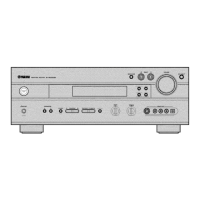
PHONO
DVR
STANDBY
/ON
PURE DIRECT
2CH/MULTI CH
SPEAKERS
VIDEO AUX
REC OUT/ZONE 2
INPUT MODE
SOURCE/REMOTE
DVDDTV/LD
MD/TAPE
CD-R
TUNER
CD
VIDEO AUX
VCR 2
VCR 1
SAT
CABLE
A B
STRAIGHT
EFFECT
MULTI CH
INPUT
DSP
PROGRAM
BALANCE
TONE
CONTROL
VOLUME
INPUT SELECTOR
MULTI JOG
SILENT OPTIMIZER
MIC
PHONES
OPTICAL
R
AUDIO
L
VIDEO
S VIDEO
AV Receiver
OWNER’S MANUAL
Printed in Japan WB74130
RXZ9u_cv.fm Page 1 Wednesday, October 15, 2003 11:05 AM

Table of Contents

Questions and Answers

  • P
    Patrick ReynoldsSep 9, 2025
    What does 'W2: Over24m/80ft' mean on my Yamaha RX Z9 - AV?
    • C
      Casey MontoyaSep 9, 2025
      If your Yamaha Receiver displays 'W2: Over24m/80ft', it means the distance between the speaker and the listening position is over 24 m (80 ft). Bring the speaker closer to the listening position.
  • Q
    qhayesAug 23, 2025
    What to do if Yamaha Receiver shows error E08: No Signal?
    • V
      Victor WilsonAug 23, 2025
      If your Yamaha Receiver displays the error 'E08: No Signal', it means the optimizer microphone is not detecting the test tones. Make sure to check the microphone setting, speaker connections, and placement.
  • L
    Lindsey ShawAug 25, 2025
    What to do if Yamaha Receiver shows error E07: No MIC?
    • C
      Cindy BrownAug 25, 2025
      If your Yamaha Receiver displays the error 'E07: No MIC', it means the optimizer microphone was unplugged during the auto setup procedure. Connect the supplied optimizer microphone to the OPTIMIZER MIC jack on the front panel.
  • A
    Alexandra KelleyAug 26, 2025
    What to do if Yamaha Receiver displays error E01:No Front SP?
    • W
      williamgrantAug 26, 2025
      If your Yamaha Receiver displays the error 'E01:No Front SP', it indicates that the front L/R channel signal(s) is (are) not detected. Select the front speakers using SPEAKERS A or B. Also, check the front L/R speaker connections.
  • B
    Brandon ObrienAug 27, 2025
    What to do if Yamaha RX Z9 - AV Receiver displays error W3: Level Error?
    • B
      Bill SmithAug 27, 2025
      If your Yamaha Receiver displays the error 'W3: Level Error', it means that the difference in volume level between the speakers is excessive. Readjust the speaker installation, check the speaker connections, use speakers of similar quality and adjust the output volume of the subwoofer.
  • W
    wrightcliffordAug 29, 2025
    What to do if Yamaha RX Z9 - AV Receiver displays error E02: No Surr. SP?
    • J
      Jessica Jones DVMAug 29, 2025
      If your Yamaha Receiver displays error 'E02: No Surr. SP', it means a surround channel signal is not detected. Check the surround speaker connections.
  • H
    harrisrebeccaSep 18, 2025
    Why does my Yamaha RX Z9 - AV say 'No Setup Menu!'?
    • M
      Matthew LivingstonSep 18, 2025
      If your Yamaha Receiver displays 'No Setup Menu!', it means no setup menu items have been selected. Select at least one setup menu item.
  • S
    Sandra EnglishSep 18, 2025
    What does 'Memory Guard!' mean on my Yamaha Receiver?
    • T
      Thomas FloresSep 22, 2025
      If your Yamaha Receiver displays 'Memory Guard!', it means this setting is protected. Remove the protection setting for auto setup.
  • P
    Paul KaufmanSep 7, 2025
    What to do if Yamaha Receiver displays error E09: User Cancel?
    • B
      Billy ShafferSep 8, 2025
      If your Yamaha Receiver displays the error 'E09: User Cancel', it means the auto setup procedure was cancelled because a setting that affects auto setup was changed during the procedure. Perform the auto setup procedure again.
  • L
    Linda HillSep 4, 2025
    What to do if Yamaha RX Z9 - AV Receiver displays error E06: Check Surr.?
    • K
      Kylie JonesSep 4, 2025
      If your Yamaha Receiver displays the error 'E06: Check Surr.', it means surround back speaker(s) is (are) connected, though surround L/R speakers are not. Connect surround speakers when using (a) surround back speaker(s).

Summary

IMPORTANT SAFETY INSTRUCTIONS

Explanation of Graphical Symbols

Describes safety symbols used within the manual and on the product enclosure.

General Operating Instructions

Covers reading, retaining, and following all safety and operating instructions.

Cleaning and Maintenance Precautions

Instructions for safe cleaning and avoiding water/moisture exposure.

Installation and Environmental Safety

Warnings regarding ventilation, power sources, and unit placement.

Electrical Safety and Protection Measures

Precautions on grounding, cords, lightning, overloading, and servicing.

FCC Information for US Customers

Regulatory compliance details and warnings against modifying the unit.

CAUTION: READ THIS BEFORE OPERATING YOUR UNIT.

Installation, Placement, and Environmental Precautions

Covers ventilation, temperature changes, humidity, and location.

Operational Safety and Electrical Warnings

Covers power cord, voltage, modification, lightning protection, and handling.

FEATURES

Amplifier and Sound Field Capabilities

Details on the 9-channel amplifier and sound field technologies.

Tuner and Other Unit Features

Information on the AM/FM tuner and additional functionalities.

GETTING STARTED

Supplied Accessories and Remote Setup

List of included accessories and battery installation for remote controls.

CONTROLS AND FUNCTIONS

Front Panel Controls Overview

Description and function of front panel buttons and indicators.

Remote Control Functions

Explanation of main and GUI remote control buttons.

Rear Panel Connections Overview

Description of all rear panel jacks and terminals.

SPEAKER SETUP

Speaker Placement Recommendations

Guidelines for optimal speaker positioning for surround sound.

Speaker Wiring and Connections

Instructions for connecting speaker wires and plugs correctly.

CONNECTIONS

Connecting Audio, Video, and Digital Sources

Overview of analog, digital, video, and i.LINK connection types.

Specific Component Connections

Details on connecting DVD, TV, VCR, Satellite, and other devices.

Antenna, Power, and i.LINK Connections

Connecting antennas, AC power, and i.LINK devices.

PLAYBACK AND TUNING

Basic Playback Operations and Sound Fields

Fundamental playback actions and selecting sound field programs.

Tuning Procedures and Station Presets

Methods for tuning radio stations and storing presets.

ADVANCED OPERATIONS AND SYSTEM OPTIONS

GUI Remote Control and Auto Setup

Using the GUI remote and performing auto system calibration.

System Options and Parameter Adjustments

Customizing various system settings via menus.

Remote Control Features (Learning, Macros)

Advanced remote control functionalities like learning and macros.

Zone 2 and i.LINK Usage

Multi-room audio setup and i.LINK connectivity.

TROUBLESHOOTING

General Unit and Sound Issues

Addressing common operational problems and sound output issues.

Remote Control and Tuner Issues

Diagnosing remote control problems and tuner reception issues.

GLOSSARY

Audio Signal Format Definitions

Explanations of audio encoding formats like Dolby and DTS.

THX Processing and Signal Definitions

Definitions of THX processing, B.G.C., and video signal types.

SPECIFICATIONS

Audio, Video, Tuner, and General Specifications

Detailed technical specifications for the unit's various sections.

Yamaha RX Z9 - AV Receiver Specifications

General IconGeneral
TypeAV Receiver
Channels9.2
Component Video Inputs3
Component Video Outputs1
Weight28.5 kg
Power Output170 watts per channel (8 ohms, 20 Hz - 20 kHz, 0.04% THD)
Digital Audio Inputs2 Coaxial
Surround Sound FormatsDolby Digital EX, DTS-ES
Video Formats SupportedComposite, S-Video, Component
Frequency Response10 Hz - 100 kHz +0, -3 dB
Total Harmonic Distortion0.04% (20Hz-20kHz, 170W)
Signal-to-Noise Ratio100 dB
Input Sensitivity200mV (line)
Video Inputs/OutputsComponent: 3 in / 1 out

Related product manuals