16
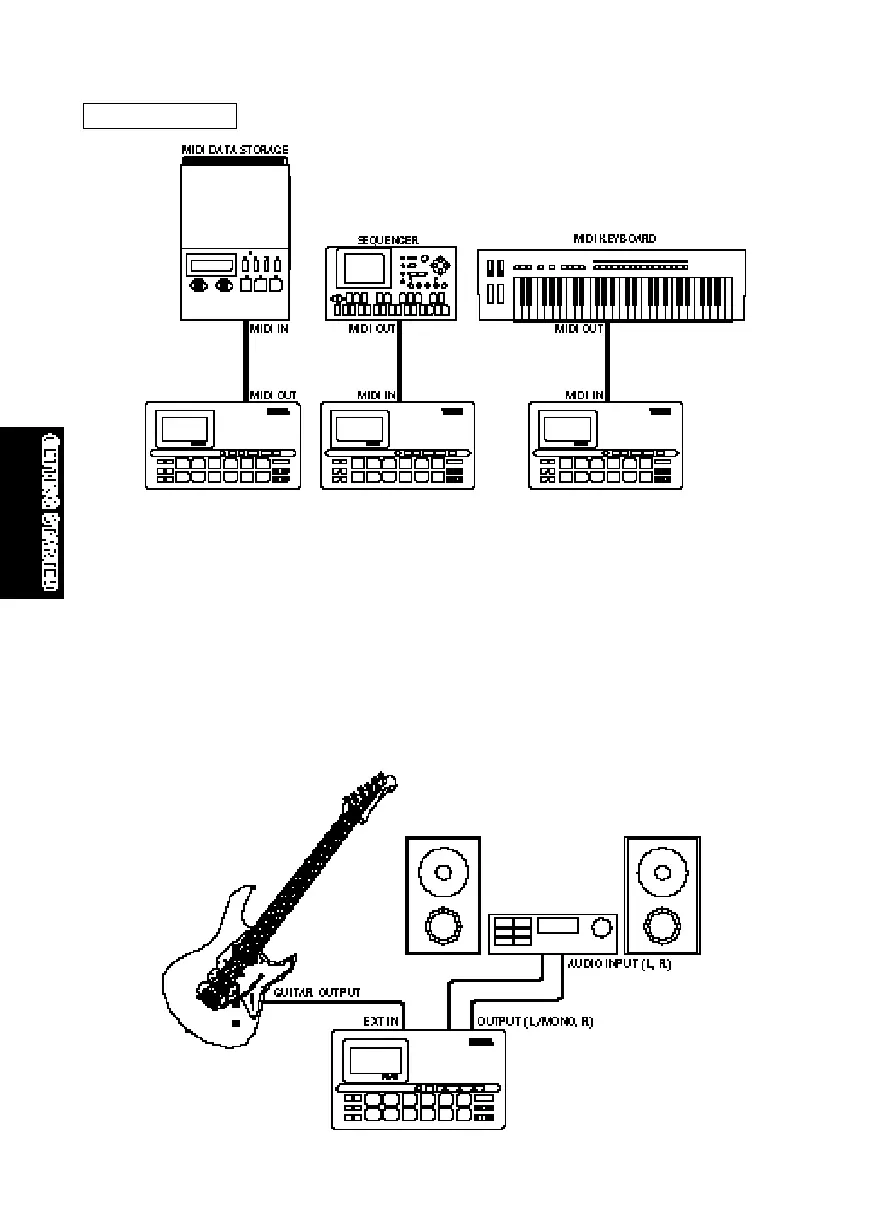
Connecting a Guitar
One of the RY8’s most unique features is its [EXT IN] jack, which lets you plug
a guitar directly into the RY8 and play along with the patterns and songs, or
use the RY8 as a guitar tuner, or even use the RY8 as a guitar synthesizer to
“trigger” one of the 50 AWM normal voices by the notes you play on the guitar.
Turn down the volume of both the guitar and RY8, then plug a guitar cable from
the guitar’s output jack to the RY8’s [EXT IN] jack. Next, raise the RY8’s
volume level, then turn up the guitar’s volume knob. (For details about the EXT
IN features, see “External In Mode”, page 61.)
MIDI settings
GETTINGSTARTED.QX99.11.175:38PMページ16



 To Next Page