24
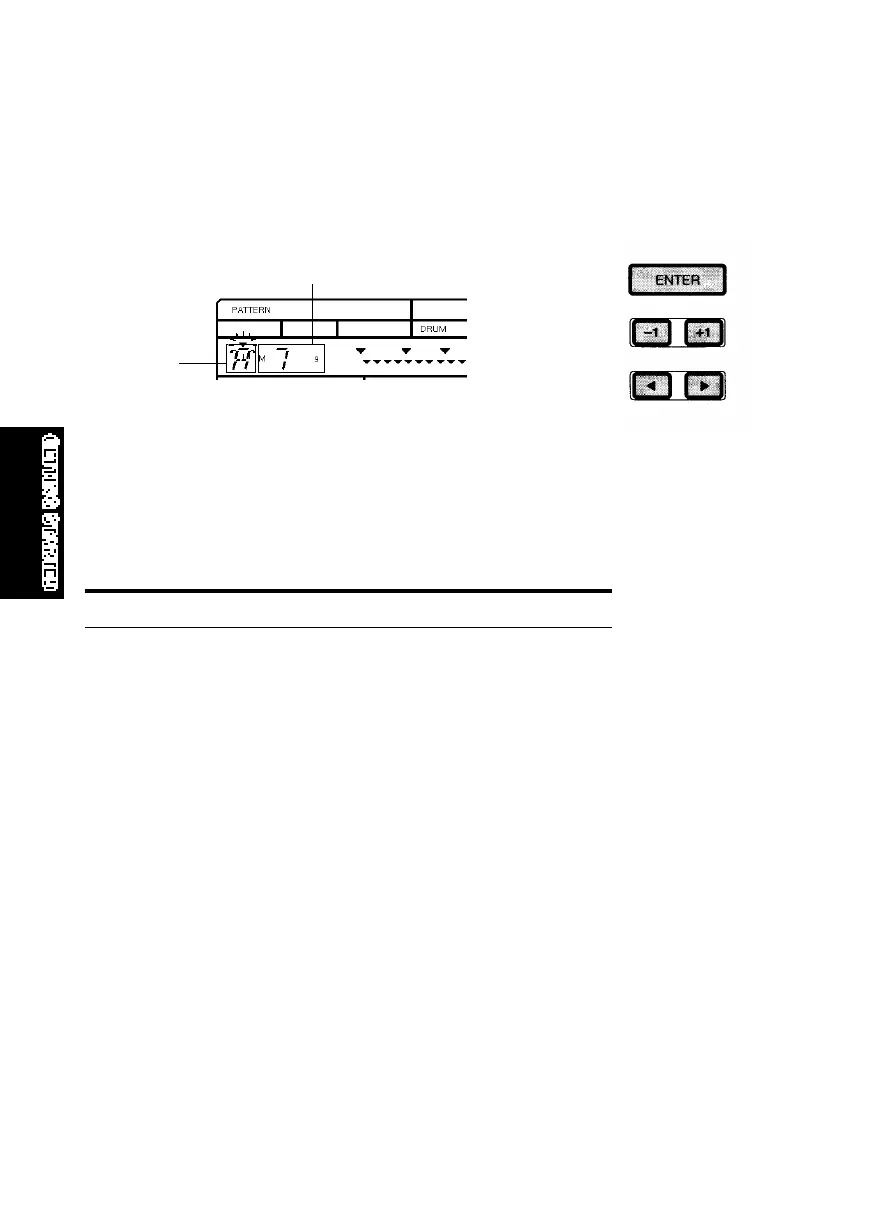
■ To select Chord Root or Chord Type, press [2] and [1]. The flashing indicator
will be positioned above the currently selected one.
■ To change the backing Chord Root or Chord Type, press [+1] and [-1],
followed by [ENTER] to lock in the new chord.
Chord Root
Chord Type
■ To exit Chord Assign, press [CHORD] again.
SELECTING THE BACKING ACCOMPANIMENT.
The backing accompaniments consist of Bass, Chord 1 and Chord 2 tracks,
preprogrammed to match the relevant Preset patterns. You cannot modify a
backing, but you can select a different backing to temporarily play with the
currently selected pattern.
■ To select a backing accompaniment, within the Pattern Mode Pattern Select
function, press [2] to move the flashing cursor over the backing name in the
LCD; the backing name will begin flashing, indicating that you can select a
different backing accompaniment to play with the currently selected rhythm.
(This is a good opportunity to hear how the different backings sound with
different rhythms!)
GETTINGSTARTED.QX99.11.175:38PMページ24



 To Next Page