2 Connect a TV to the sound bar.
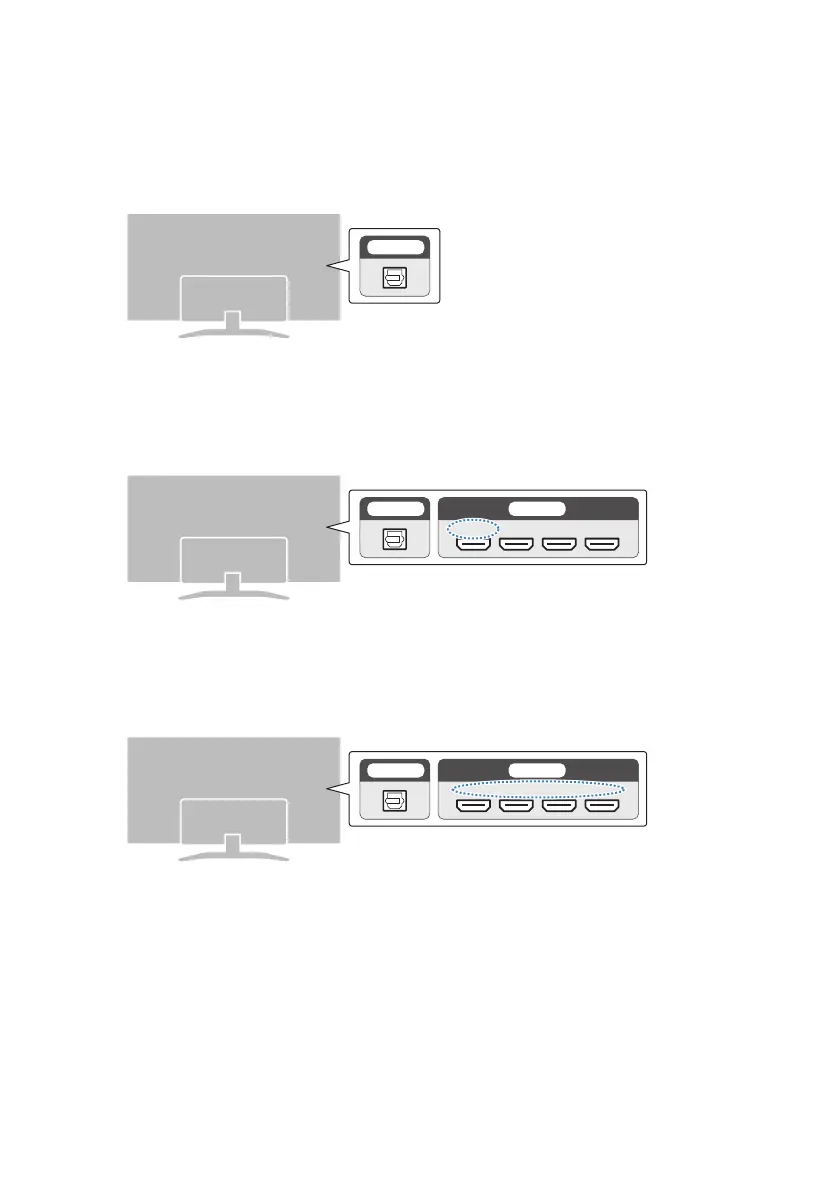
Depending on the type of TV, connect the TV to the sound bar as follows:
• Connecting the TV using only the supplied digital optical audio cable
Connection procedure
– “Connecting a TV using only the supplied digital optical audio cable”(p.21)
• TV equipped with an HDMI jack labeled as “ARC”
Connection procedure
– “Connecting a TV using an HDMI cable (sold separately)”(p.23)
• TV not equipped with an HDMI jack labeled as “ARC”
Connection procedure
– “Connecting a TV using only the supplied digital optical audio cable”(p.21)
– “Connecting a TV using an HDMI cable (sold separately)”(p.23)
3 Connect an audio device (if required).
Connection procedure
“Connecting an audio device”(p.27)
16
PREPARATION > Preparation


 To Next Page
 Loading...