Initializing (performing a factory reset)
Follow the steps below to initialize (perform a factory reset on) this product.
[Search tag] #Q04 Reset
Initializing (performing a factory reset)
This will restore all of the earbud settings to their factory defaults. The information for devices registered
(paired) will be deleted.
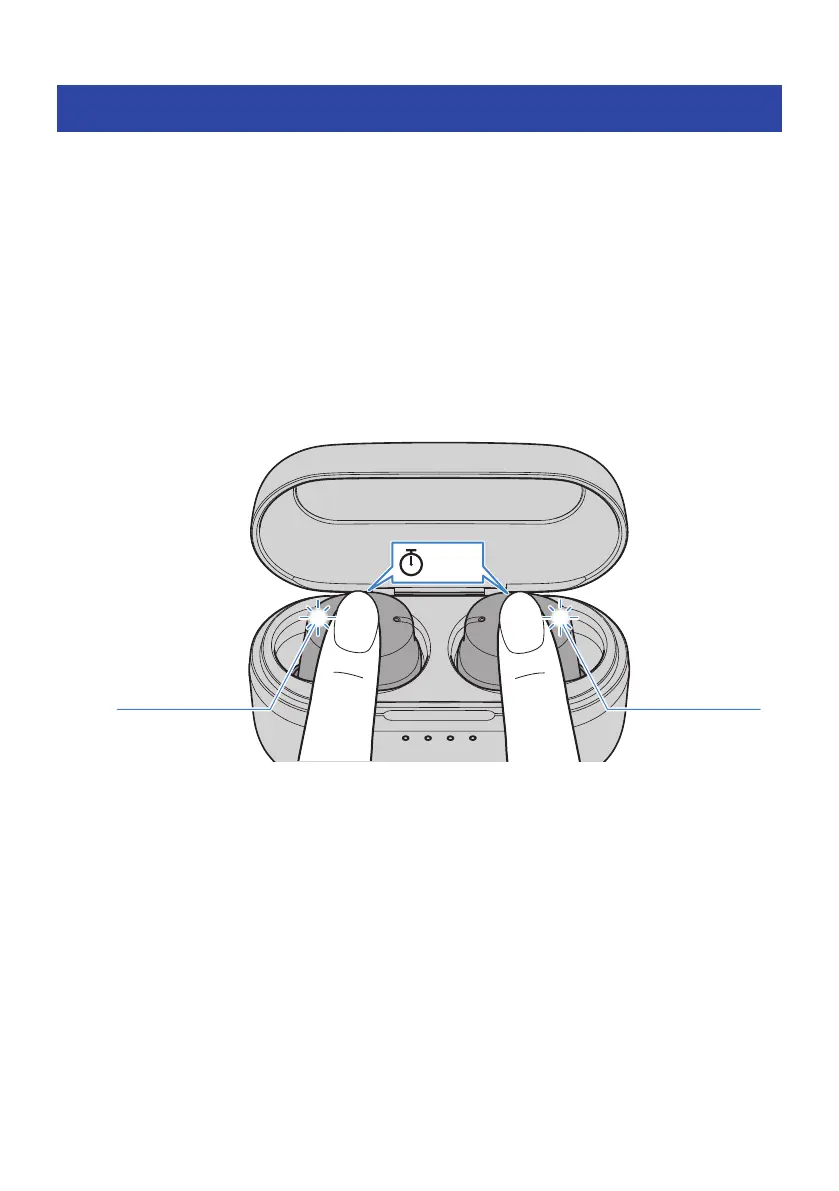
1 Put the earbuds back into the charging case; and within 20 seconds of doing so,
long-tap the Touch Control on earbuds (L) and (R) for 10 seconds, without taking
them out of the charging case.
Make sure that the indicator lights up as shown below.
Flashes 3 times
Flashes 3 times
10 sec
The earbuds are now initialized (factory reset).
Related links
“Pairing for the First Time”(p.19)
50
Troubleshooting > Initializing (performing a factory reset)



 To Next Page