EasyManua.ls Logo

Yamaha TX-480 - Exchanging Preset Stations

Yamaha TX-480
20 pages
Print Icon
To Next Page IconTo Next Page
To Previous Page IconTo Previous Page
Loading...
PRESET
STEREO
0
MHz
40 60
20
l00
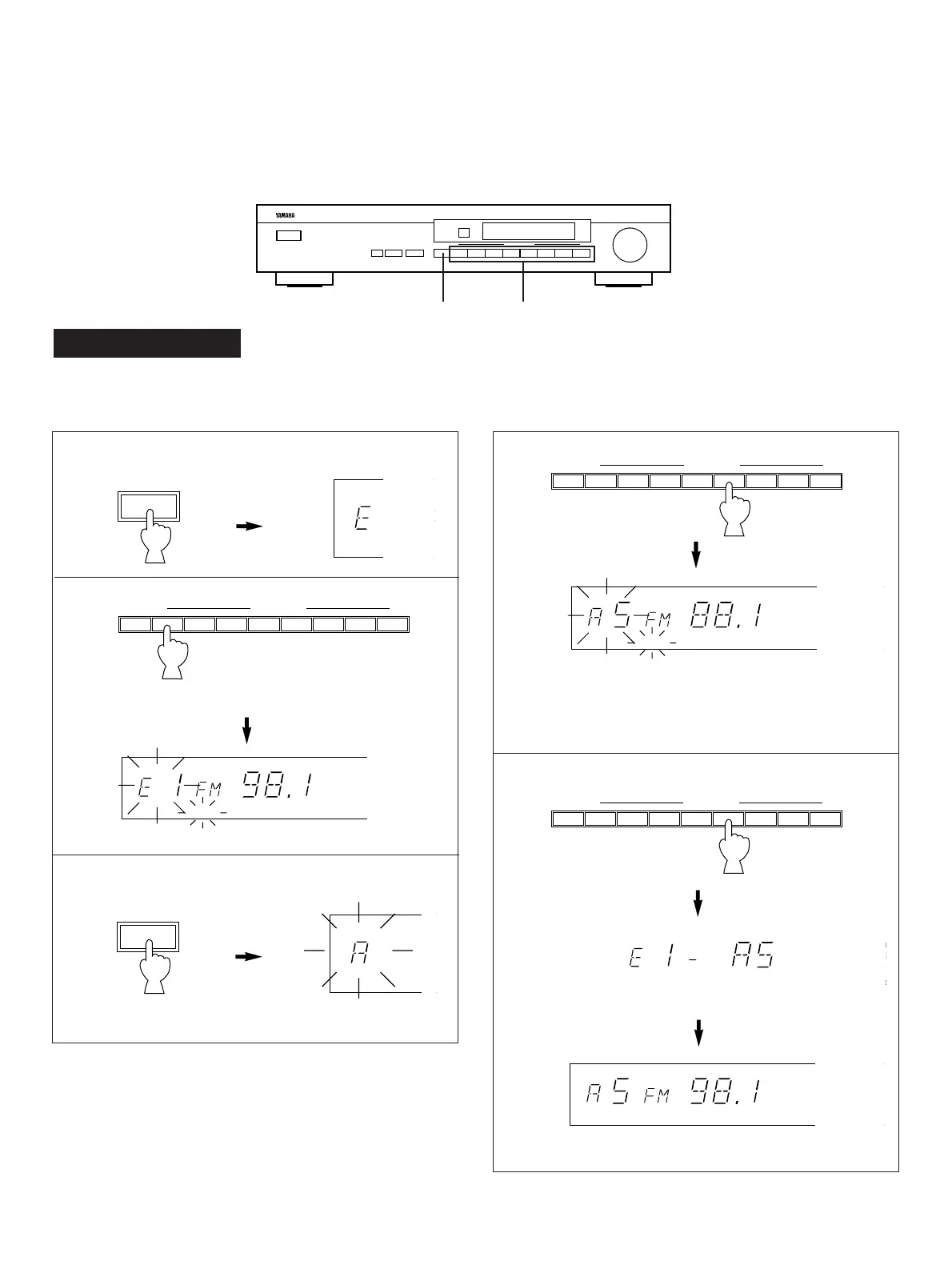
1 Select page E.
2
Press and hold for about 3 seconds.
3 Select page A.
4
Listen to the station on A5 to confirm it. If it is not the
station you want, re-select the proper station.
5 Press the same number again.
Lights up.
This shows the exchange of stations is completed.
PRESET
STEREO
0
MHz
40 60
20
l00
MEMORY
11
Flashes.
EXCHANGING PRESET STATIONS
You can exchange the places of two preset stations each other by easy operations.
Flashes.
A/B/C/D/E
PRESET
A/B/C/D/E
PRESET
A/B/C/D/E 1 2345678
PRESET STATIONS
STERE
0
kHZ
MHz
4
20
AUTO
PRESET
STEREO
0
MHz
40 60
20
l00
MEMORY
A/B/C/D/E 1 2345678
PRESET STATIONS
A/B/C/D/E 1 2345678
PRESET STATIONS
Example)
If you want to shift the preset station on E1 to A5, and vice
versa.
TX-480, TX-480L
1, 3 2, 4, 5