EasyManua.ls Logo

Yamaha WINORA radius tour - User Manual

Yamaha WINORA radius tour
101 pages
Go to English
Print Icon
To Next Page IconTo Next Page
Loading...
ORIGINAL
INSTRUCTIONS
ORIGINAL BETRIEBSANLEITUNG
DEUTSCHE ÜBERSETZUNG AUS DEM ENGLISCHEN
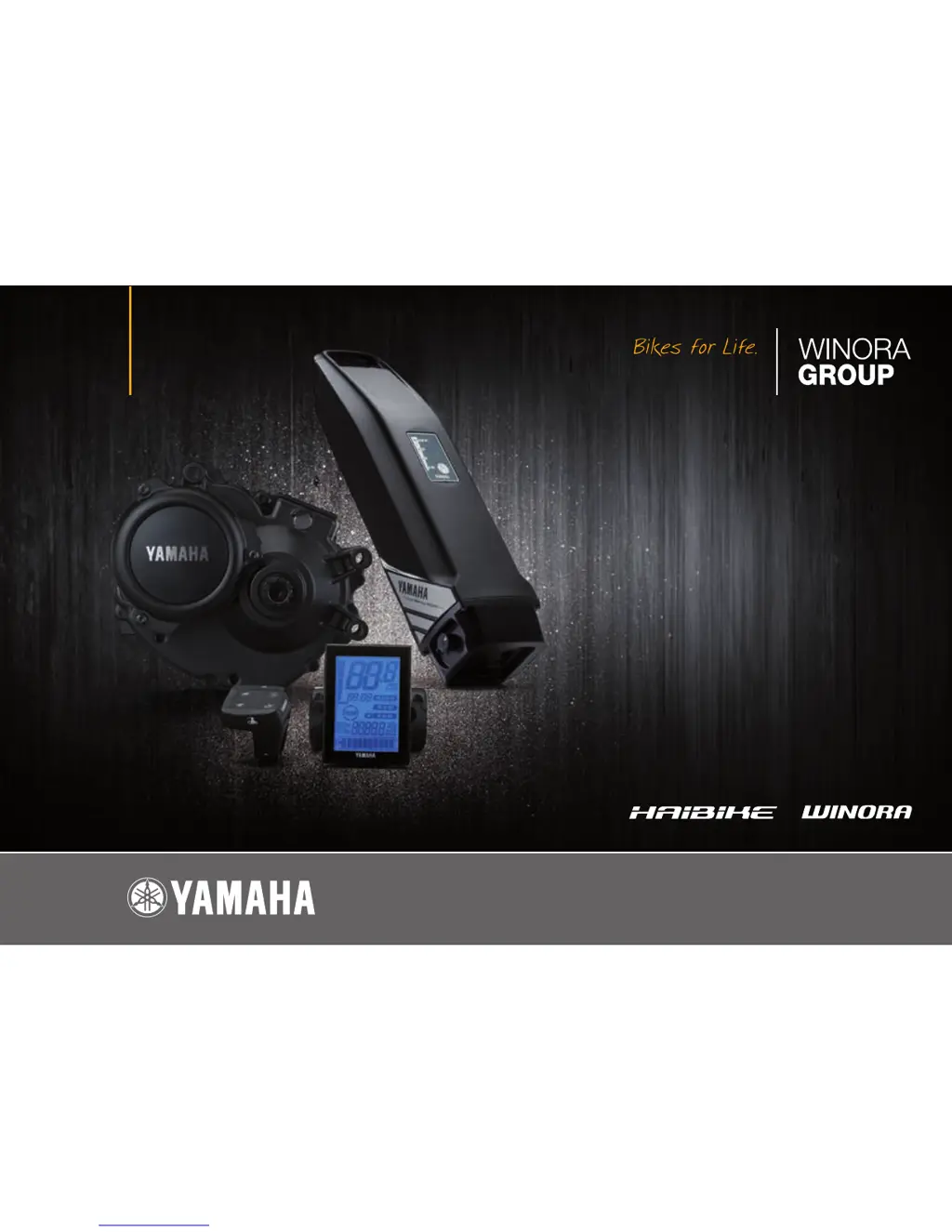
DRIVE UNIT • DISPLAY UNIT • BATTERY PACK • BATTERY CHARGER
ANTRIEBSEINHEIT • ANZEIGEEINHEIT • AKKUPACK • AKKULADEGERÄT
MODELLJAHR // MODEL YEAR 2016
DEUTSCH // ENGLISH

Questions and Answers

  • K
    kgordonAug 17, 2025
    Why is pedaling so difficult on my Yamaha WINORA radius tour Bicycle?
    • J
      Jacqueline CarrAug 17, 2025
      There could be several reasons why pedaling your Yamaha Bicycle feels difficult. First, make sure the display unit is powered on by pressing the power switch. Then, check if the battery pack is correctly installed and charged. If the bicycle has been stationary for more than 5 minutes, try turning the power on again. If you are riding uphill or carrying a heavy load in hot weather, it might be a safeguard to prevent overheating; shift to a lower gear. Low air temperature can also affect performance, so store the battery indoors before use in winter. Ensure the display is set correctly and stop charging the battery while it's mounted on the bicycle.
  • J
    Jessica GreerAug 19, 2025
    What to do if my Yamaha Bicycle drive unit turns on and off while riding?
    • C
      Christina MckinneyAug 20, 2025
      If the drive unit on your Yamaha Bicycle is turning on and off while you're riding, check that the battery pack is correctly installed and locked in place. If the problem persists, it could indicate a loose connection at the battery pack terminals or wires, and you should have an authorized dealer inspect your bicycle.
  • L
    Luke RuizAug 22, 2025
    What to do if traveling range has decreased on Yamaha WINORA radius tour?
    • J
      Jeffrey BrownAug 22, 2025
      If you notice that the traveling range of your Yamaha Bicycle has decreased, ensure that you are fully charging the battery pack until it reaches full capacity. Low temperature conditions can also reduce the range; storing the battery pack indoors before use can help. If the battery pack is old, it may be worn out and need replacement.
  • M
    Michael CastroAug 25, 2025
    What to do if Yamaha WINORA radius tour Bicycle cannot charge?
    • B
      Brandi BergerAug 26, 2025
      If your Yamaha Bicycle is not charging, first ensure the power plug is firmly connected and the charging plug is properly inserted into the battery pack; reconnect and try again. Also, check if the residual battery capacity lamps are lit, review the charging method, and try again. If it still doesn't charge, the battery charger may be malfunctioning. Make sure the battery charger or battery pack contact terminals are clean and dry; if dirty or wet, remove the battery pack and charger plug, clean the terminals with a dry cloth or cotton swab, and then reconnect.
  • A
    Amy GreenAug 28, 2025
    What to do if power is not supplied to my Yamaha WINORA radius tour?
    • R
      Roberto DodsonAug 28, 2025
      If your Yamaha Bicycle is not receiving power, first ensure that the display unit is turned on by pressing the power switch. If you are using a USB device, make sure it complies with USB 2.0. Check that the USB cable is firmly connected. Also, inspect the USB receptacle and plug for dirt or moisture; disconnect the cable, clean any dirt or water, and reconnect.
  • R
    Rachel AcostaAug 30, 2025
    How to fix Yamaha WINORA radius tour Bicycle display unit shuts down immediately after switching the power on?
    • P
      pramseyAug 31, 2025
      If the display unit on your Yamaha Bicycle shuts down immediately after being switched on, the bicycle's battery pack connection terminals may be dirty. Remove the battery pack, clean the terminals with a dry cloth or cotton swab, and then reinstall the battery pack.
  • T
    Travis BarajasSep 2, 2025
    What happens if the battery charger becomes hot for Yamaha Bicycle?
    • D
      Daniel MillerSep 2, 2025
      It is normal for the battery charger of your Yamaha Bicycle to become somewhat warm during charging. However, if the battery charger is too hot to touch, unplug it, allow it to cool down, and then consult an authorized dealer.
  • S
    staffordjeanneSep 5, 2025
    What to do if after charging the battery capacity indicator lamps do not light up on Yamaha Bicycle?
    • B
      Betty KhanSep 5, 2025
      If, after charging your Yamaha Bicycle, the battery capacity indicator lamps do not light up when the button is pressed, try charging the battery pack again. This can happen if the charger plug was unplugged or the battery pack was removed during charging. Also, if you started charging the battery pack when it was at a high temperature (e.g., immediately after use), move the bicycle to a location where the battery temperature is between 0–30 °C, and then start charging again.
  • A
    Alex ShieldsSep 8, 2025
    What to do if the charging connector on the Yamaha Bicycle battery pack is wet?
    • B
      Beverly BradfordSep 8, 2025
      Clean and dry the charging connector and charging plug on your Yamaha Bicycle. After that, connect the charging plug to the charging connector.
  • K
    Karina FloresSep 12, 2025
    What does it mean if both side lamps are flashing simultaneously on my Yamaha WINORA radius tour Bicycle?
    • E
      Eric LeonSep 12, 2025
      If both side lamps are flashing simultaneously on your Yamaha Bicycle, the battery pack protection feature has been activated, and the system cannot be used. Replace the battery pack at an authorized dealer as soon as possible.

Summary

Location of Warning and Specification Labels

E-Bike Systems: Power Assist

Safety Information

Battery Charger Safety Precautions

Details warnings regarding handling the battery charger, its plug, and avoiding electrical hazards.

Battery Pack Safety Precautions

Outlines safety measures for handling the battery pack, charging, and preventing damage or injury.

Riding Safety Guidelines

Provides safety advice for riding the e-bike, including stopping, starting, and using features.

Instrument and Control Functions

Display Unit (LCD) Layout

Labels the various buttons and display elements of the LCD control unit.

Displaying and Switching Assist Modes

Explains how the assist mode indicator works and how to change assist modes.

Diagnosis Mode and Error Indicators

Explains the diagnosis mode and how faults are indicated on the display unit.

Battery Pack and Charging Procedure

Checking Battery Status

Explains how to check residual battery capacity and faults using indicator lamps and buttons.

Charging Battery Pack Mounted on Bicycle (Rear Carrier Type)

Step-by-step guide to charging the battery pack when it is installed on the bicycle.

Charging Battery Pack Mounted on Bicycle (Down Tube Type)

Step-by-step guide to charging the battery pack installed on the down tube.

Charging Notice

Important notice regarding connecting a wet charging connector to avoid damage.

Confirming Charging and Disconnecting Battery

Instructions on how to confirm charging completion and safely disconnect the battery pack.

Charging Battery Pack Removed from Bicycle

Steps for removing the battery pack from the bicycle and preparing it for charging.

Charging Removed Battery Pack (Steps 4-9)

Continues the process of charging a removed battery pack, including connection and disconnection.

Mounting the Battery Pack on the Bicycle

Detailed instructions on how to properly mount the battery pack onto the bicycle frame.

Battery Pack Mounting Notice

Important notice to ensure battery pack contacts are clean before insertion.

Checking Residual Battery Capacity

Pre-Operation Check

Cleaning and Storage

Transport

Troubleshooting: E-Bike Systems

Troubleshooting: Pedaling Difficulty

Addresses issues related to difficult pedaling, including power, battery, stationary periods, and environmental factors.

Troubleshooting: Drive Unit Issues

Provides solutions for problems like the drive unit turning on/off, rumbling noises, or smoke.

Troubleshooting: Display and Range Issues

Covers issues with the display shutting down and decreased traveling range.

Troubleshooting: Pushing Assist Function

Offers solutions for when the pushing assist function turns off unexpectedly.

Troubleshooting: USB Power Supply

Addresses issues with the USB power supply not being available.

Troubleshooting: Battery Pack Charging Issues

Provides solutions for problems related to the battery pack not charging or indicator lamps flashing.

Troubleshooting: Contact Terminal Faults

Addresses issues related to contact terminal faults in the battery pack or drive unit.

Troubleshooting: Charging System Faults

Covers troubleshooting for simultaneous flashing lamps, charger noises, and connector issues.

Specifications

Warranty and Guarantee Information

Yamaha WINORA radius tour Specifications

General IconGeneral
CategoryE-Bike
BatteryYamaha 500Wh
Frame MaterialAluminum
Gears8
BrakesHydraulic Disc
DisplayYamaha LCD Display
Max Speed25 km/h
MotorYamaha PW-TE
ForkSuntour NEX

Related product manuals