EasyManua.ls Logo

Yamaha WINORA Y280.X - User Manual

Yamaha WINORA Y280.X
101 pages
Go to English
Print Icon
To Next Page IconTo Next Page
Loading...
ORIGINAL
INSTRUCTIONS
ORIGINAL BETRIEBSANLEITUNG
DEUTSCHE ÜBERSETZUNG AUS DEM ENGLISCHEN
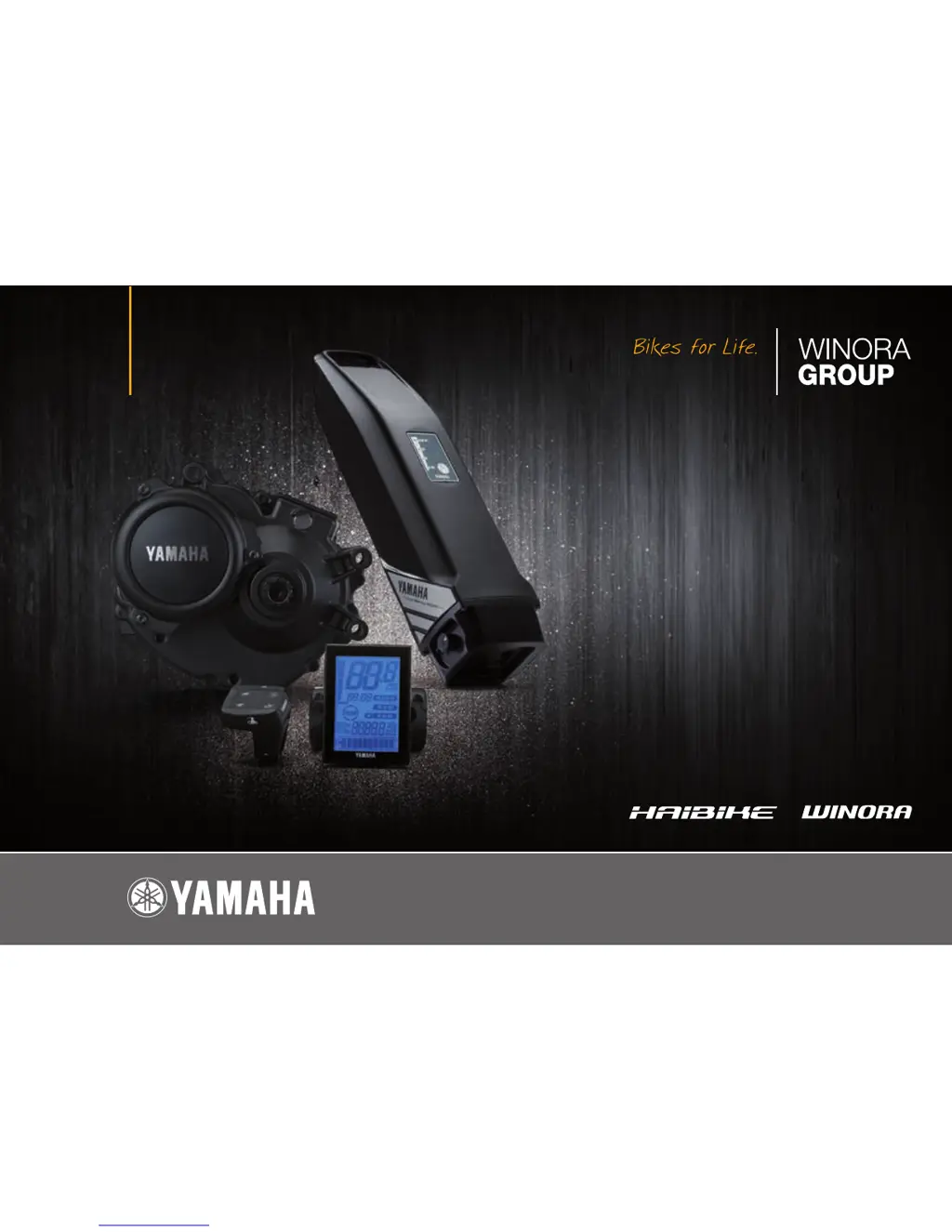
DRIVE UNIT • DISPLAY UNIT • BATTERY PACK • BATTERY CHARGER
ANTRIEBSEINHEIT • ANZEIGEEINHEIT • AKKUPACK • AKKULADEGERÄT
MODELLJAHR // MODEL YEAR 2016
DEUTSCH // ENGLISH

Questions and Answers

  • H
    hernandezbrandonAug 17, 2025
    Why is pedaling so difficult on my Yamaha WINORA Y280.X Bicycle?
    • R
      rgalvanAug 17, 2025
      There could be several reasons why pedaling your Yamaha Bicycle feels difficult. First, make sure the display unit is powered on by pressing the power switch. Then, check if the battery pack is correctly installed and charged. If the bicycle has been stationary for more than 5 minutes, try turning the power on again. If you are riding uphill or carrying a heavy load in hot weather, it might be a safeguard to prevent overheating; shift to a lower gear. Low air temperature can also affect performance, so store the battery indoors before use in winter. Ensure the display is set correctly and stop charging the battery while it's mounted on the bicycle.
  • H
    Hannah RhodesAug 20, 2025
    What to do if my Yamaha WINORA Y280.X drive unit turns on and off while riding?
    • D
      Daniel GonzalezAug 20, 2025
      If the drive unit on your Yamaha Bicycle is turning on and off while you're riding, check that the battery pack is correctly installed and locked in place. If the problem persists, it could indicate a loose connection at the battery pack terminals or wires, and you should have an authorized dealer inspect your bicycle.
  • A
    Amanda SullivanAug 22, 2025
    What to do if traveling range has decreased on Yamaha Bicycle?
    • J
      Jasmine JohnsonAug 22, 2025
      If you notice that the traveling range of your Yamaha Bicycle has decreased, ensure that you are fully charging the battery pack until it reaches full capacity. Low temperature conditions can also reduce the range; storing the battery pack indoors before use can help. If the battery pack is old, it may be worn out and need replacement.
  • S
    Sarah AguirreAug 25, 2025
    What to do if Yamaha WINORA Y280.X cannot charge?
    • R
      Rose WilliamsAug 26, 2025
      If your Yamaha Bicycle is not charging, first ensure the power plug is firmly connected and the charging plug is properly inserted into the battery pack; reconnect and try again. Also, check if the residual battery capacity lamps are lit, review the charging method, and try again. If it still doesn't charge, the battery charger may be malfunctioning. Make sure the battery charger or battery pack contact terminals are clean and dry; if dirty or wet, remove the battery pack and charger plug, clean the terminals with a dry cloth or cotton swab, and then reconnect.
  • N
    nicholas06Aug 28, 2025
    What to do if power is not supplied to my Yamaha WINORA Y280.X Bicycle?
    • D
      Dorothy CarrollAug 28, 2025
      If your Yamaha Bicycle is not receiving power, first ensure that the display unit is turned on by pressing the power switch. If you are using a USB device, make sure it complies with USB 2.0. Check that the USB cable is firmly connected. Also, inspect the USB receptacle and plug for dirt or moisture; disconnect the cable, clean any dirt or water, and reconnect.
  • J
    Jennifer HowardAug 30, 2025
    How to fix Yamaha WINORA Y280.X Bicycle display unit shuts down immediately after switching the power on?
    • A
      Amber HowellAug 31, 2025
      If the display unit on your Yamaha Bicycle shuts down immediately after being switched on, the bicycle's battery pack connection terminals may be dirty. Remove the battery pack, clean the terminals with a dry cloth or cotton swab, and then reinstall the battery pack.
  • L
    Lori CampbellSep 2, 2025
    What happens if the battery charger becomes hot for Yamaha WINORA Y280.X Bicycle?
    • J
      Janet PetersonSep 2, 2025
      It is normal for the battery charger of your Yamaha Bicycle to become somewhat warm during charging. However, if the battery charger is too hot to touch, unplug it, allow it to cool down, and then consult an authorized dealer.
  • G
    gilbertamandaSep 5, 2025
    What to do if after charging the battery capacity indicator lamps do not light up on Yamaha Bicycle?
    • A
      Andrea WilsonSep 5, 2025
      If, after charging your Yamaha Bicycle, the battery capacity indicator lamps do not light up when the button is pressed, try charging the battery pack again. This can happen if the charger plug was unplugged or the battery pack was removed during charging. Also, if you started charging the battery pack when it was at a high temperature (e.g., immediately after use), move the bicycle to a location where the battery temperature is between 0–30 °C, and then start charging again.
  • M
    Michael PetersonSep 8, 2025
    What to do if the charging connector on the Yamaha Bicycle battery pack is wet?
    • D
      drussellSep 8, 2025
      Clean and dry the charging connector and charging plug on your Yamaha Bicycle. After that, connect the charging plug to the charging connector.
  • L
    laurenchambersSep 12, 2025
    What does it mean if both side lamps are flashing simultaneously on my Yamaha Bicycle?
    • J
      Jessica HopkinsSep 12, 2025
      If both side lamps are flashing simultaneously on your Yamaha Bicycle, the battery pack protection feature has been activated, and the system cannot be used. Replace the battery pack at an authorized dealer as soon as possible.

Summary

1. INTRODUCTION

1.1 Notes on these system operating instructions

Provides notes on the system operating instructions, referring to other manuals.

1.2 First steps after purchase

Details on documenting pedelec identification for loss or theft, including key and frame numbers.

5. E-BIKE SYSTEMS

6. SAFETY INFORMATION

7. INSTRUMENT AND CONTROL FUNCTIONS

Diagnosis mode

Explains how the system indicates faults via the display and what to do if a fault is shown.

Power supply to external devices

Details how to use the USB port on the display unit to supply power to external devices like smartphones.

8. BATTERY PACK AND CHARGING PROCEDURE

Reading the charging status

Explains how to interpret battery charger and capacity indicator lamps to understand charging progress and status.

9. CHECKING THE RESIDUAL BATTERY CAPACITY

10. PRE-OPERATION CHECK

14. TROUBLESHOOTING

Pushing assist function

Troubleshoots issues related to the pushing assist function turning off unexpectedly.

Battery pack and charger

Covers troubleshooting steps for common problems related to charging the battery pack.

15. SPECIFICATIONS

16. WARRANTY; GUARANTEE

Yamaha WINORA Y280.X Specifications

General IconGeneral
CategoryE-Bike
Wheel Size28 inches
Frame MaterialAluminum
BatteryYamaha 500Wh
DisplayYamaha LCD
BrakesHydraulic Disc Brakes

Related product manuals