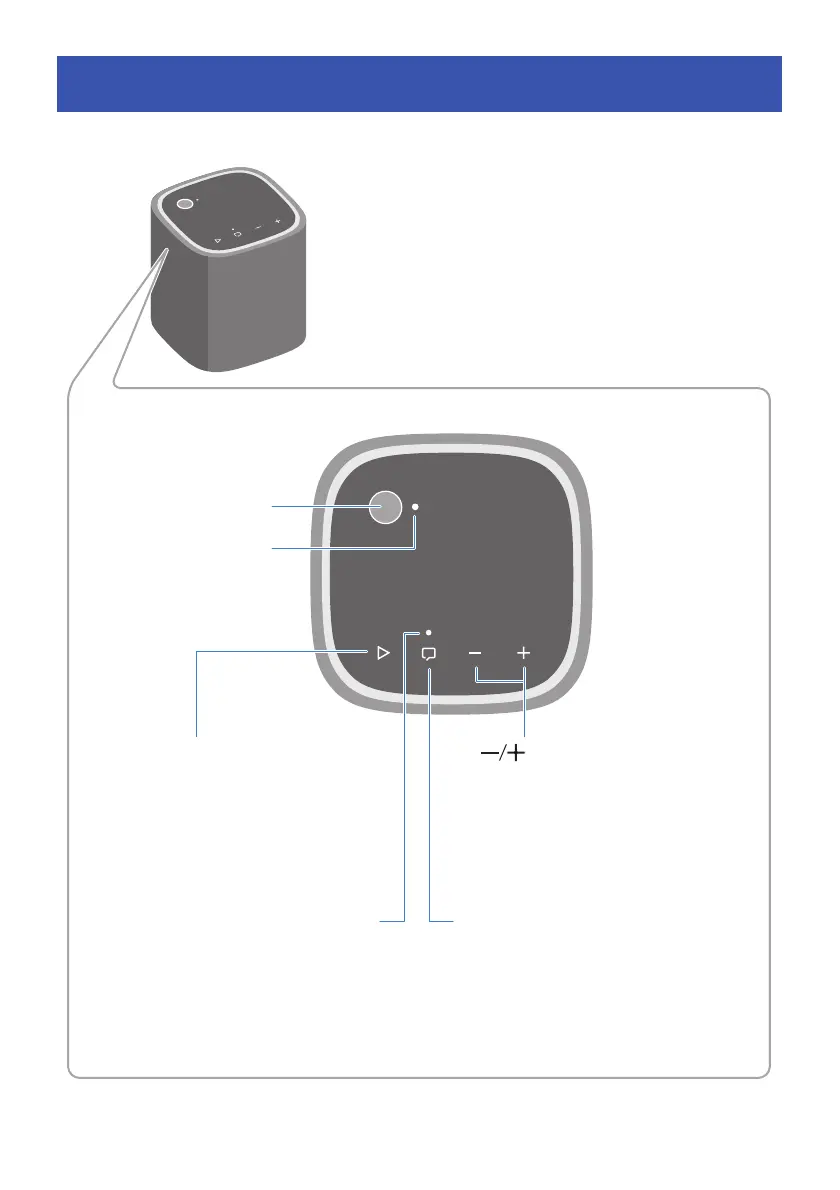
Power button
Power lamp
R Play/Pause button
During playback, press the button twice
quickly to skip to the next song, or three
times to skip backward to the beginning
of the current song or previous song.
Clear Voice lamp Q Clear Voice button
When the Clear Voice function is
enabled, the Clear Voice lamp glows,
and human voices such as dialog in the
audio can be heard more clearly.
Volume buttons
Adjust the volume.




 To Next Page