EasyManua.ls Logo

Yamaha XMV4280 - User Manual

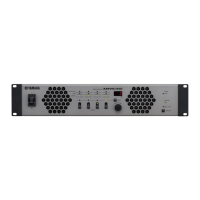
Yamaha XMV4280
42 pages
Print Icon
To Next Page IconTo Next Page
Loading...
JA
ZH
RU
IT
ES
FR
DE
EN
日本語 中文
Owners Manual
Bedienungsanleitung
Mode d’emploi
Manual de instrucciones
Manuale di istruzioni
Руководство пользователя
取扱説明書
EnglishDeutschFrançaisEspañolItalianoРусский
POWER AMPLIFIER

Questions and Answers

  • R
    Robert LeonardAug 16, 2025
    What to do if the [ALERT] indicator is blinking on my Yamaha XMV4280 Amplifier?
    • H
      Henry DixonAug 16, 2025
      If the [ALERT] indicator on your Yamaha Amplifier remains blinking or lit even after turning the power on/off, the device has failed. Contact your Yamaha dealer for repair.
  • H
    Haley GomezAug 23, 2025
    What to do if the [ALERT] indicator remains flashing on Yamaha XMV4280?
    • M
      matthew00Aug 25, 2025
      If the [ALERT] indicator remains flashing or lit on your Yamaha Amplifier even after turning the power on and off, it indicates that the device has failed. Contact your Yamaha dealer for repair.
  • K
    Keith LindseyOct 31, 2025
    Why is there no sound coming from my Yamaha Amplifier?
    • C
      Carol HughesOct 31, 2025
      If no sound is coming from your Yamaha Amplifier, first ensure all input/output cables are securely connected. Then, make sure the Mute function is off (the [MUTE] indicator should be unlit). Also, verify that an audio signal is being output from the mixer or other device. Check the attenuator value and make sure it is appropriate. If “Analog” input has been selected on a device that is connected via a YDIF connector, select “digital” input on the device or disconnect the device from the YDIF network. If the [PROTECTION] indicator is lit, turn off the power, wait for the XMV to cool, and then turn the power on again. If the [POWER] indicator is blinking, make sure that the switch connected to the [REMOTE] connector is turned on or use the editor to check that this is turned on. If the anal...
  • G
    Gregory HensonNov 7, 2025
    What to do if Yamaha Amplifier has no sound?
    • A
      Andrew RoachNov 7, 2025
      If you are experiencing no sound from your Yamaha Amplifier, consider the following potential causes and solutions: * Ensure the analog/digital input setting is correct by checking it on the front panel. * If Double Power mode is selected, no audio signals will be output from channel B or channel D. Either turn off Double Power mode or reconnect the cables. * Verify all input/output cables are connected securely. * Confirm the mute function is turned off by ensuring the [MUTE] indicator is unlit. * Check the attenuator value on the display to ensure it is appropriate. * Make sure an audio signal is being output from the mixer or other device. * If the protection circuit has operated (the [PROTECTION] indicator is lit), turn off the power, wait for the XMV to cool, and then t...

Summary

Safety and Precautions

Graphical Symbols and General Precautions

Explains safety symbols and provides general safety guidelines for operation.

Regional Compliance Notices

Details FCC compliance for the USA and plug connection for the UK.

Introduction and Product Features

Firmware Updates and Dante Technology

Instructions for firmware updates and overview of Dante network technology.

Controls and Functions

Front Panel Layout and Operation

Details power switch operation, indicators, display, encoder, and panel lock.

Rear Panel Connectors and Setup

Overview of rear panel connectors, including network, YDIF, Dante, and DIP switches.

Connections and Setting Up

Speaker Output Configuration

Explains how to use DIP switches to set speaker output impedance and power modes.

Operations

Initializing Internal Memory

Procedure to reset the amplifier's internal memory to factory default settings.

Appendix - Troubleshooting and Specifications

Dante Messages and Speaker Connections

Explains Dante network status, messages, and types of speaker connections.

General Specifications

Details technical specifications for output power, frequency response, and other parameters.

Product Information and Support

Yamaha Representative Offices Worldwide

Lists Yamaha's representative offices and distributors globally for product support.

Yamaha Pro Audio Global Website

Yamaha XMV4280 Specifications

General IconGeneral
Channels4
Output Power (1kHz, THD+N=1%, Bridge)560 W
Input Sensitivity+4dBu
Input Impedance20 kΩ
Total Harmonic Distortion≤ 0.1% (1kHz, half power)
Frequency Response20 Hz - 20 kHz
Signal to Noise Ratio100 dB
Crosstalk70 dB
Protection CircuitsThermal
ConnectorsXLR
Voltage Gain32.9dB

Related product manuals