EasyManua.ls Logo

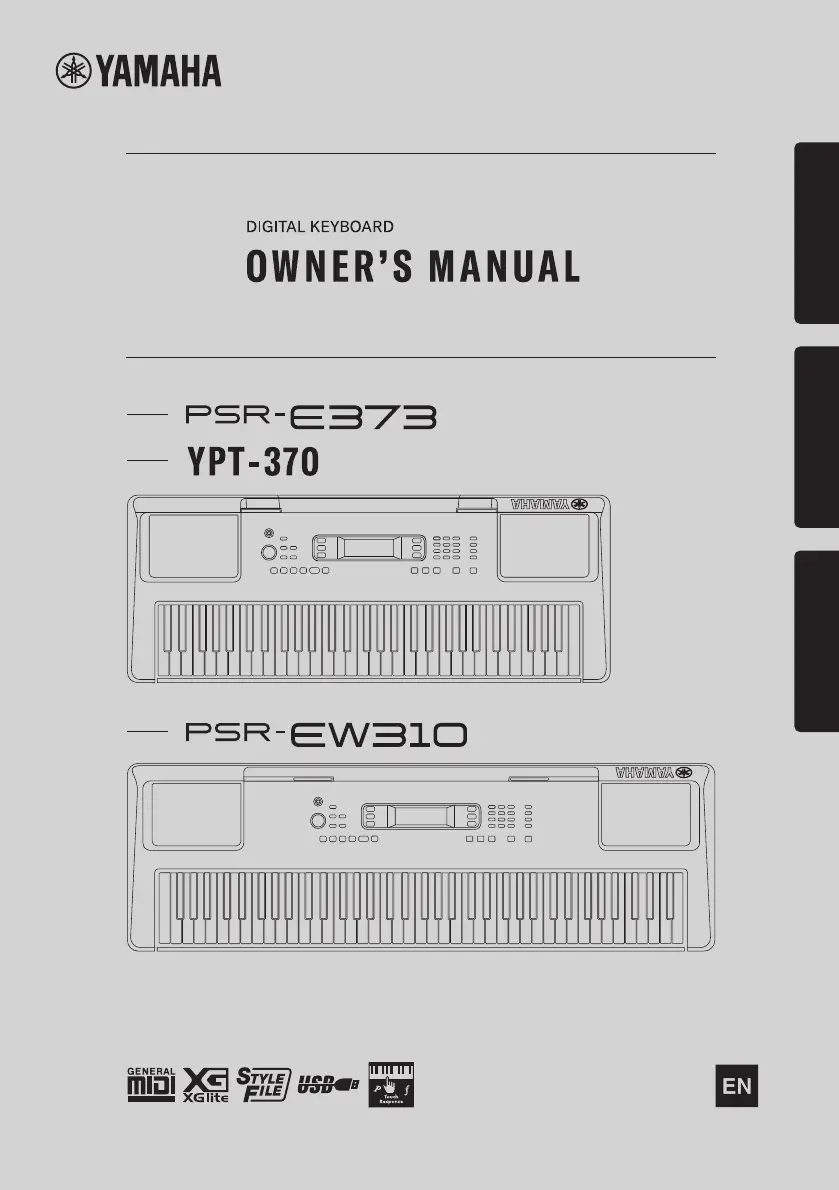
Yamaha YPT-370 - User Manual

Yamaha YPT-370
92 pages
Print Icon
To Next Page IconTo Next Page
Loading...
1
Setting UpReferenceAppendix
Before using the instrument, be sure to read
“PRECAUTIONS” on pages 5-7.

Table of Contents

Other manuals for Yamaha YPT-370

Questions and Answers

  • M
    michaeljacksonSep 4, 2025
    Why is Yamaha YPT-370 footswitch reversed?
    • D
      Donna PenaSep 4, 2025
      If the footswitch on your Yamaha musical instrument seems to produce the opposite effect (pressing cuts off sound, releasing sustains), the polarity of the footswitch is reversed. Ensure the footswitch plug is properly connected to the [SUSTAIN] jack before turning on the power.
  • L
    lindabrownSep 18, 2025
    Why no sound when playing right hand on Yamaha musical instrument?
    • L
      Lauren DaySep 18, 2025
      When using the Dictionary function on your Yamaha musical instrument, the keys in the right hand area are used only for entering the chord root and type.
  • J
    Jonathan WelchSep 16, 2025
    Why Yamaha musical instrument makes popping sound when turned on?
    • J
      Joseph FigueroaSep 16, 2025
      When the Yamaha instrument is turned on or off, a popping sound may be temporarily produced. This is normal and indicates that the instrument is receiving electrical power.
  • W
    websterstevenSep 14, 2025
    Why do some voices not sound on Yamaha YPT-370 Musical Instrument?
    • C
      Curtis GarciaSep 14, 2025
      If not all of the voices seem to sound on your Yamaha musical instrument, or the sound seems to be cut off, it may be because the instrument is polyphonic up to a maximum of 48 notes—including Dual voice, Split Voice, auto accompaniment, song, and Metronome. Notes exceeding this limit will not sound.
  • R
    Ross NunezSep 13, 2025
    Why doesn’t Yamaha YPT-370 Musical Instrument harmony sound?
    • M
      Matthew LoweSep 13, 2025
      If the harmony doesn’t sound on your Yamaha musical instrument, the method of sounding the Harmony effect differs depending on the selected type. For Types 001–005, turn the Auto Accompaniment on and play it by pressing a chord in the auto accompaniment section of the keyboard, then play some keys in the right-hand side to produce the Harmony effect. For Types 006–026, turning auto accompaniment on or off has no effect; however, it is necessary to play two notes simultaneously for Types 006–012.
  • M
    Michael HicksSep 12, 2025
    Why Yamaha YPT-370 Style does not sound as I play a chord?
    • M
      Miss Jennifer TaylorSep 12, 2025
      If the Style on your Yamaha musical instrument does not sound as you play a chord and the Fingering Type is set to Multi, the auto accompaniment might not change when related chords are played in sequence, two-note fingerings will produce a chord based on the previously played chord, and playing two same root keys in adjacent octaves produces accompaniment based only on the root.
  • B
    Barry EdwardsSep 9, 2025
    Why does Yamaha YPT-370 Musical Instrument Style not sound properly?
    • A
      Ashley FrederickSep 9, 2025
      If the Style on your Yamaha musical instrument does not sound properly, ensure that the Style Volume is set to an appropriate level. Also, check if the Split Point is set to an appropriate key for the chords you are playing, and ensure the “ACMP” indicator is showing in the display by pressing the [ACMP ON/OFF] button.
  • L
    Logan WongSep 7, 2025
    Why ACMP ON indicator doesn't appear on Yamaha YPT-370?
    • T
      timothy70Sep 7, 2025
      If the ACMP ON indicator does not appear when the [ACMP ON/OFF] button is pressed on your Yamaha musical instrument: * Always press the [STYLE] button first when you are going to use any Style-related function. * The ACMP ON indicator does not appear when the Duo mode is on.
  • G
    geoffrey48Sep 5, 2025
    What to do if no sound from Yamaha musical instrument?
    • J
      Jessica ShortSep 5, 2025
      If you are not getting any sound from your Yamaha musical instrument, even when playing the keyboard or playing back a song or style, first check that nothing is connected to the [PHONES/OUTPUT] jack on the rear panel. When headphones are plugged in, no sound is output. Also, check the Local Control setting and make sure Local Control is set to ON.
  • S
    ssalazarAug 21, 2025
    What to do if Yamaha YPT-370 volume is too soft?
    • D
      Dorothy HansonAug 21, 2025
      If your Yamaha musical instrument's volume is too soft, the sound quality is poor, the rhythm stops unexpectedly, recorded data doesn't play correctly, or the LCD display goes dark with settings reset, the batteries may be low or dead. Replace all six batteries with completely new ones, or use the included AC adapter.

Summary

FCC Information

Compliance Information Statement

Supplier's declaration of conformity procedure for FCC rules.

Safety and Precautions

Important Safety Instructions

Key safety points to prevent injury, damage, or fire.

Explanation of Graphical Symbols

Icons used to alert users to potential hazards and important instructions.

General Precautions

Guidelines for safe usage of AC adaptor and instrument, covering power, water, fire, and batteries.

Setting Up Your Keyboard

Panel Controls and Terminals

Overview of front and rear panel buttons, knobs, displays, and connections.

Power Requirements

Information on using AC adaptors and batteries, and setting battery type.

Basic Operations and Display

Adjusting master volume, connecting audio devices, and understanding display items.

Keyboard Functions and Operations

Playing Instrument Voices

Selecting, layering, splitting, and applying effects to instrument sounds.

Rhythm and Accompaniment Styles

Using auto accompaniment, styles, chords, and music database.

Song Features and Lessons

Playing songs, lesson modes, recording, and playback features.

Advanced Keyboard Functions

Memorizing settings, EQ, external device connection, and backup.

Appendix and Support

Troubleshooting

Common problems and their solutions for the instrument.

Song Book Sample

An example excerpt from the downloadable song book.

Specifications

Technical details and features of the instrument models.

Warranty and Contact Information

Details on the limited warranty and how to contact Yamaha for service.

Yamaha YPT-370 Specifications

General IconGeneral
BrandYamaha
ModelYPT-370
CategoryMusical Instrument
LanguageEnglish

Related product manuals