EasyManua.ls Logo

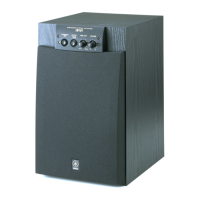
Yamaha YST-SW105 - User Manual

Yamaha YST-SW105
19 pages
Print Icon
To Next Page IconTo Next Page
Loading...
I
YST-SW105
Active Servo Processing Subwoofer System
OWNER’S MANUAL
UB

Other manuals for Yamaha YST-SW105

Questions and Answers

  • M
    Michele GillespieJul 30, 2025
    How to turn on Yamaha YST-SW105 Subwoofer if it's not powering on?
    • J
      Jennifer YorkJul 30, 2025
      If your Yamaha Subwoofer isn't powering on even when the STANDBY/ON button is set to ON, ensure the power cable is properly plugged into an AC outlet and the POWER switch is set to the ON position.
  • P
    Paul SmithAug 4, 2025
    What to do if my Yamaha Subwoofer doesn't turn on automatically?
    • M
      Mark CantuAug 4, 2025
      If your Yamaha Subwoofer isn't turning on automatically, check the following: 1. Ensure the POWER switch is set to the ON position. 2. Verify the STANDBY/ON button is set to ON. 3. Confirm the AUTO STANDBY switch is set to either the “HIGH” or “LOW” position. 4. If the input signal level is too low, set the AUTO STANDBY switch to the “HIGH” position.
  • K
    khillAug 8, 2025
    Why is the sound level too low on my Yamaha Subwoofer?
    • B
      Beverly AndersonAug 9, 2025
      If the sound level from your Yamaha Subwoofer is too low, it could be due to several reasons: * Incorrectly connected speaker cables: Ensure they are connected correctly, L (left) to L, R (right) to R, “+” to “+” and “–” to “–.” * Source sound: Try playing a source sound with bass frequencies and set the HIGH CUT control to a higher position. * Standing waves: Reposition the subwoofer or break up the parallel surface by placing bookshelves etc. along the walls.
  • E
    Emily ChenAug 14, 2025
    Why does my Yamaha YST-SW105 turn into standby mode unexpectedly?
    • T
      Theresa RamosSep 12, 2025
      If your Yamaha Subwoofer unexpectedly enters standby mode, the input signal level might be too low. Try setting the AUTO STANDBY switch to the “HIGH” position.
  • N
    Natalie MartinezAug 18, 2025
    Why is there no sound coming from my Yamaha Subwoofer?
    • K
      Kathy ColemanAug 19, 2025
      If there's no sound from your Yamaha Subwoofer, the volume control might be set to 0. Try turning the volume control to the right. Also, check that the speaker cables are securely connected.
  • I
    igarzaAug 25, 2025
    Why does my Yamaha YST-SW105 turn on unexpectedly?
    • M
      Michael ThompsonAug 25, 2025
      If your Yamaha Subwoofer turns on unexpectedly, it could be due to noise from external appliances. Move the subwoofer away from these appliances and/or reposition the connected speaker cables. Alternatively, set the AUTO STANDBY switch to the “OFF” position.

Summary

SAFETY INSTRUCTIONS

CAUTIONS AND OPERATING PRECAUTIONS

PLACEMENT

CONNECTIONS

SPEAKER OUTPUT CONNECTIONS

CONTROLS AND THEIR FUNCTIONS

Front Panel Controls

Explains the function of each control on the front panel.

Rear Panel Controls

Explains the function of each control on the rear panel.

AUTOMATIC POWER-SWITCHING FUNCTION

ADJUSTING THE SUBWOOFER BEFORE USE

Optimizing Volume and Tone Balance

Step-by-step guide to optimize volume and tone balance with main speakers.

ADVANCED YAMAHA ACTIVE SERVO TECHNOLOGY

Technology Theory and Benefits

Explains the principles behind the Active Servo Technology for enhanced bass reproduction.

TROUBLESHOOTING

Common Problems and Solutions

A chart detailing common issues, their causes, and recommended solutions.

SPECIFICATIONS

Yamaha YST-SW105 Specifications

General IconGeneral
TypeActive Subwoofer
Weight24.3 lbs.
Power Output100 Watts
Driver Size8 inches
Amplifier Power100W

Related product manuals