Yara N-Sensor V3.10 Operation Manual
Once all settings have been made, switch to the Removable disk page and write the task
data to the removable disk. Unplug the removable disk and plug it into the N-Sensor
terminal.
8.3 Operating the N-Sensor with task presets
To operate the N-Sensor with task presets, on the N-Sensor terminal simply select the
desired task using the Plus and Minus buttons in the Tasks menu, as described in sec-
tion
4. Return to the work screen and either start application immediately or flip through
the Agronomic calibration menu to modify agronomic parameters and/or to carry out a
reference plot calibration. Note that all changes you make within this menu will be
stored together with that specific task.
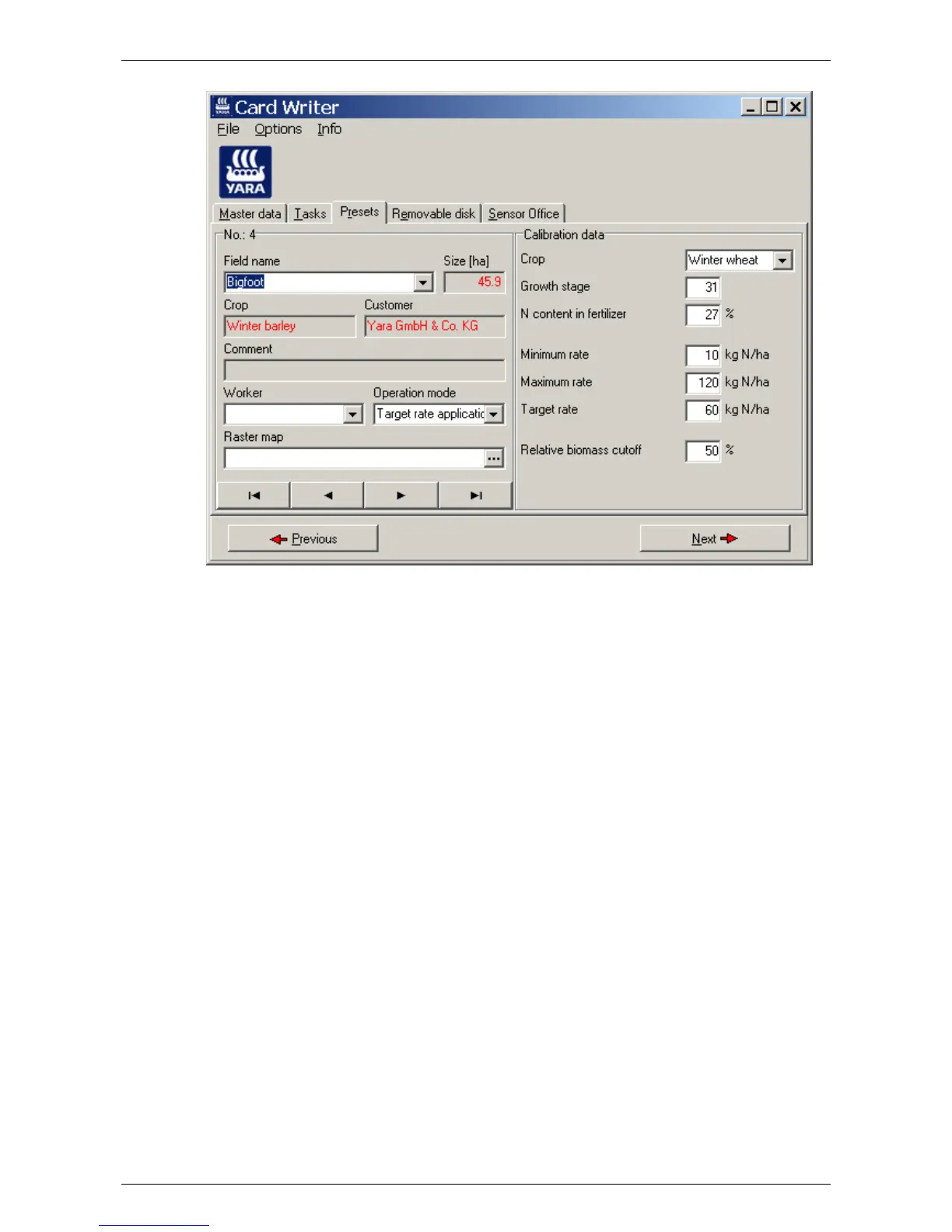
To display the current calibration parameters, enter the Tasks menu and switch to the
Presets page:
Last revised: 28.01.2009 14:39 Page 63 of 64



 To Next Page