OPERATION
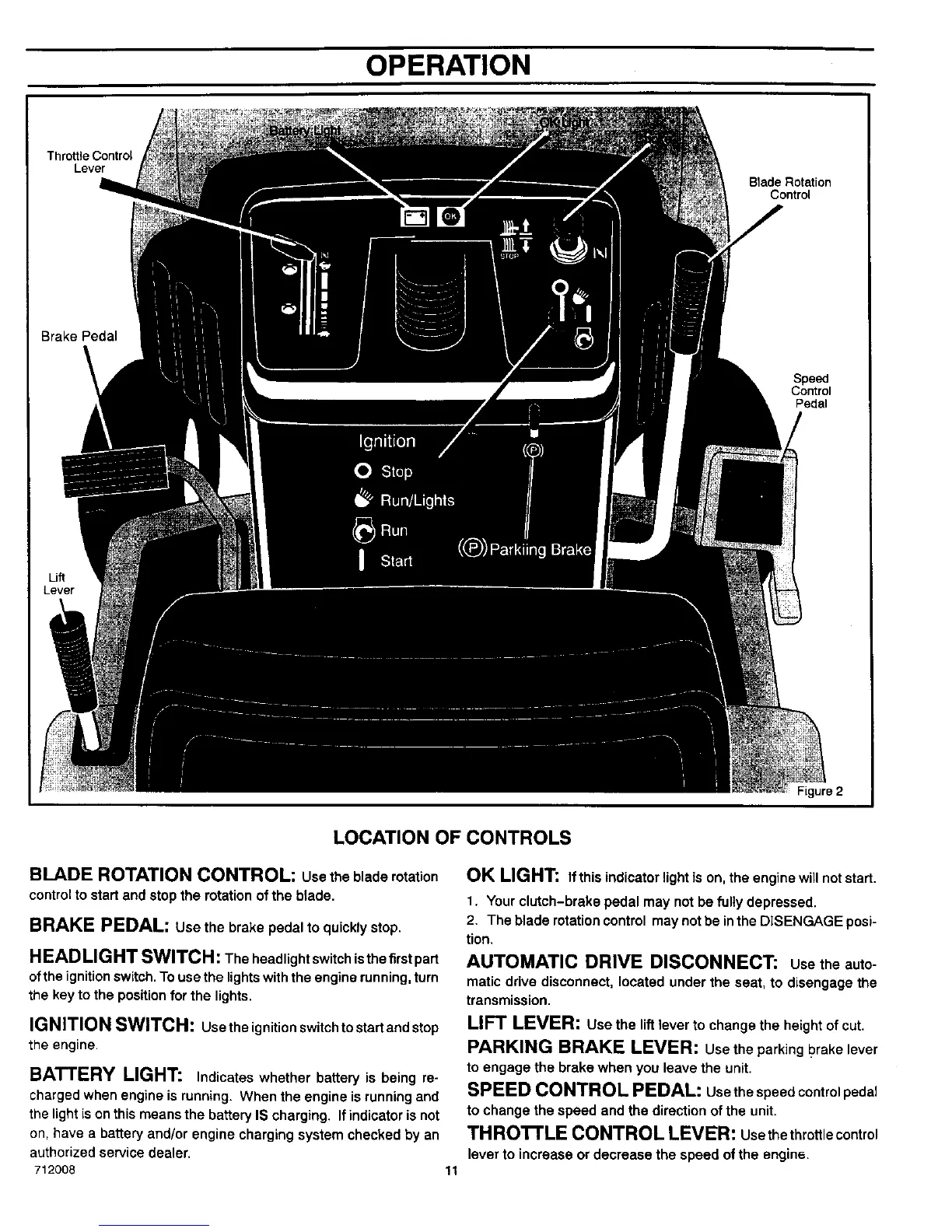
Throttle Control
Lever
Blade Rotation
Control
Brake Pedal
Speed
Control
Pedal
Lever
Figure 2
LOCATION OF CONTROLS
BLADE ROTATION CONTROL: usethebladerotation
control to start and stop the rotation ofthe blade.
BRAKE PEDAL: use the brake pedal to quickly stop.
HLAD LIGHT SWITCH: The headlight switch isthe firstpart
of the ignitionswitch. To use the lightswith the engine running, turn
the key to the position for the lights.
IGNITION SWITCH: Usetheignitionswitchtostartandstop
the engine.
BATTERY LIGHT: Indicates whether battery is being re-
charged when engine is running. When the engine is running and
the light is on this means the battery IS charging. If indicator is not
on, have a battery and/or engine charging system checked by an
authorized service dealer.
712008 11
OK LIGHT: If this indicator light is on, the engine will not start.
1. Your clutch-brake pedal may not be fully depressed.
2. The blade rotationcontrol may not be inthe DISENGAGE posi-
tion.
AUTOMATIC DRIVE DISCONNECT: usetheauto-
maticdrive disconnect, located under the seat, to disengage the
transmission.
LIFT LEVER: use the lift lever to change the height of cut.
PARKING BRAKE LEVER: usethe parkingI?rakelever
to engage the brake when you leave the unit.
SPEED CONTROL PEDAL: usethespeedcontrolpedal
to change the speed and the direction of the unit.
TH ROTTLE CONTROL LEVER: usethethrottlecontrol
lever to increase or decrease the speed of the engine.


 To Next Page