16
YASKAWA
|
YASKAWA AC Drive
CH700
Catalog
|
KAEP C710617 24
Tools Overview
Support from Machinery and
Equipment Startup to Maintenance
Support Tool
DriveWizard
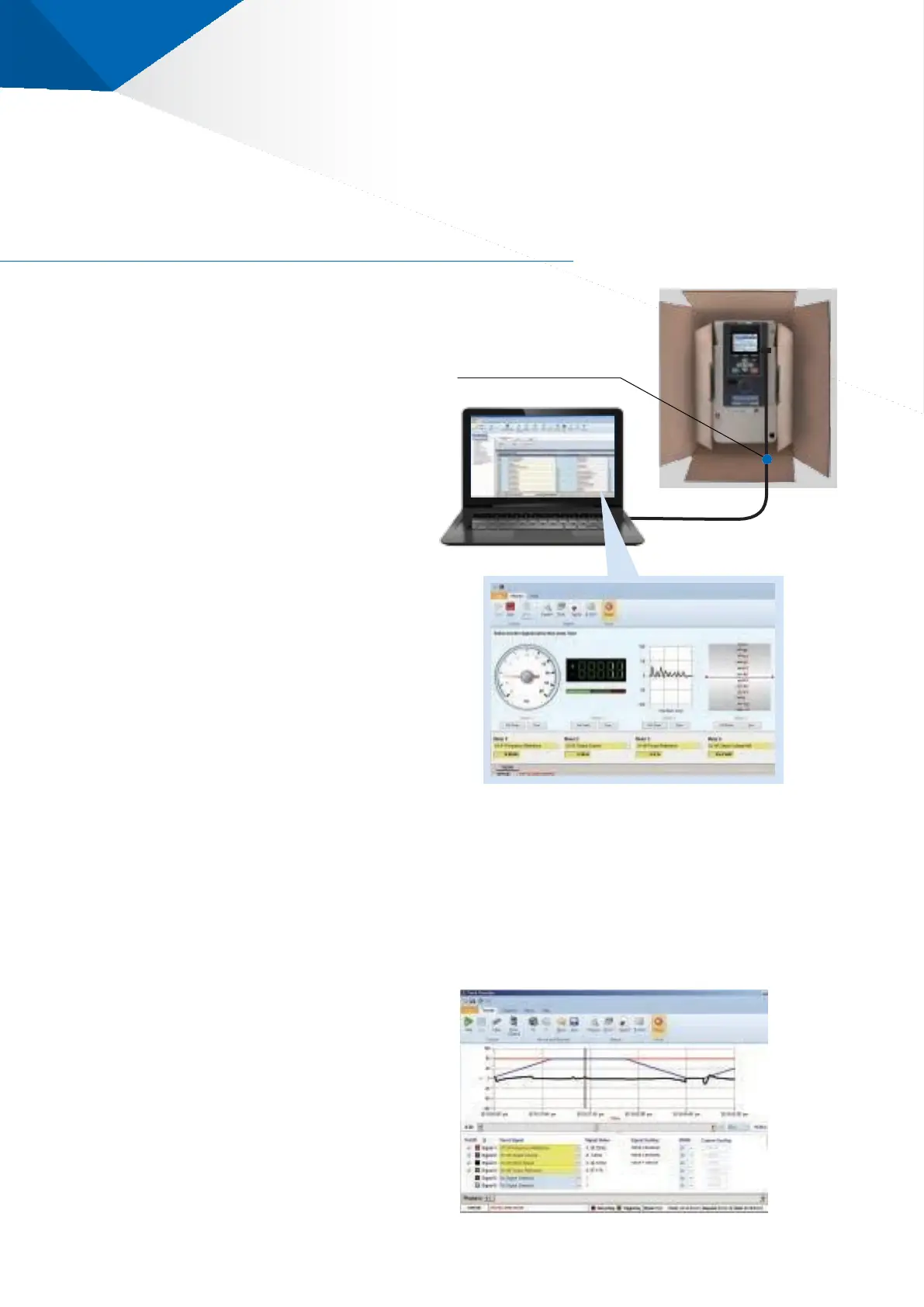
Simply connect the drive to a computer with a USB cable to
centrally manage the parameters.
You can use the oscilloscope function to monitor operations and
assist with maintenance.
Simple Connection
・
Connect using a commercially
-
available
USB cable
(
Mini B to Type A
)
・
Connect even when no power is supplied
to the drive
Simple Adjustment
・
Read/write drive parameters
・
Auto
-
Tuning
・
Visual monitor that is easy to understand
at a glance
Connectible immediately
in a factory setting
USB connection
Easy Maintenance Easy Fault Analysis
・
Use the drive monitor to confirm the
status of the machinery
Output frequency
(
Motor Rotation Speed
)
Load Current
Output voltage
Power consumption
Torque
Hours of operation
Maintenance period
・
Displays the saved data on a microSD card
as a waveform
・
Displays the drive monitor data as a graph
・
Displays the I/O terminal status
・
Displays the fault history




 To Next Page