EasyManua.ls Logo

YASKAWA CIMR-VCBA0003 - User Manual

YASKAWA CIMR-VCBA0003
152 pages
Go to English
Print Icon
To Next Page IconTo Next Page
Loading...
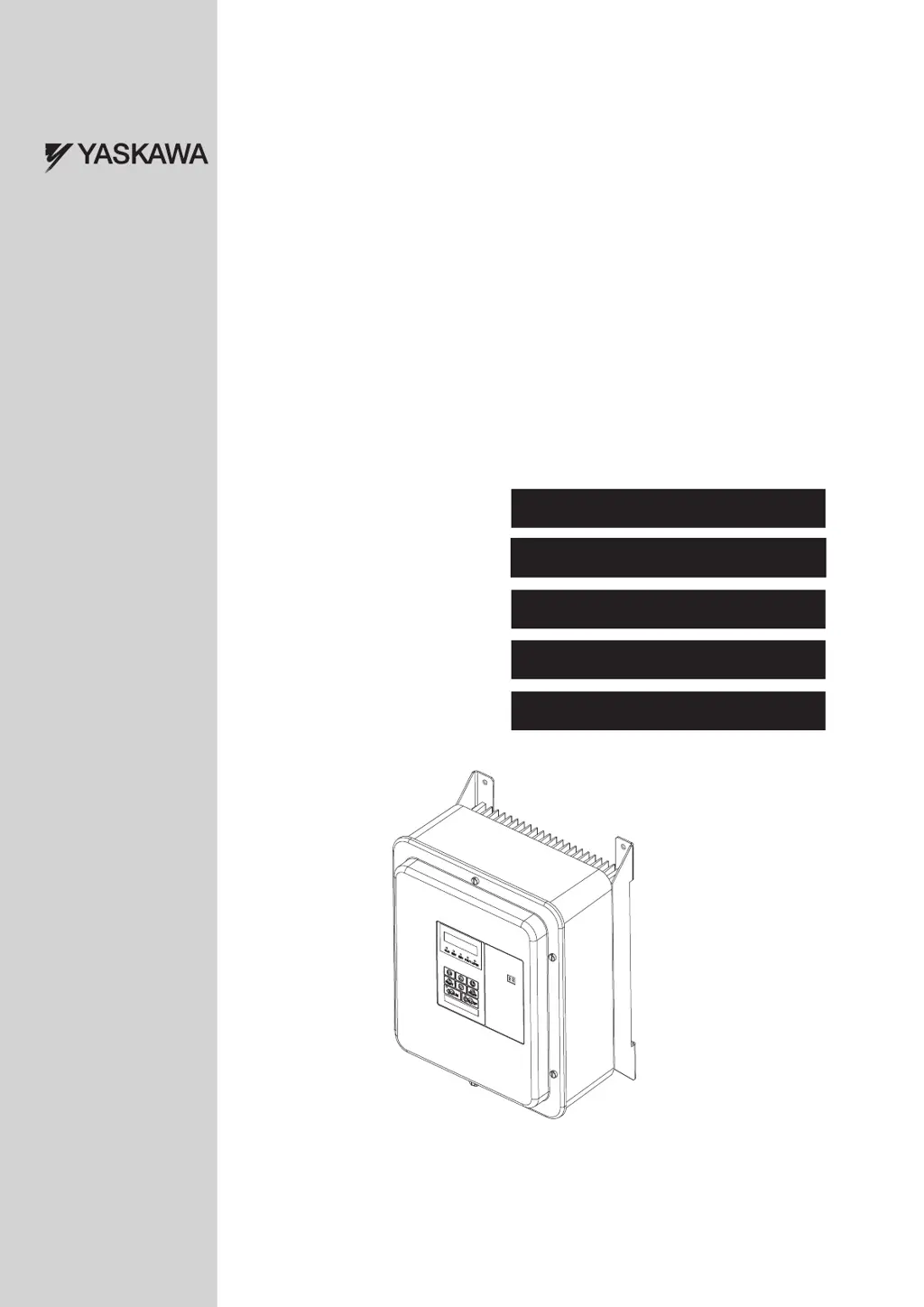
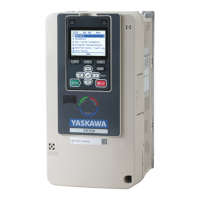
YASKAWA AC Drive V1000
IP66 Type
MANUAL NO. TOMP_C710606_75A
Type: CIMR-VCH-00
Models:
200 V Class, Single-Phase Input: 0.1 to 3.0 kW
400 V Class, Three-Phase Input: 0.2 to 18.5 kW
Kurzanleitung
Quick-Start-Guide
Guide de démarrage rapide
Manuale di avvio rapido
Guía de referencia rápida
TOMP_C710606_75A_0_0_prePrint.pdf 1 21.12.2010 13:52:13

Questions and Answers

  • C
    Christie FieldsSep 9, 2025
    What causes an Input Phase Loss in YASKAWA CIMR-VCBA0003?
    • I
      Ian NelsonSep 9, 2025
      An input phase loss in YASKAWA DC Drives can be caused by: * Input voltage drop or phase imbalance. * One of the input phases being lost. * Loose wires at the drive input. To resolve this, check the power supply and ensure that all cables are properly fixed to the correct terminals.
  • C
    Caroline SolisAug 23, 2025
    What to do if YASKAWA CIMR-VCBA0003 DC Drives display DC Overvoltage?
    • A
      alyssa36Aug 23, 2025
      If your YASKAWA DC Drives are showing a DC Overvoltage, it means the DC bus voltage is too high. This can be due to: * A deceleration time that is too short. * Stall prevention being disabled. * A broken braking chopper/resistor. * Unstable motor control in OLV. * Too high input voltage. To fix this, increase the deceleration time, enable stall prevention via parameter L3-04, ensure the braking resistor and chopper are working, check motor parameters and adjust torque/slip compensation, and verify the power supply voltage meets the drive's specifications.
  • C
    Christina AndersonAug 25, 2025
    What causes a Ground Fault in YASKAWA CIMR-VCBA0003?
    • J
      Jacob RasmussenAug 25, 2025
      A ground fault in YASKAWA DC Drives indicates that the ground leakage current has exceeded 50% of the drive's rated output current. This may be due to broken cable or motor insulation, or excessive stray capacitance at the drive output. To address this, check the output wiring and motor for shorts or broken insulation, replacing any damaged parts, and reduce the carrier frequency.
  • T
    Taylor HarperAug 26, 2025
    Why is my YASKAWA CIMR-VCBA0003 showing a Motor Overload?
    • A
      Anthony PerezAug 27, 2025
      A motor overload in YASKAWA DC Drives can be caused by: * The motor load being too heavy. * Operating the motor at low speed with a heavy load. * Cycle times of accel./decel. being too short. * An incorrect motor rated current setting. To resolve this, reduce the motor load, use a motor with external cooling and set the correct motor in parameter L1-01, check the sequence, and verify the rated current setting.
  • J
    Jason ThompsonAug 27, 2025
    What causes YASKAWA CIMR-VCBA0003 DC Drives to display a Drive Overload?
    • J
      Jillian Holder MDAug 27, 2025
      A drive overload in YASKAWA DC Drives can occur because: * The load is too heavy. * The drive capacity is too small. * There is too much torque at low speed. To resolve this, check the load, ensure the drive is adequately sized for the load, and reduce the load or increase the drive size, as the overload capability is reduced at low speeds.
  • W
    walkerjustinAug 29, 2025
    Why do YASKAWA CIMR-VCBA0003 show a DC Undervoltage?
    • B
      bakerelizabethAug 29, 2025
      A DC Undervoltage in YASKAWA DC Drives indicates that the voltage in the DC bus has fallen below the undervoltage detection level (L2-05). This can happen if the power supply has failed, one input phase has been lost, or the power supply is too weak. To fix this, check the power supply and make sure it is strong enough.
  • K
    Kimberly NixonSep 18, 2025
    What to do if YASKAWA DC Drives show Controller Undervoltage?
    • M
      mschaeferSep 18, 2025
      If YASKAWA DC Drives display Controller Undervoltage, it indicates that the drive's controller power supply voltage is too low. Cycle power to the drive and check if the fault reoccurs. If it continues, replace the drive.
  • R
    Robert WatsonSep 18, 2025
    What should I do if YASKAWA DC Drives display a DC Charge Circuit Fault?
    • M
      melanie28Sep 22, 2025
      If YASKAWA DC Drives display a DC Charge Circuit Fault, it indicates that the charge circuit for the DC bus is broken. Cycle power to the drive and check if the fault reoccurs. If it does, replace the drive.
  • E
    etaylorSep 7, 2025
    What does 'Drive Disable' mean on YASKAWA CIMR-VCBA0003 DC Drives?
    • R
      Robert HillSep 7, 2025
      If YASKAWA DC Drives show 'Drive Disable', it means both Drive Disable inputs are open, which safely disables the drive output, preventing the motor from starting. This could be because the upper controller's safety device disabled the drive. To fix this, determine why the upper controller disabled the drive, remove the cause, and restart. Also, check the wiring. If the Drive Disable function is not used for EN60204-1, terminals HC, H1, and H2 must be linked.
  • A
    Andrew LivingstonSep 4, 2025
    How to troubleshoot Heatsink Overheat in YASKAWA CIMR-VCBA0003?
    • B
      Bailey LeachSep 4, 2025
      A heatsink overheat in YASKAWA DC Drives can be caused by: * A high surrounding temperature. * A cooling fan that has stopped working. * A dirty heatsink. * Restricted airflow to the heatsink. To fix this, check the surrounding temperature and install cooling devices if needed, inspect the drive's cooling fan, clean the heatsink, and ensure there is adequate airflow around the heatsink.

Summary

General Information and Safety Instructions

General Warnings and Safety Precautions

Provides essential warnings for safe installation, operation, servicing, and covers general hazards.

Specific Hazard Warnings

Details specific hazards like electrical shock, sudden movement, fire, crush, and burn.

Equipment Hazard Notices and Compliance

Covers equipment hazards, CE compliance, and specific input precautions.

Mechanical Installation

Wiring Instructions

Steps for removing and reattaching the front cover for wiring access.

Main and Control Circuit Wiring

Details on connecting power supply, motor, and control circuits to the drive.

Electrical Installation

Main and Control Circuit Wiring Diagram

Illustrates the main and control circuit wiring connections for the V1000 IP66 drive.

Wiring Specifications

Details fuses, wire sizes, and tightening torques for main and control circuits.

Keypad Operation

Start Up

Drive Setup Procedure

Outlines the basic steps for setting up and starting the drive.

Control Mode Selection

Details the three available control modes and their applications.

Duty Mode and Auto-Tuning

Explains Normal/Heavy Duty selection and the Auto-Tuning process for motor data setup.

Frequency Reference and Run Command Source

Covers setting frequency reference sources and run command sources.

Parameter Table

Troubleshooting

Maintenance

YASKAWA CIMR-VCBA0003 Specifications

General IconGeneral
ModelCIMR-VCBA0003
CategoryDC Drives
ManufacturerYASKAWA
Rated Output Current3 A
Power Rating0.75 kW
Weight1.5 kg
Input Voltage200-240V AC
Protection FeaturesOvercurrent, Overvoltage, Undervoltage, Overheating
Communication InterfaceRS-485
Humidity5 to 95% RH, non-condensing
Storage Temperature-20 to +60°C

Related product manuals