
 Need help?
Do you have a question about the YATWIN 826 and is the answer not in the manual?
Introductory text welcoming users to the YATWIN Wireless Security Camera and its manual.
Essential security measures to protect the camera from unauthorized access, focusing on firmware and password strength.
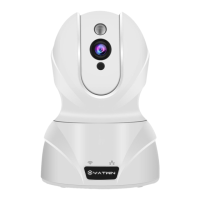
Introduces the camera's physical components and their functions for user understanding.
Details the reset button's use for Wi-Fi configuration or factory settings restoration.
Explains the IR LED's operational states during power, restart, and night vision modes.
Describes the Wi-Fi and wired network status lights' colors and actions for connection status.
Instructions for downloading the MIPC app for smartphone setup and viewing.
Guide on creating a new account and logging into the MIPC app for camera access.
Steps for powering on the camera and understanding initial status light indicators.
Overview of methods for setting up and accessing the camera feed.
Step-by-step guide to connect the camera to Wi-Fi using an Ethernet cable and the MIPC app.
Alternative method to connect the camera to Wi-Fi using sound waves through the MIPC app.
Guidance on resolving Wi-Fi connection failures and checking network compatibility.
Provides website, email, phone, and Skype details for YATWIN technical support.
 General
| Brand | YATWIN |
|---|---|
| Model | 826 |
| Category | Security Camera |
| Language | English |

 To Next Page
