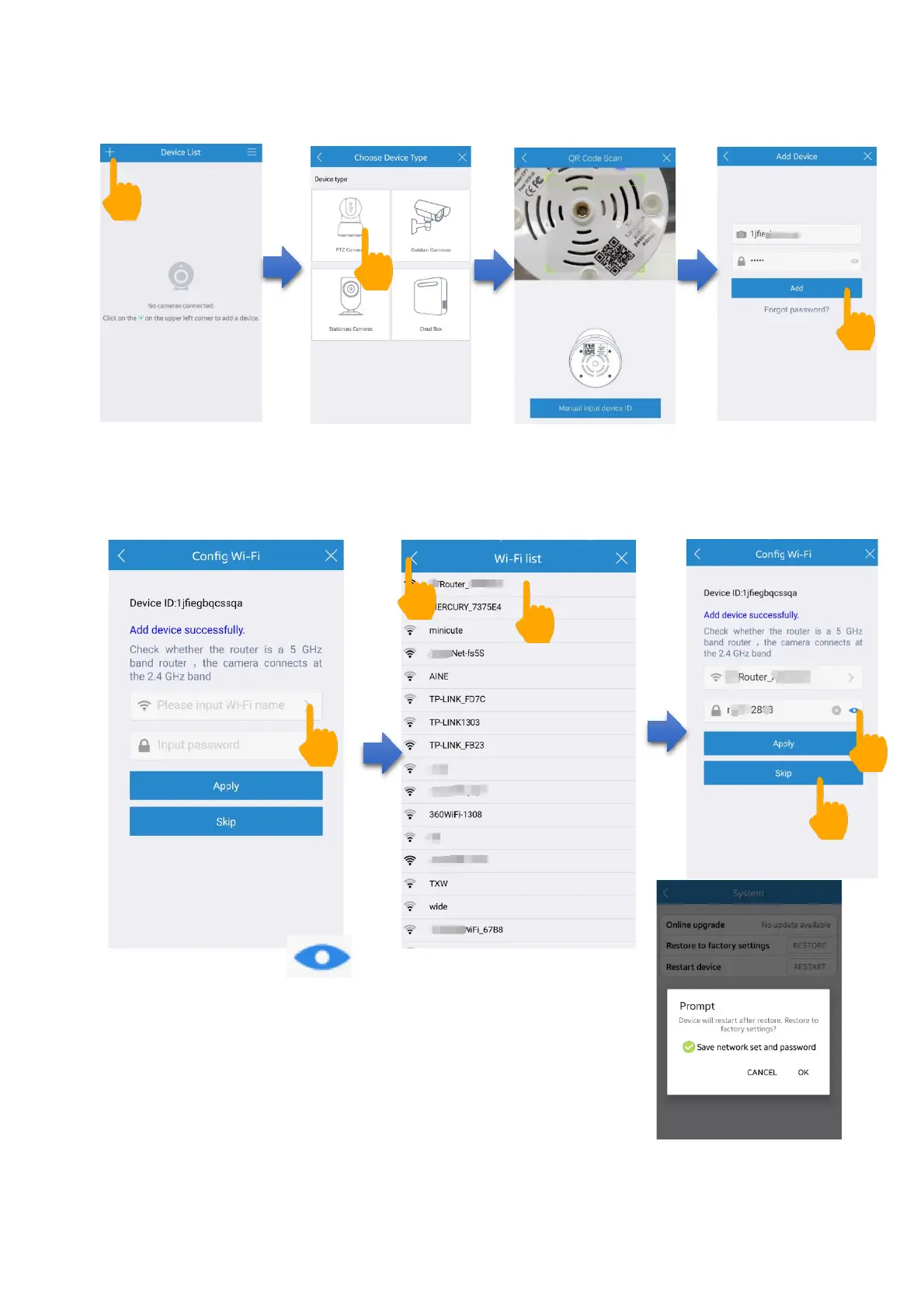
Then you can Configure Wi-Fi, tap “>” to choose your Wi-Fi,
then input your Wi-Fi password and tap Apply button.
Note: Please tap to check your Wi-Fi
password and make sure it is correct. If you cannot
find your Wi-Fi or Wi-Fi list is blank, please return
back to “Device List” page and try again.
If try again but still snot helpful, enter Settings
page> System> Restore to factory setting (choose
“Save network setting and password”).


 To Next Page