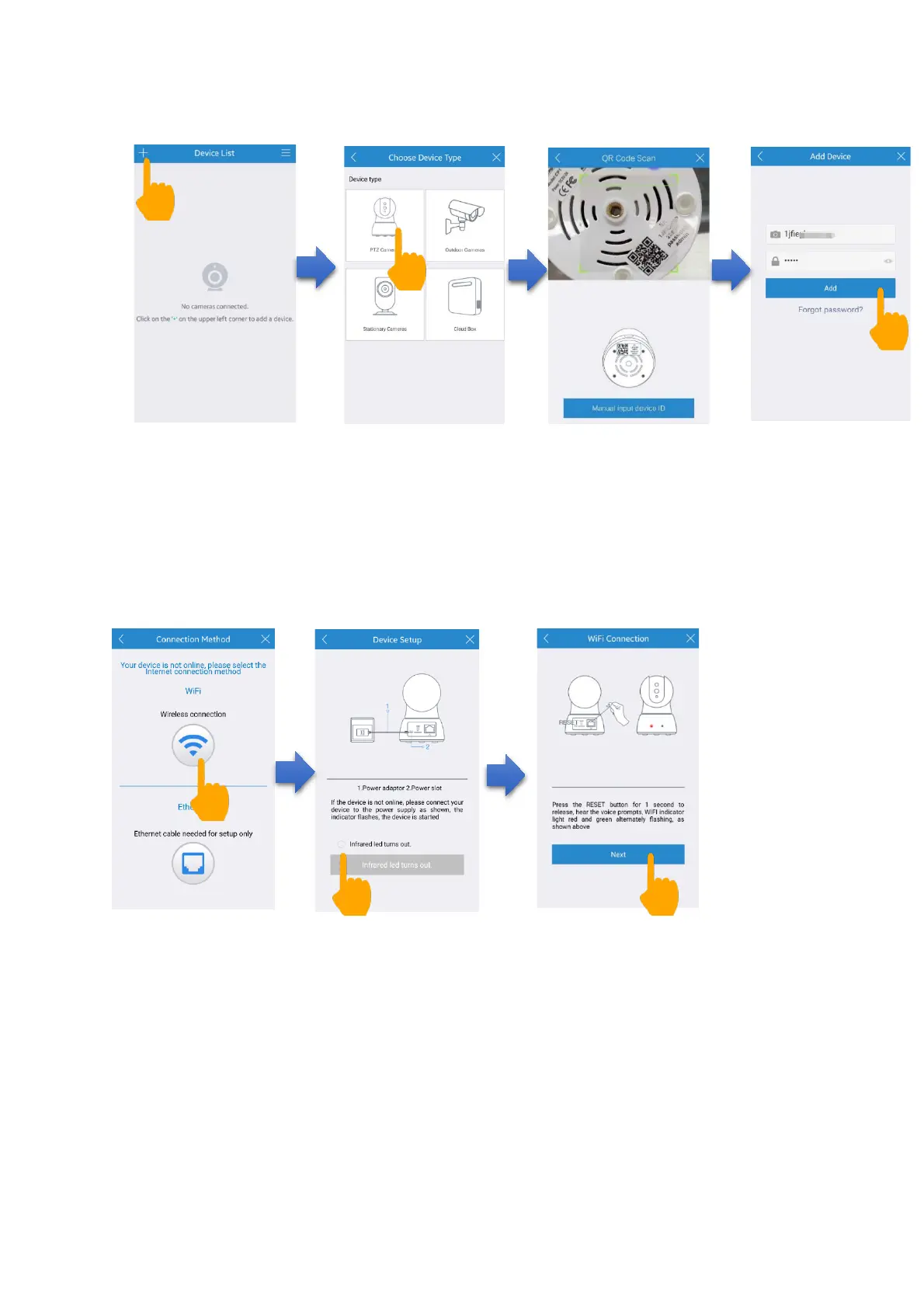
(3) Tap Wi-Fi connection icon. Following the APP prompts,
please one quick press the RESET button. Then check the
Wi-Fi Status Light, ensure that the Wi-Fi Status Light blinks
red and green alternately, Then Tap “Next” button.
(4) Your Wi-Fi will be searched and input your Wi-Fi
password. Then Tap “Next” button, your phone will send
sound waves to camera. Waiting 2-3 minutes, your camera is
connected to Wi-Fi successfully and your Wi-Fi status light
blinks green.


 To Next Page