EasyManua.ls Logo

Yealink T58W Pro - User Manual

Yealink T58W Pro
11 pages
Print Icon
To Next Page IconTo Next Page
Loading...
Yealink T58W Pro
User Guide
Table of Contents
Dialing ............................................................................................................. 2
Dial phone number or extension ......................................................... 2
Your Phone Calling Features .................................................................... 2
Basics .......................................................................................................... 2
Change Views ...................................................................................... 2
End Calls ................................................................................................ 2
Hold Calls .............................................................................................. 2
Transfer Calls ........................................................................................ 2
Transfer Call Direct to Voicemail ..................................................... 2
Conference Calls ................................................................................. 2
Forward Calls ........................................................................................3
Intercom ..................................................................................................3
Do Not Disturb ......................................................................................3
Menu ........................................................................................................3
Redial .......................................................................................................3
Park and Unpark Calls (If Enabled) ..................................................4
Broadcast Paging and
Intercom Features ....................................................................................4
Broadcast Paging .................................................................................4
Intercom ..................................................................................................4
Viewing Recent Calls ...............................................................................4
View Recent Calls List .........................................................................4
Directory .....................................................................................................4
View Organization Directory .............................................................4
Busy Lamp Field (BLF) .............................................................................4
View Phone Status ...............................................................................4
Speed Dial ..............................................................................................4
Intercept Call Ringing to BLF ............................................................4
Transfer Call to BLF .............................................................................4
Line Appearances ............................................................................... 5
Contact Center Call Queues................................................................. 5
Log In to a Call Queue ....................................................................... 5
Log Out of a Call Queue .................................................................... 5
Change Your Agent State to Unavailable While Logged In ..... 5
After Ending a Call .............................................................................. 5
Hoteling ...................................................................................................... 5
Log In to an Open Desk Phone ....................................................... 5
Log Out of an Open Desk Phone .................................................. 5
Additional Phone Features ................................................................... 5
Muting the Microphone ..................................................................... 5
Change Volume ................................................................................... 5
Change Ringtone ................................................................................ 5
Access Voice Messages .................................................................... 6
Call Forwarding ........................................................................................ 6
Activate Call Forwarding ................................................................... 6
Deactivate Call Forwarding .............................................................. 6
Call Waiting ............................................................................................... 6
Activate Call Waiting for All Calls .................................................... 6
Deactivate Call Waiting for All Calls ............................................... 6
Cancel Call Waiting for a Single Call .............................................. 6
Speed Dial 8 (1-digit codes) .................................................................. 6
Set Up/Update Speed Dial 8 (1-Digit Codes) ................................7
Place Call Using Speed Dial 8 ..........................................................7
Speed Dial 100 (If Enabled) .................................................................... 7
Set Up/Update Speed Dial 100 (2-Digit Codes) ...........................7
Place Call Using Speed Dial 100 ...................................................... 7
Initial Voicemail Set Up ...........................................................................7
Access Voicemail and Voice Portal .................................................... 8
From Your Own Phone ....................................................................... 8
From Another Phone Within Your Group ...................................... 8
From a Phone Outside of Your Group ........................................... 8
Voice Messaging Main Menu .................................................................... 9
“Play Message” options ......................................................................... 9
Voice Portal Main Menu ............................................................................. 9
Handset LED Indicators .............................................................................10
BTH58 Hardware ......................................................................................... 11
TelNet Worldwide, Inc. • telnetww.com • (800) 508-1254


Other manuals for Yealink T58W Pro

Question and Answer IconNeed help?

Do you have a question about the Yealink T58W Pro and is the answer not in the manual?

Summary

Dialing

Dialing Methods

Instructions for dialing phone numbers, extensions, and international calls.

Core Call Handling Features

Basic Call Management

Covers answering, ending, holding, and transferring calls.

Call Forwarding and Intercom

Call Forwarding Options

Guide to enabling, disabling, and types of call forwarding.

Line Appearances and Call Queues

Contact Center Call Queue Operations

Logging in/out of call queues and managing agent states.

Call Forwarding and Waiting Codes

Call Forwarding Activation;Deactivation

Using dial codes to activate and deactivate call forwarding options.

Speed Dial and Voicemail Access

Speed Dial and Voicemail

Accessing Voicemail and Voice Portal

Methods for accessing voicemail and the voice portal.

Initial Voicemail Setup

First-time setup for voicemail, including passcode and name recording.

Accessing Voicemail and Voice Portal

Voicemail Access from Own Phone

Detailed steps for accessing voicemail from the registered phone.

Summary

Dialing

Dialing Methods

Instructions for dialing phone numbers, extensions, and international calls.

Core Call Handling Features

Basic Call Management

Covers answering, ending, holding, and transferring calls.

Call Forwarding and Intercom

Call Forwarding Options

Guide to enabling, disabling, and types of call forwarding.

Line Appearances and Call Queues

Contact Center Call Queue Operations

Logging in/out of call queues and managing agent states.

Call Forwarding and Waiting Codes

Call Forwarding Activation;Deactivation

Using dial codes to activate and deactivate call forwarding options.

Speed Dial and Voicemail Access

Speed Dial and Voicemail

Accessing Voicemail and Voice Portal

Methods for accessing voicemail and the voice portal.

Initial Voicemail Setup

First-time setup for voicemail, including passcode and name recording.

Accessing Voicemail and Voice Portal

Voicemail Access from Own Phone

Detailed steps for accessing voicemail from the registered phone.

Overview

The Yealink T58W Pro is an advanced IP phone designed for professional communication, offering a comprehensive suite of features for efficient call management and enhanced user experience. This device integrates seamlessly into various communication environments, providing robust functionality for both individual users and contact center agents.

Function Description:

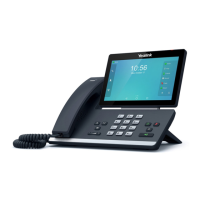
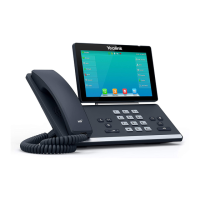
The primary function of the Yealink T58W Pro is to facilitate voice communication over an internet protocol network. It supports standard dialing, allowing users to make local, long-distance, international, and internal extension calls. The phone is equipped with a touchscreen interface, making navigation and feature access intuitive. It also includes a detachable handset, offering flexibility for users who prefer a traditional phone experience or hands-free operation with a headset.

Key communication features include:

  • Call Management: Users can answer, end, hold, transfer, and conference calls. The phone supports both attended and blind transfers, as well as direct transfer to voicemail.
  • Call Forwarding: Various call forwarding options are available, including "Always Forward," "No Answer Forward," and "Busy Forward," allowing users to redirect incoming calls based on their availability or preferences.
  • Do Not Disturb (DND): This feature allows users to disable ringing and direct incoming calls directly to voicemail, ensuring uninterrupted work when needed.
  • Intercom: The intercom function enables direct, hands-free communication with co-workers' speakerphones, ideal for quick announcements or questions.
  • Redial: Users can easily redial the last placed call or select from a list of recent calls.
  • Call Parking: This feature allows users to place a call on public hold, making it accessible for retrieval from any other phone within the system.
  • Broadcast Paging: The phone supports broadcasting pages to all phones on the local network, useful for general announcements.
  • Voicemail and Voice Portal: Comprehensive voicemail services are integrated, allowing users to access messages, record greetings, and manage their voice portal settings.
  • Speed Dial: Users can set up both 1-digit and 2-digit speed dial codes for frequently called numbers, streamlining the dialing process.
  • Call Waiting: This feature notifies users of incoming calls while they are already on an active call, with options to activate or deactivate for all calls or cancel for a single call.
  • Busy Lamp Field (BLF): For users with monitored lines, BLF keys provide visual status indicators of other extensions (idle or on a call) and allow for quick dialing or call interception.
  • Hoteling: This feature allows users to log in to any open desk phone and temporarily access their personal voicemail, call history, and other settings, providing flexibility for shared workspaces.
  • Contact Center Call Queues: For contact center agents, the phone supports logging in and out of call queues, changing agent states (available/unavailable), and entering disposition codes after calls.

Usage Features:

The Yealink T58W Pro is designed for ease of use with a focus on intuitive interaction.

  • Touchscreen Interface: The large touchscreen simplifies navigation through menus, contacts, and call lists.
  • Physical Keys: Dedicated physical keys for common functions like Headset, Mute, Redial, Speakerphone, Transfer, Hold, and Message provide quick access without needing to navigate through menus.
  • Handset and Speakerphone: Users can choose between the traditional handset for private conversations or the speakerphone for hands-free communication.
  • Volume Control: Independent volume controls for call audio and ringer volume allow users to adjust sound levels to their preference.
  • Ringtone Customization: Users can select from various ringtones to personalize their incoming call alerts.
  • LED Indicators: The handset features LED indicators that provide visual cues for various statuses, such as charging, pairing, connection, battery level, and incoming calls.
  • User-Friendly Setup: Initial setup for voicemail and speed dial is guided by prompts, making it straightforward for new users.
  • Multi-Call Handling: The phone efficiently manages multiple active and held calls, allowing users to toggle between them.
  • Directory Access: Users can easily view and dial contacts from an organization directory.
  • Recent Calls List: A detailed list of recent calls (missed, placed, received) is available for review and redialing.

Maintenance Features:

While the manual primarily focuses on usage, some aspects touch upon maintenance and system interaction:

  • Surge Protector Recommendation: The manual advises using a surge protector with the phone, indicating a measure for protecting the device from electrical damage.
  • System Administrator Role: Many advanced features, such as BLF keys, line appearances, and contact center settings, are managed by a "phone system administrator," implying that configuration and troubleshooting for these aspects are handled centrally rather than by the end-user.
  • Voicemail Passcode Security: The manual emphasizes the importance of using a strong, 6-digit voicemail passcode that is not sequential or repeating, promoting good security practices.
  • Automatic Logout for Hoteling: The system is typically set up to automatically log out hoteling guests after a 12-hour period, which helps maintain security and resource availability.
  • Firmware Upgrades: The handset LED indicators include a status for "upgrading," suggesting that the device supports firmware updates to improve functionality and address issues, though the process itself is not detailed for the end-user.
  • E911 Advisory: The inclusion of an E911 advisory highlights the importance of understanding the limitations of VoIP 911 service, particularly during power or broadband outages, and directs users to additional information for preparedness. This is a critical safety-related maintenance of awareness.

Overall, the Yealink T58W Pro is a robust and feature-rich IP phone designed to meet the demands of modern business communication, offering a blend of advanced functionality and user-friendly design.

Yealink T58W Pro Specifications

General IconGeneral
Display7-inch color touchscreen
Display Resolution1024 x 600
BluetoothYes, Bluetooth 4.2
SIP AccountsUp to 16 SIP accounts
Weight1.2 kg
Humidity10% to 90% (non-condensing)
Wi-FiYes, 802.11 a/b/g/n/ac
AudioHD audio
Operating SystemAndroid
PortsUSB 2.0
Power SupplyPoE or external power adapter
Audio CodecsG.711, G.722, G.729, Opus
ExpandableYes, supports expansion modules
Network InterfacesDual Gigabit Ethernet ports
Supported ProtocolsSIP, TLS, SRTP, IPv6
Operating Temperature0°C to 40°C

Related product manuals