Need help?
Do you have a question about the Yealink T56A and is the answer not in the manual?
Provides an overview of the manual's purpose and the IP telephones it covers.
Provides important safety guidelines for device usage, operation, and cleaning to prevent risks.
Explains how to activate and use voice encryption (SRTP) for telephone calls via the administration portal.
Details the necessity of a broadband connection and how to connect a laptop for internet access.
Instructions on how to add an extension to the telephone system.
Covers fundamental phone operations including key functions, calls, and voicemail.
Details advanced features and configurations for telephone operations.
Explains how to locate and find the telephone's IP address.
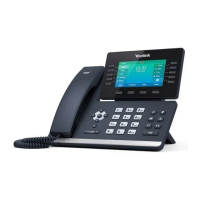
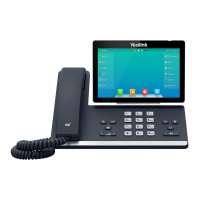
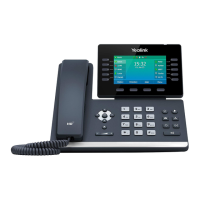
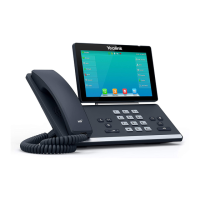
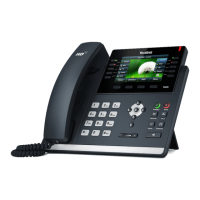
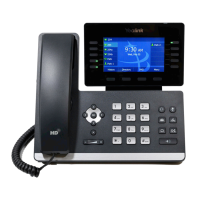
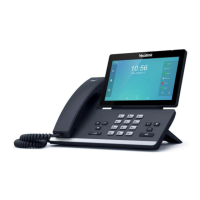
This document serves as a comprehensive manual for the Yealink T56A and T58V/A IP telephones, along with the Yealink EXP50 expansion module. It is designed to guide users through initial setup, basic operations, and advanced features, ensuring optimal use in conjunction with a Private Branch Exchange (PBX) system. The manual highlights that some features may differ from the manufacturer's standard documentation, emphasizing the importance of using this specific guide for initial operation.
The Yealink T56A and T58V/A are IP telephones designed for business communication. They integrate with a PBX system, allowing for a range of telephony functions. The manual introduces the concept of voice encryption (SRTP) for telephone calls, a feature that can be activated through the customer's administration portal. This encryption enhances call security, and its activation is indicated by a lock icon on the telephone display during an active call. The manual also touches upon the Yealink EXP50, an expansion module, suggesting its role in extending the functionality of the main telephone unit.
The core functions of these IP telephones include handling outgoing and incoming calls, call transfer, call forwarding, and three-way calls. Advanced features such as "Do not Disturb" (DND), callback, voicemail, and "Hot Desking" are also mentioned, indicating a robust set of communication tools. The manual outlines the process for finding the telephone's IP address, which is crucial for network management and troubleshooting.
The manual provides clear guidelines for using the IP telephones. It emphasizes the need for a sound broadband connection to utilize the IP telephone with a telephone system. A practical hint is provided for users with a single circuit plug, suggesting connecting a laptop to the phone's circuit plug to access the internet while using the phone, thereby optimizing connectivity in home office environments.
The document employs a system of symbols to enhance usability:
These symbols help users quickly identify critical information, tips, and procedural steps, making the manual easy to navigate and understand. The manual also details the process for activating voice encryption, which involves activating the function on the administration portal and then restarting all telephones. The restart process may take a few minutes, and the encryption status is visually confirmed on the telephone display.
While the manual primarily focuses on operation, it includes essential security and cleaning guidelines that contribute to the device's maintenance and longevity. Under "B. Security," it states that the device was produced in accordance with common security standards and provides safety guidelines to minimize risks such as burning, electric shocks, and similar hazards.
General guidelines for maintenance include:
Guidelines for usage and operation also touch upon maintenance aspects:
For cleaning, specific instructions are provided:
The manual also outlines various support channels for users, including the nfon.com website for documentation, downloads, and FAQs, and the support.nfon.com website for detailed FAQs and support inquiries. This comprehensive support structure ensures that users can find help for any issues, contributing to the ongoing maintenance and optimal performance of their telephone system. The inclusion of specific contact information for different regions (Germany, UK, Austria, France, Italy, Netherlands) further enhances the usability and maintainability of the devices by providing accessible support.
 General
| Operating System | Android 5.1.1 |
|---|---|
| Display | 7 inch capacitive touch screen |
| Resolution | 800 x 480 |
| USB Ports | 2 x USB 2.0 |
| Ethernet | 2 x Gigabit Ethernet ports |
| PoE | Yes, IEEE 802.3af class 3 |
| Audio | HD Voice |
| Expansion Module | Supports EXP50 |
| Headset Support | Yes, RJ9, USB, Bluetooth |
| Local Phonebook | Up to 1000 entries |
| SIP Accounts | Up to 16 |
| Supported Protocols | SIP |
| Power Supply | AC 100~240V input and DC 5V/2A output |
| Operating Temperature | 0°C to 40°C |
| Humidity | 10 to 95% relative humidity, noncondensing |
| Wi-Fi | Optional via WF40/WF50 |

 To Next Page