EasyManua.ls Logo

Yeastar Technology S300 - Call Monitor; Call Monitoring Modes; Voicemail; Checking Voicemail

Yeastar Technology S300
129 pages
To Next Page IconTo Next Page
To Previous Page IconTo Previous Page
Loading...
S-Series IP PBX Administrator Guide
6
Yeastar S300
LED Indicators and Ports
LED Indicators
LED
Indication
Status
Description
POWER
Power status
On
The power is switched on
Off
The power is switched off
System
System status
Blinking
The system is running properly
Static/Off
The system goes wrong
WAN
WAN status
Static Green light
Linked normally, 10/100 Mbps.
Static Orange light
Linked normally, 1000 Mbps.
Blinking
In communication.
Off
Off-line.
LAN
LAN status
Static Green light
Linked normally, 10/100 Mbps.
Static Orange light
Linked normally, 1000 Mbps.
Blinking
In communication.
Off
Off-line.
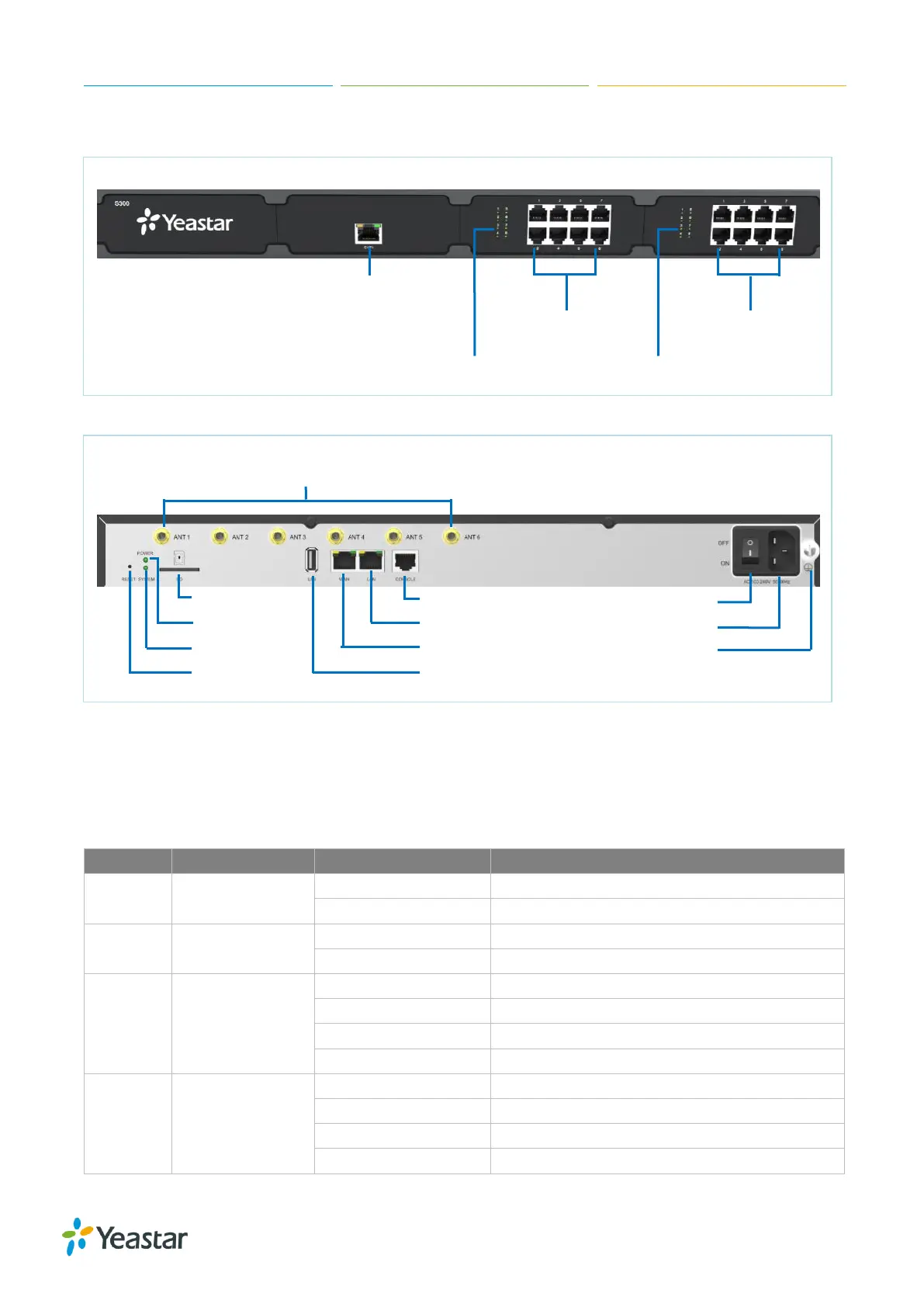
Front Panel (1*EX30 + 2*EX08)
E1/T1 Port
RJ11 Port RJ11 Port
RJ11 Port Status RJ11 Port Status
Rear Panel
Antenna Socket
SD Slot Console Power Switch
Power LAN Power Inlet
System WAN Protective Earth
Reset USB Slot


Table of Contents

Other manuals for Yeastar Technology S300

Related product manuals