23
EN
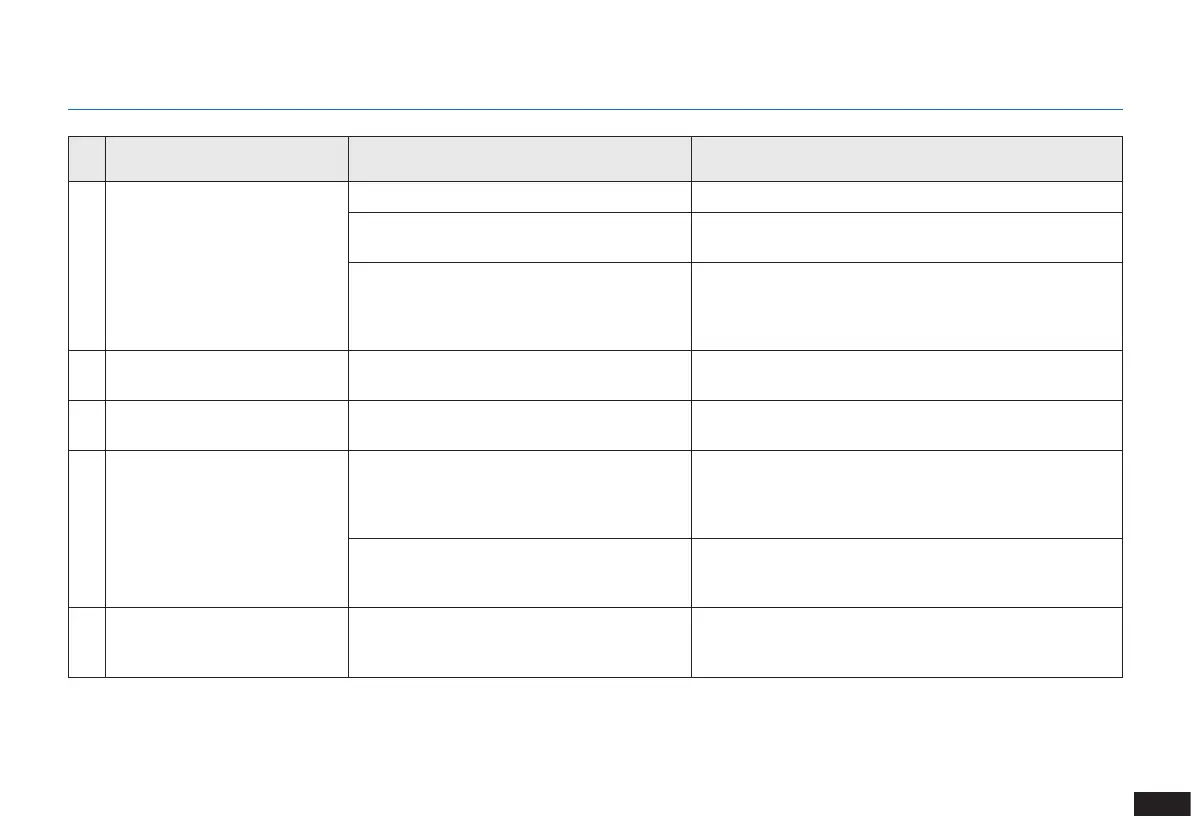
No. Malfunction Possible Causes Solutions
1 The robot is not charging�
The robot is not switched ON� Switch ON the robot�
The robot has not connected to the Charging
Dock�
Be sure that the robot’s Charging Contacts have
connected to the Charging Dock Pins�
The battery is completely discharged�
Re-activate the battery� Switch ON the robot� Place
the robot on the Charging Dock by hand, remove after
charging for 3 minutes, repeat 3 times; then charge
normally�
2
The robot cannot return to the
Charging Dock�
The Charging Dock is not correctly placed� Refer to section 3�2 to correctly place the Charging Dock�
3
The robot gets stuck while
working and stops�
The robot is tangled with something on the oor
(electrical wires, curtains, carpet fringing, etc�)�
The robot will try various ways to free itself� If it is
unsuccessful, manually remove the obstacles and restart�
4
The robot returns to the
Charging Dock before it has
nished cleaning�
When the battery gets low, the robot
automatically switches to Return to Charger
Mode and returns to the Charging Dock to
recharge itself�
This is normal� No solution necessary�
Working time varies according to oor
surface, room complexity and the Cleaning
Mode selected�
This is normal� No solution necessary�
5
The robot does not clean the
whole area�
The cleaning area is not tidy�
Remove small objects from the oor and tidy up the
cleaning area before the robot starts cleaning�
6. Troubleshooting


 To Next Page