5
LCD Display
The Liquid Crystal Display (LCD) display provides the
unit operator with continual updates of the status of the
37880. In addition, the display will prompt the techni-
cian for the user input needed to continue operation.
The LCD shows error codes for rapid diagnosis of ab-
normal conditions.
The display is divided into five fields which aid the tech-
nician in rapidly reading information.
1. Weight - Shows the weight of refrigerant being
processed in each mode.
2.
Time (MINS) - Shows the time set for Vacuum.
Timer will count down to display the time left.
3.
Purge– Located in the b
ottom right corner of dis-
play. A “Y” in this field indicates non-
condensable
gases su
ch as air are present in the
storage tank.
The unit will
purge automatically next time the un
it
is turned on
when the “Y” is displayed. An “N” indi-
cates non-condensable gases are below the set
limit. An “E” indicates the unit purged for fifteen
(15)
seconds an
d non-condensable gases are still pre-
sent. This is a safety feature which pr
events excess
purging when a malfunction occurs somewhere i
n
the system. See the Purging Non-Condensable
Gas section
for further details.
4. Option - Displays the Option number of the current
operation.
5.
Status Line - Displays programming commands
and informs the user of current status of the unit.
Available Functions
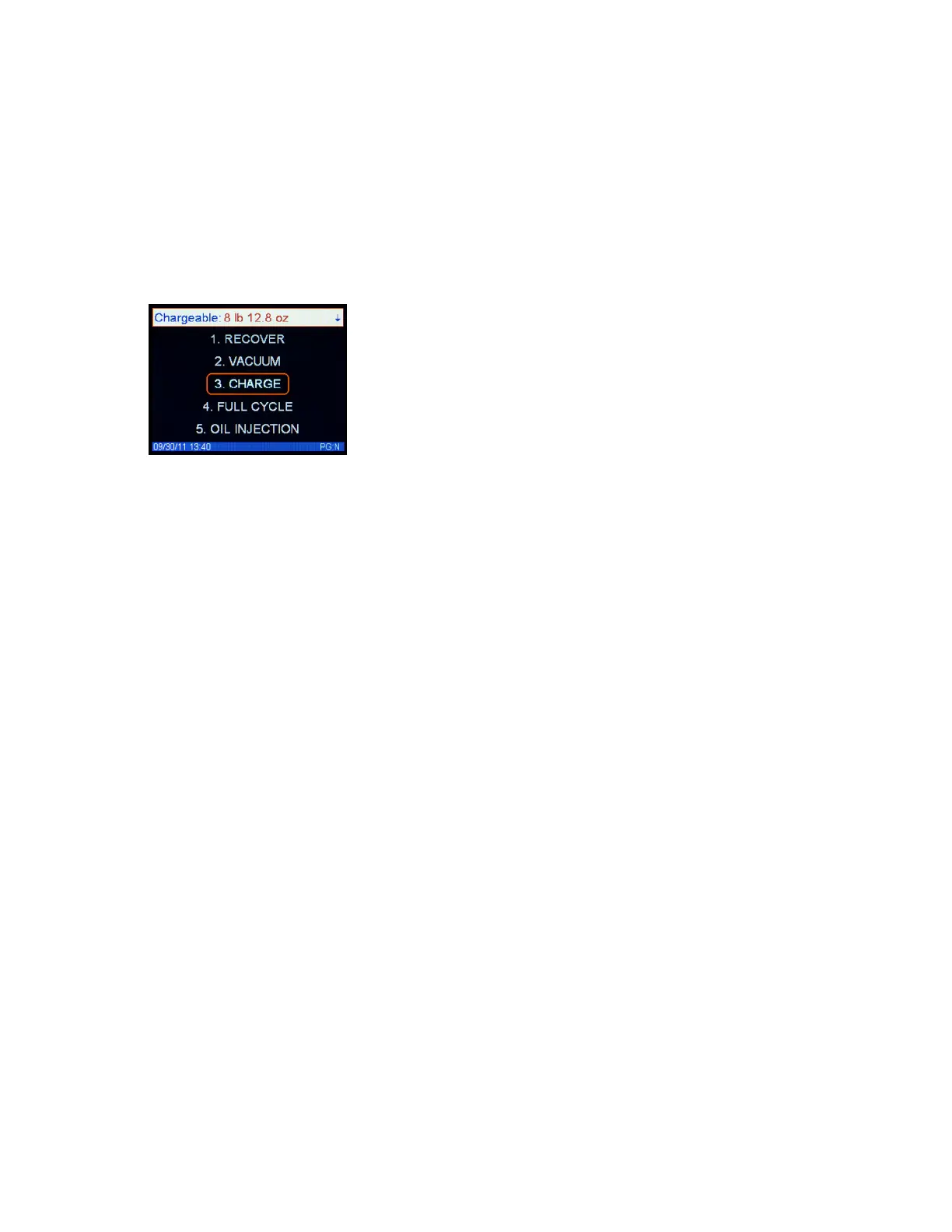
The main menu allows you to access the following
functions.
1. Option 1 - Recover, is used to recover and recycle
refrigerant fr
om an automobile A/C
system. This
Option is most often used prior to o
pening an
A/C
system to atmosphere to replace a system comp
o-
nent.
2.
Option 2 - Vacuum, is used to vacuum air/moi
s
ture
from a system previously opened to the atmos-
phere. This
Option will then proceed to recharge
the
A/C system.
This Option also allows
the technician
to verify the
A/C system will hold a vacuum for a
certain length of time.
3. Option 3 - Charge Only, adds refrigerant to an A/C
sy
stem
.
4.
Option 4 - Full Cycle, performs a complete recov-
ery, recycling, evacuating and charging of an aut
o-
mobile A/C system
.
5.
Option 5 - Oil injection,
is used to inject oil into
the
Automobile’s A/C system. (37887 and 37888)
Hybrid Hose
Flush, is used to clear the hoses of
oil
before using
the unit on
a hybrid A/C system.
6.
Option 6 - Tank Refill, i
s used to add new refriger-
ant to the storage tank.
7. Option
7– Vehicle Oil Flush, is used to flush the
oil
from the veh
icles A/C system.
8. Option 8 - Refrigerant Managemen
t System, gi
ves
the technician access t
o information about refriger-
ant use to da
te.
9. Option
9– Set-up, is used to access settings
like
time and date, Scale calibration and
system infor-
mation.
Function Ke
ys / Numeric keypad
The Function Keys are used to enter data into the sys-
tem in a variety of modes.
UP ARROW– This key allows you to scroll up
through the menu
Down ARROW– This key allows you to scroll down
through the menu
Left ARROW - This key allows you scroll left
through the menu
Right ARROW - This key allows you to scroll right
through the menu
Numeric Key pad– these keys are used to select
desired time and weight and entering the filter
codes.
START- Press START to begin a selected operational
mode.
ENTER– Press ENTER to enter the
desired function or
setting
RESET- Press RESET to cancel the current operation.
The RESET may have to be pushed more than once to
return to “Main Menu”
Control Panel Features



 To Next Page