EasyManua.ls Logo

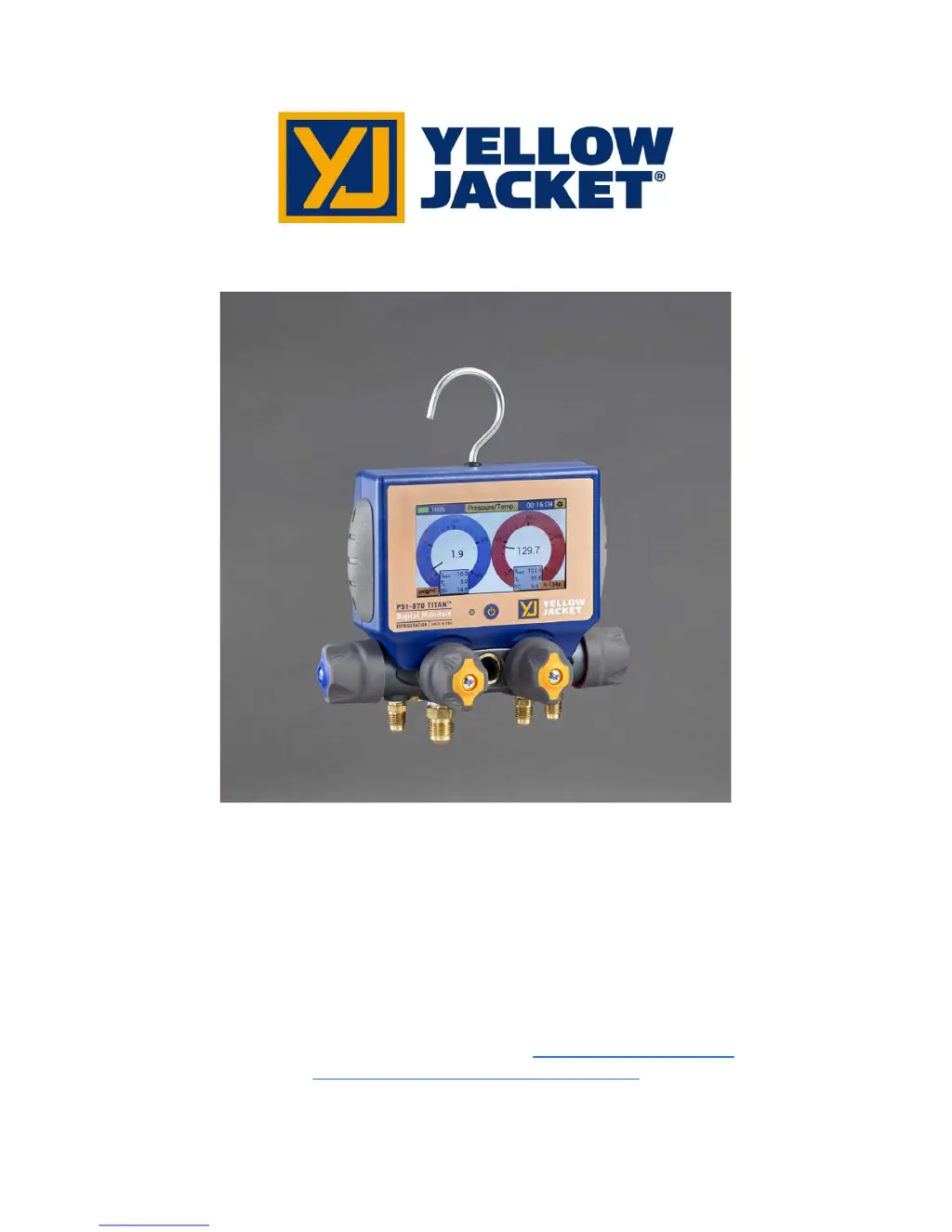
yellow jacket TITAN P51-870 - User Manual

yellow jacket TITAN P51-870
31 pages
Print Icon
To Next Page IconTo Next Page
Loading...
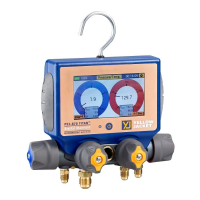
YELLOW JACKET
P51-870 TITAN™ User Manual
UPC# 40870, 40875
Note: These Instructions do not cover the manifold attached to the instrument. For instructions on use
of the TITAN™ 4-Valve manifold, please visit: http://yellowjacket.com/wp-
content/uploads/2015/01/500716_Rev.F-1.pdf

Table of Contents

Questions and Answers

  • J
    jglassSep 23, 2025
    What to do if Yellow Jacket Measuring Instruments device is not responding to button press?
    • D
      Donald ThompsonSep 23, 2025
      If your Yellow Jacket Measuring Instruments device is not responding to button presses, disconnect it from the PC. For P51-860 models, if the issue persists, the buttons or overlay may be damaged, and you should contact technical support.
  • M
    Matthew JosephAug 23, 2025
    What to do if yellow jacket Measuring Instruments manifold is not charging and LED is not solid green?
    • C
      Christopher MartinAug 23, 2025
      If the manifold isn't charging and the LED isn't solid green, check the USB connection to both the P51 manifold and the power source. Also, try using an alternate USB cable. Note that if the device is fully charged, no action is required. If these steps don't resolve the issue, it is possible the manifold is damaged, and you should contact technical support.
  • B
    bentleyshellyAug 25, 2025
    How to fix yellow jacket Measuring Instruments when it is not recognized when connected to PC?
    • B
      benjamin85Aug 26, 2025
      First, check the USB connection to both the P51 manifold and the PC. Ensure the P51 manifold is powered on for data transfer. If the issue persists, try using an alternate USB cable. If none of these steps work, it is possible the manifold is damaged, and you should contact technical support.
  • T
    Travis ConleyAug 26, 2025
    How to establish Bluetooth connection with yellow jacket TITAN P51-870 Measuring Instruments?
    • J
      Joy AcostaAug 27, 2025
      To establish a Bluetooth connection, ensure the P51 manifold is powered on and that Bluetooth is enabled on your mobile device. The ManTooth app must be version 3.0 or newer. For Android devices, pair the manifold with your mobile device using the Bluetooth settings utility. Also, ensure the manifold and mobile device are within range (~400 ft).
  • Z
    Zachary CampbellAug 27, 2025
    What to do if pressure readings are incorrect on yellow jacket TITAN P51-870?
    • A
      Andrew ValdezAug 27, 2025
      If the pressure readings are incorrect, make sure the pressure transducers are zeroed before use. If the issue continues, it is possible the pressure transducers are damaged, and you should contact technical support.
  • V
    Virginia SmithSep 17, 2025
    How to fix dimmed screen on Yellow Jacket Measuring Instruments?
    • M
      Mark BondSep 17, 2025
      If the screen on your Yellow Jacket Measuring Instruments has dimmed, try tapping the power button to turn the backlight on. If the issue persists, the screen may be damaged, and you should contact technical support.
  • T
    Tim CollinsSep 14, 2025
    What to do if the screen does not display anything on Yellow Jacket Measuring Instruments?
    • C
      Christopher HunterSep 14, 2025
      If the screen of your Yellow Jacket Measuring Instruments is not displaying anything, it could be due to several reasons. First, verify that the manifold is sufficiently charged. If you have a P51-870 model, check the backlight auto-dimming timer. If the screen is damaged, contact technical support.
  • T
    Tonya WrightSep 15, 2025
    Why is the vacuum reading incorrect/not displaying on my Yellow Jacket Measuring Instruments?
    • K
      kschmidtSep 15, 2025
      If the vacuum reading on your Yellow Jacket Measuring Instruments is incorrect or not displaying, check the vacuum probe connections on the back of the manifold to ensure the barrel connector is fully seated. Also, check the vacuum probe connections to the system to ensure proper attachment. For P51-870 models, make sure the vacuum probe is plugged into the A1 or A2 jacks.
  • M
    Madison GonzalezSep 6, 2025
    What to do if pressure transducers won't zero on yellow jacket TITAN P51-870 Measuring Instruments?
    • S
      sean11Sep 6, 2025
      If the pressure transducers won't zero, make sure the manifold is vented to the atmosphere. If the issue persists, it is possible the pressure transducers are damaged, and you should contact technical support.
  • T
    Timothy IngramSep 3, 2025
    What to do if yellow jacket Measuring Instruments screen is not responding to touch?
    • F
      franklinchadSep 3, 2025
      If the screen is not responding to touch, recalibrate the display (see User Manual/Quick Start Guide). If that doesn't work, the display could be damaged, and you should contact technical support. Also, disconnect from the PC if the device is connected to one.

Summary

Before You Start

Contacting Ritchie Engineering

Information on reaching the manufacturer for support or orders.

Safety Information

Guidelines and warnings to prevent injury or damage during use.

Getting Started

Getting to Know Your P51-870 TITAN

Identifies and describes the main components and features of the device.

Turning the instrument On and Off

Instructions for powering the device on and off.

Interacting with the device

Explains how to use the touchscreen and navigate the interface.

Connecting and Using the Temperature Clamps

Details how to connect and use the temperature probes for measurements.

Connecting and Using the Vacuum Sensor

Instructions for connecting and using the vacuum sensor for measurements.

Interpreting the Battery Life Indicator

Explains how to read and understand the battery status indicator.

Charging the Battery

Provides steps for charging the device's battery.

Operating the Backlight

Information on adjusting display brightness and backlight settings.

Datalogging

Explains the process of recording and saving system data.

Interpreting the RGB LED

Explains the various colors and patterns of the device's LED indicator.

Modes of Operation

Modes Menu

Overview of the main operating modes available on the device.

Pressure;Temperature Mode

Details the Pressure/Temperature mode for system analysis.

Interpreting the Pressure Analog Gauges

Explains how to read and understand the pressure gauges on the display.

Interpreting the Pressure and Temperature Line Graphs

Describes how to interpret the graphical display of pressure and temperature data.

Operating Pressure;Temperature Mode

Guide to using the Pressure/Temperature mode and its settings.

Evacuation Mode

Details the Evacuation mode for monitoring vacuum levels.

Interpreting the Evacuation Gauge

Explains how to read the vacuum gauge in Evacuation mode.

Interpreting the Evacuation Graph

Describes how to interpret the graphical display for evacuation data.

Operating the Evacuation Mode

Instructions for using the Evacuation mode and setting parameters.

Pressure Hold Mode - Pressure Decay Test

Explains the Pressure Decay test for monitoring system leaks.

Interpreting the Pressure Decay Gauge

How to read the pressure gauge during a decay test.

Interpreting the Pressure Decay Graph

How to interpret the graph for pressure decay test results.

Operating the Pressure Decay Mode

Instructions for setting up and running the Pressure Decay test.

Pressure Hold Mode - Pressure Rise Test

Explains the Pressure Rise test for monitoring vacuum changes.

Interpreting the Pressure Rise Gauge

How to read the vacuum gauge during a pressure rise test.

Interpreting the Pressure Rise Graph

How to interpret the graph for pressure rise test results.

Operating the Pressure Rise Test

Instructions for setting up and running the Pressure Rise test.

Settings

Settings Menus Overview

Overview of the different settings menus available on the device.

General Settings Menu

Access to options like refrigerant, units, and transducer zeroing.

Zeroing the Pressure Transducers

Procedure for re-zeroing pressure transducers for accuracy.

Calibrating the Touchscreen

Instructions for recalibrating the touchscreen for better responsiveness.

Refrigerant Settings Menu

How to select and change the refrigerant type used by the device.

Unit Settings Menu

How to adjust pressure, vacuum, and temperature units.

Pressure Units

Details available pressure units and how to change them.

Temperature Units

Details available temperature units and how to change them.

Vacuum Units

Details available vacuum units and how to change them.

Device Settings Menu

Access to settings like brightness, backlight, and auto-off.

Brightness

Adjusting the display backlight intensity.

Backlight Timer

Setting the duration the backlight stays on.

Auto Off

Configuring the automatic power-off feature.

Logging Rate

Adjusting the frequency of data sample storage.

Mantooth App Integration

Overview

Introduction to the Mantooth app and its compatibility.

Operation of the Mantooth App with the P51-870 TITAN

Instructions for pairing and using the Mantooth app with the device.

Maintenance

Overview

Introduction to basic maintenance procedures.

General Maintenance

Guidelines for cleaning and maintaining the instrument.

Replacement Parts

List of available replacement parts with UPC numbers.

Software Updates

Information on how to obtain and install software updates.

Device Specifications

Physical Specifications

Lists physical dimensions, weight, and battery life.

Instrument Specifications

Lists technical performance specs like pressure, temp, vacuum ranges.

Troubleshooting Guide

Troubleshooting Guide

Lists common problems, causes, and solutions for the P51-870.

yellow jacket TITAN P51-870 Specifications

General IconGeneral
Brandyellow jacket
ModelTITAN P51-870
CategoryMeasuring Instruments
LanguageEnglish

Related product manuals