2
1 Getting started
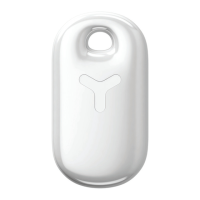
1.1 Yepzon device
1.2 Pairing to a smartphone or tablet for the first time
1.3 Charging and battery life
1.4 Adding more users
1.5 A recommended precaution: Requesting a reset link
1.6 Durability
2 Settings
2.1 General
2.2 Notifications
2.3 Service
2.4 Power o and restore
3 Location
3.1 Locate accurately
3.2 Accuracy
3.3 History
4 Safety
...................................................................................................................... 3
........................................................................................................................ 3
................................................. 3
................................................................................................... 3
............................................................................................................... 4
............................................. 4
................................................................................................................................. 4
.................................................................................................................................... 5
..................................................................................................................................... 5
........................................................................................................................... 5
...................................................................................................................................... 5
......................................................................................................... 6
................................................................................................................................... 6
................................................................................................................. 6
................................................................................................................................... 7
....................................................................................................................................... 7
........................................................................................................................................ 7
More information, FAQ, announcements etc. available at YEPZON.COM/SUPPORT


 To Next Page