-7-
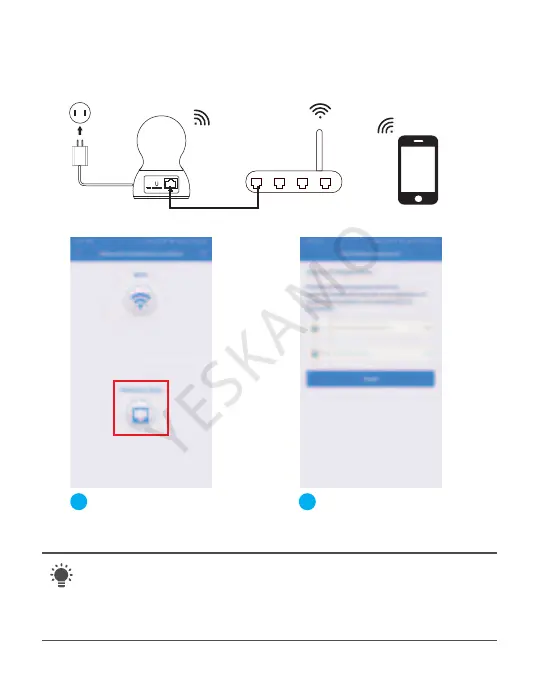
Camera Router Mobile
2. Wired Connect Camera (Option)
The most stable way to connect camera
Select Ethernet.Connect
the camera to the router
through network cable.
1 2
Change Password
( Never use the default password for your camera.
Password is at least 8 characters long and contains a
combination of lowercase characters, uppercase
characters as well as numbers. NO special character ).



 To Next Page