EasyManua.ls Logo

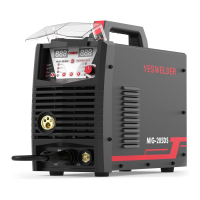
Yeswelder MIG-205DS - User Manual

Yeswelder MIG-205DS
28 pages
Print Icon
To Next Page IconTo Next Page
Loading...
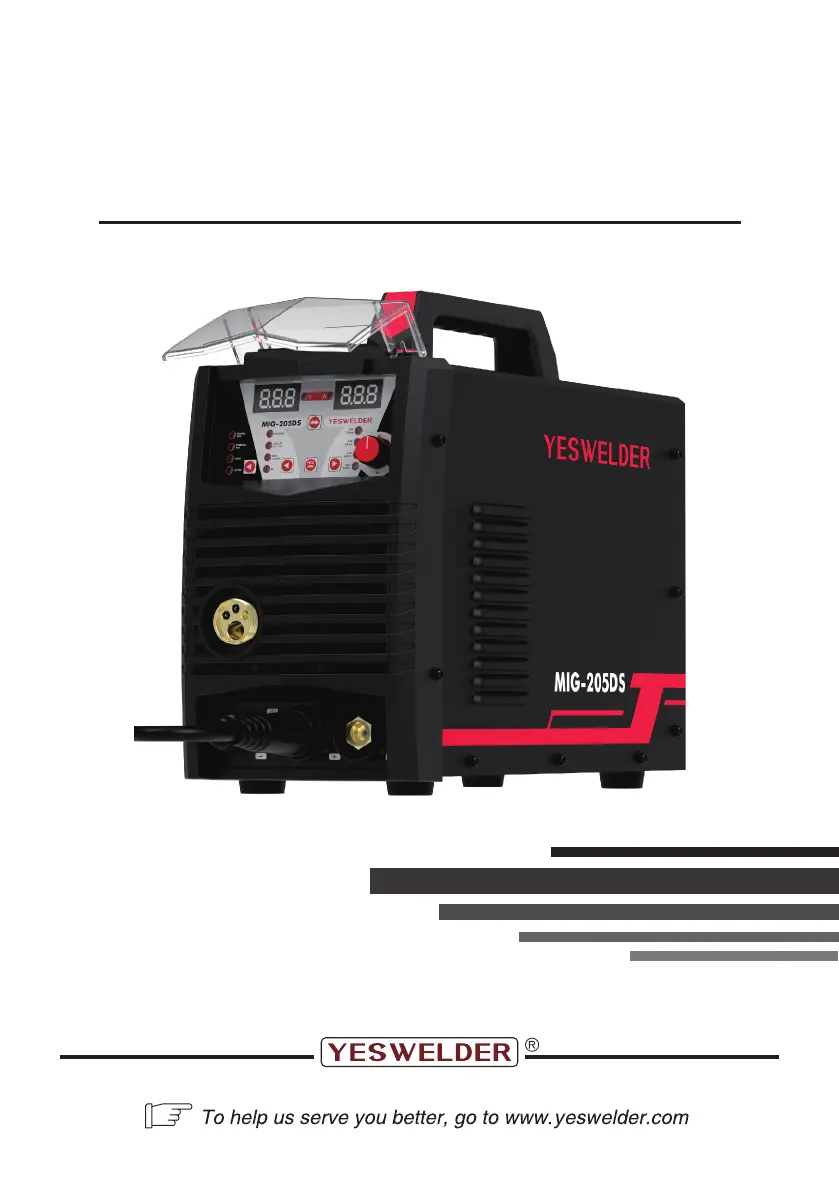
MIG-205DS
IGBT INVERTER MULTI-PROCESS WELDER
(MIG, MAG, FLUX-CORED, STICK, LIFT TIG)
Aug., 2023
Copyright © YesWelder
OPERATOR’S MANUAL

Questions and Answers

  • Z
    Zachary ClarkAug 19, 2025
    Why is my Yeswelder MIG-205DS circuit breaker tripping frequently?
    • J
      jeffery04Aug 19, 2025
      Frequent circuit breaker trips with your Yeswelder Welding Accessories can occur for several reasons: * You might be using a larger size electrode, which causes the machine to draw too much amperage. Try using a smaller electrode. * The welder might not be on a dedicated circuit. Ensure the welder is on a dedicated circuit or is the only device plugged into the circuit. * The circuit breaker might be incorrect or insufficient. Verify that the circuit breaker is a 20A time-delay (slow-blow) breaker for 120V or a 50A for 230V. If it's not, have a qualified electrician install the proper breakers.
  • K
    kingcindyAug 21, 2025
    What to do if my Yeswelder MIG-205DS Welding Accessories work clamp, ground cable, and/or welding cable get hot?
    • R
      Ryan PattersonAug 21, 2025
      If the work clamp, ground cable, or welding cable of your Yeswelder Welding Accessories are getting hot, it's likely due to a bad or loose ground connection. Check the connection of the work clamp and gun to the machine, the MIG ELECTRODE POLARITY JUMPER, and the ground cable to the work clamp. Tighten the cable connection to the work clamp if needed. Ensure the connection between the work clamp and workpiece is good and on clean, bare (not painted or rusted) metal. Also, make sure the cable is not damaged.
  • B
    Brett FigueroaAug 23, 2025
    How to fix poor quality welds with Yeswelder Welding Accessories?
    • E
      Elaine PatelAug 25, 2025
      Poor quality welds with Yeswelder Welding Accessories can stem from several factors. Here's what to check: * Ensure sufficient gas at the weld area and that drafts aren't blowing it away. Check gas cylinder contents, gauge, regulator setting, and gas valve operation. * Make sure the workpiece is clean and dry, free from rust, paint, oil, or grease. * Inspect the work clamp/workpiece connection and all connections to the machine for any issues. * Verify that you are using the correct welding parameters and polarity. * Check for a bad or loose ground connection, ensuring it's on clean, bare metal.
  • B
    Brianna ThomasAug 26, 2025
    Why is my Yeswelder MIG-205DS showing FAULT CODE ERR1 DISPLAYED?
    • J
      James HillAug 26, 2025
      If your Yeswelder Welding Accessories unit is displaying FAULT CODE ERR1, it indicates either that the duty cycle has been exceeded, engaging the thermal protector, or there is insufficient airflow causing the machine to overheat. To resolve this: * Allow the welder to cool for at least 10 minutes with the machine ON, observing and maintaining proper duty cycle. The FAULT/THERMAL OVERLOAD INDICATOR LED should turn off after cooling. * Check for obstructions blocking airflow and ensure at least 12 inches of clearance around the vents on all sides of the machine.
  • R
    Regina DominguezAug 27, 2025
    What to do if my Yeswelder MIG-205DS Welding Accessories has no arc or wire feed, but the fan operates normally?
    • J
      Jordan AllenAug 28, 2025
      If your Yeswelder Welding Accessories has no arc or wire feed, but the fan is running, the issue might be with the gun trigger or thermal protection. First, ensure the gun trigger is being fully pulled and making contact with the workpiece, as the machine won't arc unless the trigger is fully depressed. Also, the thermal protector might be engaged due to exceeding the duty cycle. Allow the welder to cool for at least 10 minutes with the machine ON, observing the proper duty cycle. Insufficient airflow can also cause overheating. Check for obstructions and ensure 12 inches of clearance around the machine's vents.
  • B
    blacksusanAug 30, 2025
    How to troubleshoot a Yeswelder Welding Accessories unit with no arc or wire feed and the fan not operating?
    • J
      Joe SmithAug 30, 2025
      If your Yeswelder Welding Accessories exhibits no arc or wire feed and the fan is not operating, the issue likely lies with the power supply. First, ensure the machine is properly connected to a functioning power source. Verify that the POWER SWITCH on the rear of the unit is in the ON position. Also, check if the circuit breaker has tripped in your main power panel and reset it if needed. Inspect the power convert adapter for defects and check for loose power connections.
  • K
    Kristin MirandaSep 1, 2025
    What to do if my Yeswelder MIG-205DS Welding Accessories is arcing from the gun nozzle to the work surface?
    • Z
      Zachary AdamsSep 1, 2025
      If the gun nozzle on your Yeswelder Welding Accessories is arcing to the work surface, it's likely due to spatter or slag buildup inside the nozzle, causing it to become clogged. Clean or replace the nozzle as needed.
  • V
    Victor WilkinsonSep 3, 2025
    Why is my Yeswelder MIG-205DS Welding Accessories wire burning back to the contact tip?
    • W
      wendy55Sep 3, 2025
      If the wire is burning back to the contact tip on your Yeswelder Welding Accessories, it could be due to several reasons. The wire feed speed might be too low for the voltage setting, so increase the wire feed speed. The stick-out might be too short, so increase the amount the wire extends past the contact tip. Also, check that you are using the correct size contact tip and replace it if it is clogged or damaged.
  • J
    Joshua DominguezSep 5, 2025
    How to fix wire "bird-nesting" or jamming in my Yeswelder Welding Accessories?
    • W
      William SteinSep 6, 2025
      If the wire is "bird-nesting" at the drive roller or jamming in your Yeswelder Welding Accessories, it's often due to excessive pressure on the drive roller. Adjust the drive pressure accordingly. Also, the contact tip might be clogged or damaged, so replace it. Worn guides or drive roller misalignment can also cause this issue, requiring replacement of the affected parts.
  • A
    Anthony SchultzSep 8, 2025
    Why is my Yeswelder MIG-205DS showing FAULT CODE ERR2 DISPLAYED?
    • J
      Jennifer AllenSep 8, 2025
      If your Yeswelder Welding Accessories is displaying FAULT CODE ERR2, this indicates an over current situation. Check the input connection.

Summary

Safety Information

Fume and Ventilation Safety

Advice on managing welding fumes and ensuring adequate ventilation.

Personal Protective Equipment (PPE)

Guidance on wearing appropriate eye, ear, and body protection.

Electric Shock Hazards

Critical safety information about the risks of electric shock.

Fire and Explosion Prevention

Warnings and procedures to prevent fires and explosions caused by welding.

Installation Guidelines

Technical Specifications

Detailed technical specifications and ratings for the welding machine.

Suitable Location Selection

Guidelines for choosing an appropriate and safe location for the welder.

Accessories

Product Description

Safety Precautions

Important safety warnings and guidelines before operating the welder.

Product Capabilities

Overview of the welder's capabilities and features.

Operation and Setup

Performance Data and Duty Cycle

Explanation of the welder's data plate and duty cycle ratings.

Welding Preparation

Essential steps and considerations for preparing to weld.

Wire, Gas, and Process Setup

Guidance on selecting wire/gas and setting up MIG, Flux-Cored, Aluminum, Stick, and TIG processes.

Maintenance and Servicing

General Maintenance

Routine maintenance tasks to ensure optimal welder performance.

Consumable Maintenance

Importance of maintaining consumables like contact tips and nozzles.

Troubleshooting Guide

Power and Fault Code Issues

Solutions for common issues like no power and specific fault code displays.

Weld Quality and Wire Feed Problems

Addressing causes for poor welds, wire feeding issues, and arc problems.

Wiring Diagram

Yeswelder MIG-205DS Specifications

General IconGeneral
Duty Cycle60% at 205A
Protection ClassIP21S
Insulation ClassF
Input Voltage110/220V
Welding ProcessMIG, Flux Core, Stick
Weight22.5 lbs
Input Current30A
Wire Diameter0.6-1.0 mm
Wire Feed Speed1.5-15 m/min

Related product manuals