!
7.2!Capturing!
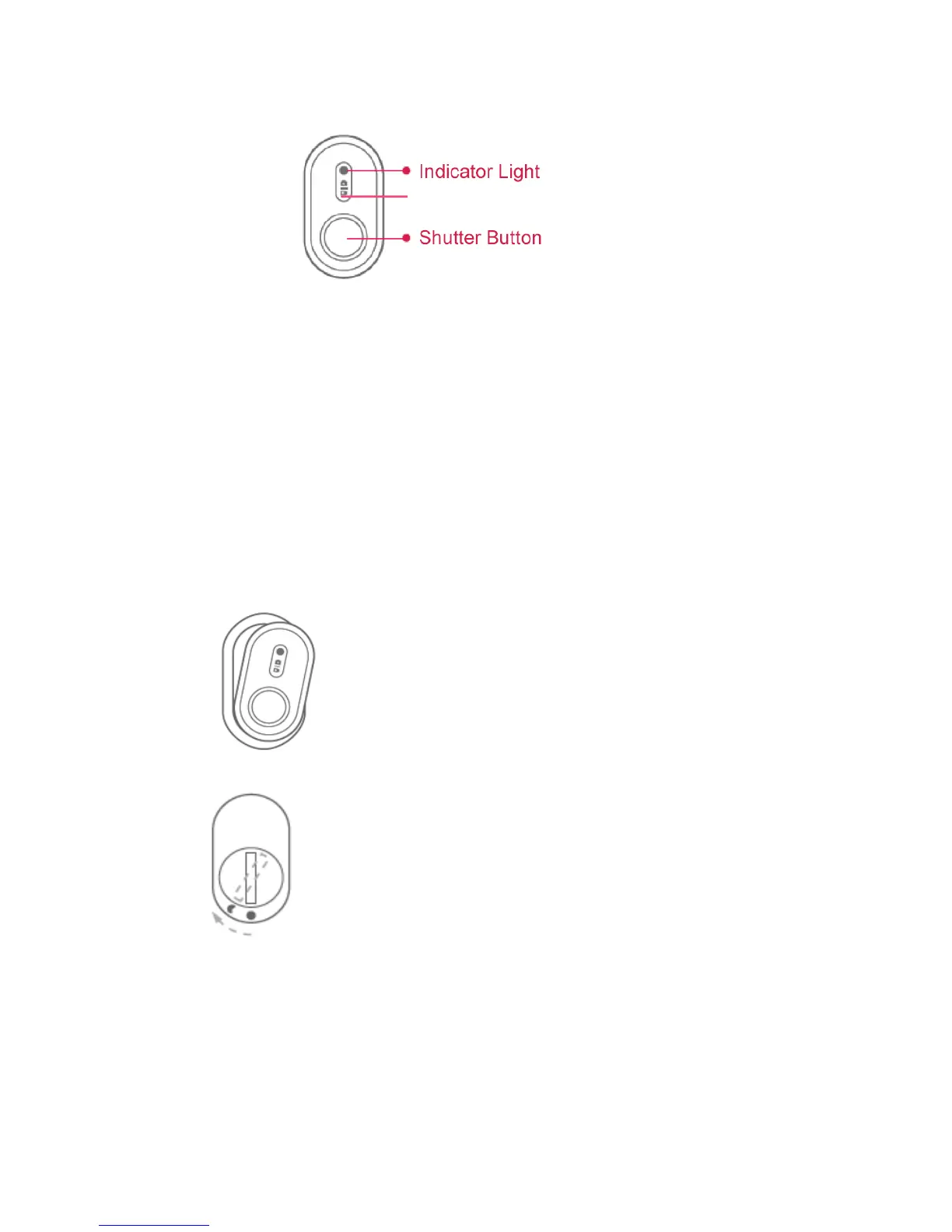
Video!mode:!Press!the!shutter!button!to!start!recording.!Press!it!again!to!stop!recording.!
Photo!mode:!Press!the!shutter!button!to!take!a!photo!shot.!
!
Note:!
● The!Photo/Video!mode!switch!button!on!the!Bluetooth!remote.!
7.3!Battery!Replacement!
A!3V!button!cell!battery!is!contained!in!the!Bluetooth!remote!control.!Follow!the!steps!to!
replace!the!battery!if!it!is!out!of!power.!
!
1.!Remove!the!rubber!case!
!!! !
2.!Rotate!the!battery!cap!on!the!back!cloc kw ise.!
!
!
8.!Add it io n al!Inform a t io n!
8.1!Cu st o mer!Sup p ort!
For!further!assistance,!we!are!standing!by!for!you!at!support@yitechnology.com!


 To Next Page