4. Function overview and functional area layout
4.1 Function overview
Display YL75E provides the following functions to meet the riding needs of users:
Battery level indicator
Assist level indicator
Fault indicator
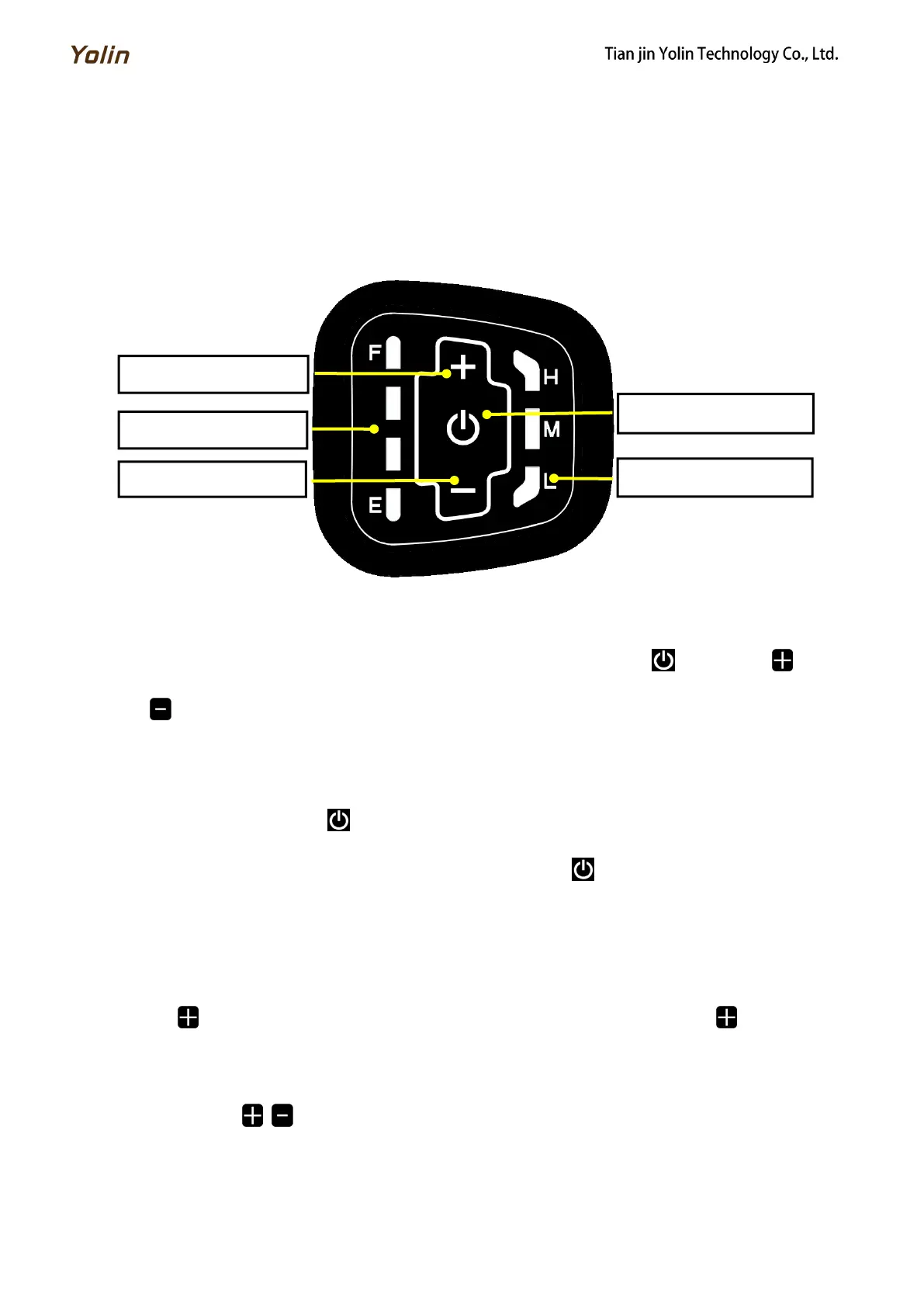
4.2 Functional area layout
Fig. 4-1 Functional Area Layout Interface of Display YL75E
4.3 Button definitions
There are three buttons on the operating unit of display YL75E, i.e., the on/off button , plus button and
minus button .
5. General operation
5.1 Power on/off
By pressing and holding the button , the display will start to work and the working power supply of the controller
will be turned on. In the power-on state, by pressing and holding the button , your e-bike will be powered off. In the
power-off state, the display will no longer use the battery power, and its leakage current will be less than 1uA.
If your e-bike is not used for more than 10 minutes, the display will be automatically powered off.
5.2 Headlight on/off
When the ambient environment is dark or when driving at night, you may turn on the headlights. By pressing and
holding the button , the controller will turn on the headlights. By pressing and holding the button again, the controller
will turn off the headlights.
5.3 Assist level selection
By pressing the button / , the e-bike assist level will be switched to change the motor output power. There are
three assist levels available, i.e., Low (L), Medium (M) and High (H).



 To Next Page