EasyManua.ls Logo

Yolink YS7804-UC - User Manual

Yolink YS7804-UC
23 pages
Print Icon
To Next Page IconTo Next Page
Loading...
User Guide
YS7804-UC
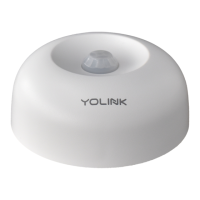
Motion Sensor

Questions and Answers

  • K
    Keith PowellAug 3, 2025
    Why is my Yolink YS7804-UC motion sensor offline?
    • A
      Amanda HuberAug 3, 2025
      Your YoLink Accessories motion sensor might be offline because: * The hub is offline: Reconnect your hub to the Internet and press the set button on the motion sensor. * The hub is powered off: Power on the hub and press the set button on the motion sensor. * The motion sensor battery is dead: Replace the battery.
  • J
    james22Aug 17, 2025
    How to fix Yolink YS7804-UC Accessories LED blinking but no alert?
    • G
      Gregory WilliamsAug 18, 2025
      If the LED on your YoLink Accessories is blinking but you're not receiving alerts, the notification setting may be turned off in the YoLink App. Please turn the notification on in the setting page of the YoLink App.

Summary

Features

Set Up Motion Sensor

Set up YoLink App

Guide to downloading and installing the YoLink App from app stores.

Log in or sign up with YoLink account

Instructions for logging into an existing YoLink account or creating a new one.

Add device to YoLink App

Details on how to add the motion sensor to the YoLink App, including naming and room assignment.

Connect to the cloud

Instructions on connecting the motion sensor to the cloud service, emphasizing hub internet connectivity.

Installation

Using YoLink App with Motion Sensor

Automation

YoLink Control

Maintaining the Motion Sensor

Specifications

Troubleshooting

Customer Service & Warranty

Yolink YS7804-UC Specifications

General IconGeneral
Product NameYolink Smart Plug
Model NumberYS7804-UC
CategoryAccessories
ConnectivityWireless
Communication ProtocolLoRa
Wi-Fi CompatibilityNo
Voice Assistant CompatibilityAmazon Alexa, Google Assistant
SchedulingYes
Energy MonitoringNo
ColorWhite
Power SourceAC
Hub RequiredYes (YoLink Hub required)
App ControlYes (YoLink App)
Operating Temperature-4°F to 140°F (-20°C to 60°C)

Related product manuals