

EasyManua.ls Logo

YOOSEE SMART 720P - User Manual

YOOSEE SMART 720P
13 pages
Print Icon
To Next Page IconTo Next Page
Loading...
SMART 720P/1080P
WIRELESS IP CAMERAS
Instruction Manual
After Sales Support techsupport@123anfang.com
www.yooseecamera.com
V 1.2
Question and Answer IconNeed help?

Do you have a question about the YOOSEE SMART 720P and is the answer not in the manual?

Summary

Hardware Installation

Camera Reset Procedure

Instructions on how to reset the camera for WiFi configuration.

Yoosee App Operations

Camera Settings Configuration

Details on adjusting various settings like time, media, security, and network.

Live Camera Viewing

Instructions on how to access and view the live feed from the camera.

Alarm Notification Setup

Steps to configure motion detection and receive alarm alerts.

Email Alarm Mailbox Configuration

Setting up email alerts with captured pictures via SMTP.

CMSClient Operations

CMSClient Login Options

Details on local and remote login methods for CMSClient.

Viewing Cameras with CMSClient

How to monitor camera feeds using the CMSClient software.

Frequently Asked Questions (FAQs)

Network Connectivity Issues

Solutions for problems connecting the camera to Wi-Fi or Ethernet.

Unstable WiFi Connection Solutions

Tips for improving and stabilizing the camera's WiFi connection.
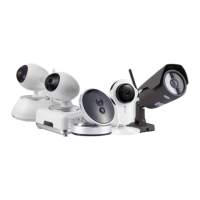
YOOSEE SMART 720P Specifications

General IconGeneral
BrandYOOSEE
ModelSMART 720P
CategoryIP Camera
LanguageEnglish

Related product manuals