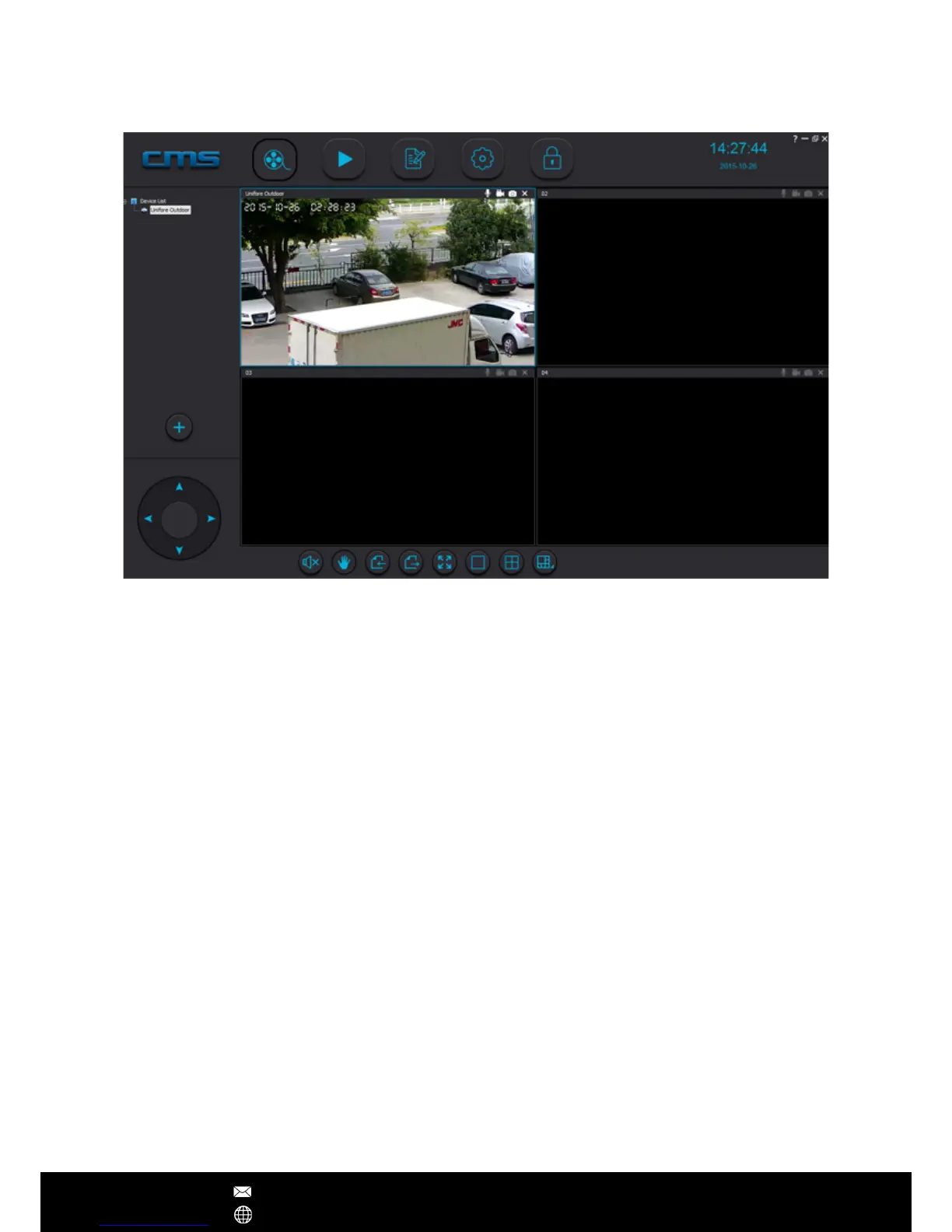
CMSClient (Windows Software)
Preview: View up to 64 cameras at one time
Playback: Allows you to search for previous recordings
Log: Check what events have occurred on each camera
Cong: Congure the CMS Software video storage location and start-up options
Lock: To prevent changes to settings, active recordings and window views, use the lock
button. A password is required to unlock
Setup CMSClient on Windows:
1. Download link: http://dl1.cloudlinks.cn:8765/dl/rar/CMS.rar
2. Extract RAR rar, click CMSSetup.exe and install
3. Once installation is complete, right click on the CMSClient icon and select‘Properties’
4. In the ‘Compatibility’ tab, ensure that ‘Run this program as an administrator’ is ticked,
then press ‘OK’
5. Double click the CMSClient icon to start the program.
Note – If the CMSClient can't run properly, you may check whether or not the software has
been blocked by Anti-virus software or windows rewall.
CMSClient Operations
After Sales Support techsupport@123anfang.com
www.yooseecamera.com


 To Next Page