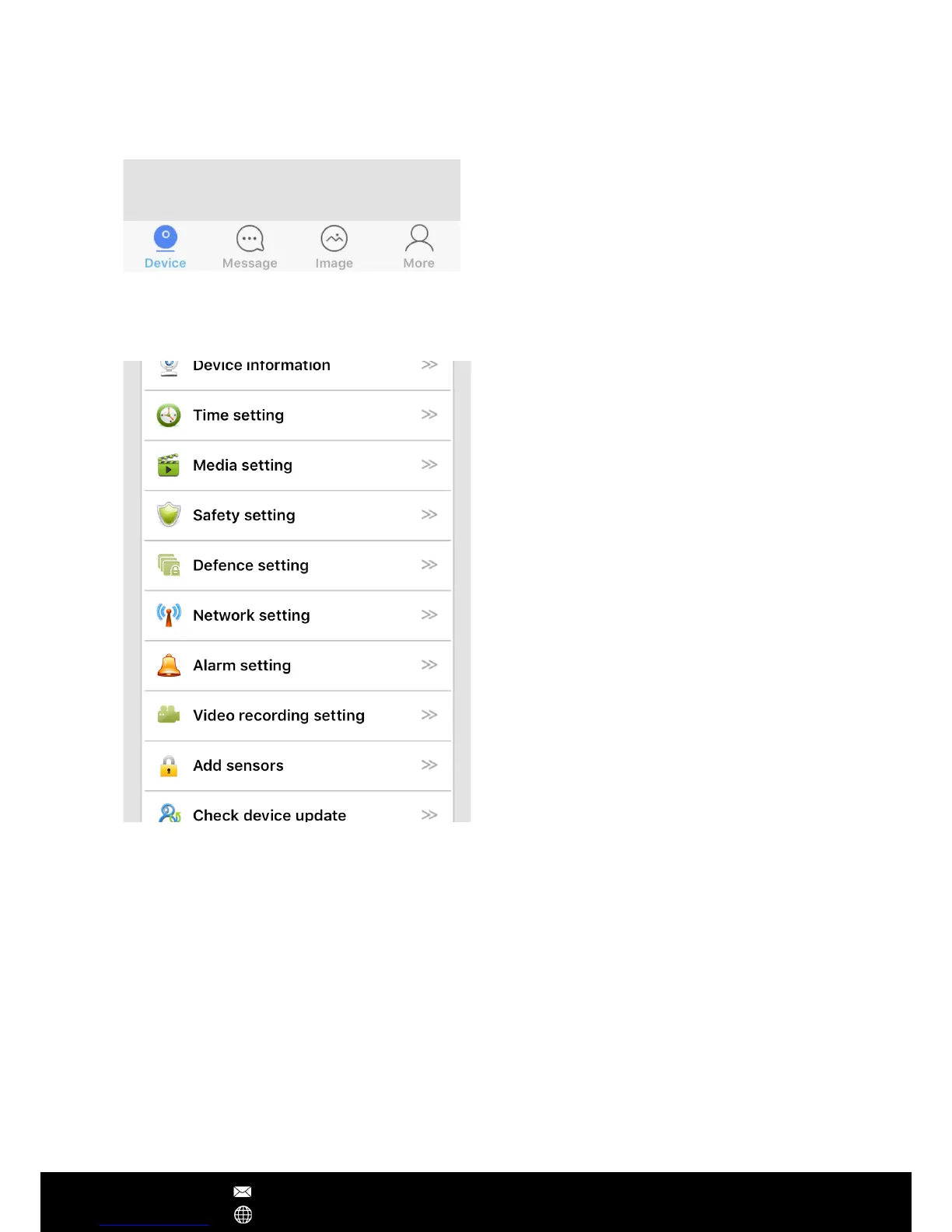
Device info: Check the version of your
camera's rmware
Time settings: Set the date and time of your
IP camera
Media setting: Change between 50Hz and
60Hz video format, and reverse the camera
image if required
Security setting: Modify the camera admin
password and create a guest password
Network setting: Change between Ethernet
and WiFi modes
Alarm setting: Be alerted of any motion
detection
Video Record setting: Choosing the record
modes among manual, schedule, alarm
Add sensors: Pair the remote control or
wireless security detectors to the camera
AP mode: Switch to AP mode, so camera can
directly connect with smartphone without
Internet connection.
Device Update: Check for the latest camera
rmware
App Operations
After Sales Support techsupport@123anfang.com
www.yooseecamera.com
Note – If you failed to upgrade the camera's rmware, please choose another time (network
speed is the best and less congestion) to have a try. During the update, don't disconnect the
power supply. If the firmware corrupts, using the IP camera debug software to update its
rmware manually.
Camera's Setting
Main Screen
Device:
Listed the connected devices.
Message:
Alarm logs
Image:
Screenshot captured by the camera
More:
Edit account information, modify
App login password, and logout.


 To Next Page