EasyManua.ls Logo

York YCAS0150 - User Manual

York YCAS0150
168 pages
Print Icon
To Next Page IconTo Next Page
Loading...
INSTALLATION, OPERATION & MAINTENANCE
AIR-COOLED SCREW LIQUID CHILLERS
Supersedes: 201.18-NM1 (1298)
Form 201.18-NM1 (102)
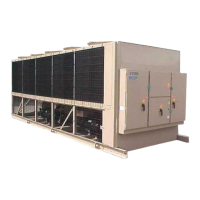
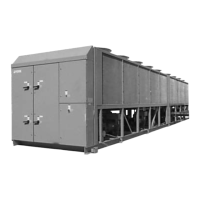
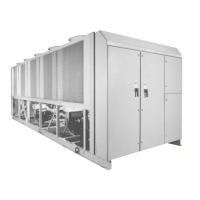
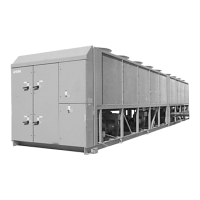
YCAS AIR-COOLED SCREW LIQUID CHILLERS
YCAS0130 through YCAS0230
YCAS 2 SYSTEM EPROM 031-01798-001 (STANDARD, BRINE & METRIC MODELS COMBINED)
28971AR

Table of Contents

Questions and Answers

  • Y
    yzamoraAug 5, 2025
    How to troubleshoot a York YCAS0150 with no display on the panel and that won't start?
    • L
      laura56Aug 6, 2025
      If there is no display on the control panel and the York Chiller won't start, here's what you can check: * Ensure the main power supply to the control system is switched on. * Verify that the emergency stop switch on the control panel and any remote emergency stop devices are in the ON position. * Inspect the mains supply in case of an undervoltage relay trip. * Check the emergency stop switch fuses, wiring from - T2 to powerboard and fuse if there's no supply to - T2 or no 24VAC supply to the powerboard. * If there's no +12V output from the powerboard, consider replacing the powerboard or reducing excessive load on the board.
  • S
    Scott LangAug 10, 2025
    What to do if my York YCAS0150 Chiller displays a HIGH AMBIENT TEMP fault?
    • J
      justin98Aug 10, 2025
      If your York Chiller displays a 'HIGH AMBIENT TEMP' fault, it means the ambient air temperature is exceeding the programmed operating limit. Use the 'ambient temp.' key to check the temperature reading. If the reading is accurate, the message should disappear once the ambient temperature drops below the limit. Also, verify that the programmed settings are correct for the unit's options. Check that the fan is operating correctly and the rotation is correct. Check for airflow recirculation. Finally, check the sensor calibration, location, and wiring to ensure accurate temperature measurement.
  • R
    Richard FisherAug 14, 2025
    How do I fix a HIGH OIL TEMP error on my York YCAS0150 Chiller?
    • S
      Scott PerezAug 14, 2025
      If the York Chiller displays a 'HIGH OIL TEMP' message, it could be due to poor airflow through the condenser coils. Check for any obstructions blocking the intake faces of the air coils. Also, verify the accuracy of the temperature reading by checking the sensor calibration, location, and wiring.
  • S
    Sean StevensAug 18, 2025
    Why does my York YCAS0150 display 'NO RUN PERM'?
    • P
      Phillip PerryAug 18, 2025
      If the York Chiller displays 'NO RUN PERM', it indicates a 'No run permissive' status. This can happen if there's no liquid flow through the cooler. Ensure that liquid pumps are running, valves are correctly set, and flow is established. Also, check that the flow switch is functional and correctly installed per the manufacturer's instructions, as the pump starter might be wired to and controlled by the unit on some systems.
  • T
    Tiffany WareAug 23, 2025
    What causes a LOW WATER TEMP fault on a York YCAS0150?
    • C
      Christina AdamsAug 23, 2025
      If the York Chiller displays a 'LOW WATER TEMP' fault, it could be due to several reasons. The leaving liquid temperature might be dropping below the programmed low limit faster than the unit can unload. Check for any restrictions in the liquid flow line and ensure stable liquid flow. Also, verify the unit is unloading correctly by checking the supply to the unloader valve solenoid and confirming the compressor unloads correctly. Finally, ensure the temperature readings are accurate by checking the sensor calibration, location, and wiring.
  • E
    eboothAug 27, 2025
    What does LOW AMBIENT TEMP mean on my York YCAS0150?
    • S
      steven96Aug 27, 2025
      If your York Chiller displays a 'LOW AMBIENT TEMP' fault, it means the ambient air temperature is below the programmed operating limit. Use the 'ambient temp.' key to display the temperature and confirm its accuracy. The warning should clear once the ambient temperature rises above the limit. Also, ensure the programmed settings are correct for the unit's options, and check the sensor calibration, location, and wiring.
  • D
    Darren HollandAug 31, 2025
    What causes VAC UNDERVOLTAGE fault on a York YCAS0150?
    • M
      marshnathanielAug 31, 2025
      If the York Chiller displays 'VAC UNDERVOLTAGE', it indicates a problem with the mains supply voltage. Check that the mains supply is stable and within allowable limits. Also, check for any voltage dips when the compressor starts.

Summary

GENERAL CHILLER INFORMATION & SAFETY

SAFETY

Outlines safety standards and compliance with relevant codes like ASHRAE, NEC, ASME, and ARI.

MISUSE OF EQUIPMENT AND HAZARDS

Covers improper equipment use, operational limits, structural support, electrical safety, and specific hazards like rotating parts and sharp edges.

PRODUCT DESCRIPTION

CONTROL SYSTEM

Explains the power and control panels, microprocessor controls, keypad, and display functions for unit operation.

MOTOR PROTECTION

Describes motor overload protection, current imbalance, phase sequence monitoring, and the function of the motor protector module.

INSTALLATION

PIPEWORK AND DUCTWORK

Provides recommendations for pipework and ductwork connections, including general requirements and specific types.

General Pipework Requirements

Outlines essential piping recommendations to ensure satisfactory operation and prevent unit damage or warranty invalidation.

COMMISSIONING

PREPARATION

Outlines essential pre-commissioning checks to be performed with the unit's power OFF, covering inspection and system readiness.

Initial Checks (Power Off)

Details specific checks for inspection, refrigerant charge, valves, compressor oil, fans, electrical isolation, and control panel readiness.

FIRST TIME START-UP PROCEDURE

Guides through the initial start-up process, including checking interlocks, system switches, and monitoring initial operation parameters.

Checks and Adjustments

Covers checks for oil pressure, refrigerant flow, fan rotation, superheat, expansion valve, economizer superheat, and subcooling.

OPERATION

START-UP

Details the procedure for starting the chiller, including power checks, system switch settings, and initial compressor engagement.

NORMAL RUNNING AND CYCLING

Explains the fully automatic operation, load adjustment, fan control, and system monitoring during normal running conditions.

TECHNICAL DATA

MICRO PANEL CONTENTS

York YCAS0150 Specifications

General IconGeneral
BrandYork
ModelYCAS0150
CategoryChiller
LanguageEnglish

Related product manuals