General description of the wheelchair
13
the moving parts of the wheelchair, causing extensive wear on these parts.
You are required to turn on the lights in case of limited visibility.
When driving at higher speeds you must be extra careful. Select a lower maximum
speed indoors, on the pavement and in pedestrian areas.
Do not drive off high obstacles.
Do not use the wheelchair if temperatures are below: -10˚C or above +50˚C.
Do not attach a weight to the wheelchair without the approval of a qualified
specialist. This may negatively affect the stability of the product.
Do not push and/or tow any objects with the wheelchair.
Do not open doors using the legrests.
Do not drive through puddles of water.
2.4 Adjustment options
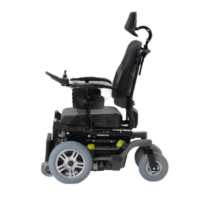
The Alex is available with the following electrical and/or mechanical adjustment options:
Table 2.1: electrical adjustment options and the neutral position
Figure 2.2: Electrical adjustment options
Use of the electrical adjustment options may influence the centre point of gravity.
These adjustments should only be made when the wheelchair is stationed on a flat
surface.
Electrical adjustment options are linked to moving and/or rotating parts. Contact
with these moving parts may result in serious physical injury or damage to the
wheelchair. Contact with the moving parts of the wheelchair must be avoided.
Electrically adjustable tilt in space option
Electrically adjustable high/low option
The chair in the lowest position
Electrically adjustable backrest option
The backrest as upright as possible
Electrically or mechanically adjustable
legrests
The legrests are positioned as closely
as possible to the chair.


 To Next Page


