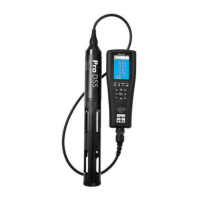
YSI ProDSS supplement 4 July 2015
On the Run Screen there will be a flashing
red symbol next to each parameter that
was selected for Auto Stable. Wait until
these flashing red symbols become green
, at this point the sensors have
stabilized.
7.
Record the readings:
Once all the parameters have stabilized
press enter to log a reading. Record the
following readings, in the following order,
using our rounding convention as necessary
(see Quality Assurance protocol):
a)
Temperature
: to nearest 0.1°C.
b)
DO % Saturation
: to nearest 0.1%.
c)
DO Concentration:
to nearest 0.1
mg/L.
d)
Conductivity:
Record to the nearest
whole number of µS (microSiemens).
e) Salinity: “ppt” to the nearest tenth.
This is the salinity in parts per thousand.
f) pH: to the nearest 0.1
g) Turbidity: FNU
8.
If you’re taking replicates at this site:
Remove probe from stream, shake off
water, and replace in stream.
Before you
take a second reading, do the
following:
From the Run Screen select the
System Button
, scroll down and select
Logging. In the Logging menu, select Data
ID and select Replicate. Exit back to the
Run Screen and collect a second reading
(same as above). Also take a
replicate
barometer reading
and record it with the
replicate data.
10.
Shake off the probe, rinse with purified
water if the stream water is dirty, fill
the calibration cup with 2” of water,
and replace the probe in the
calibration cup.
Put the unit in the shade
if possible.
11. If you are not submitting the data to Clallam
County, record the latest calibration dates
for DO (“Winkler”), conductivity, and
temperature. Select the
File button
,
select View GLP and scroll through to see
when the instrument was last calibrated.
11. If you have replicates to transcribe, select
the
File button
, then select Show Data.
If no data is displayed make sure you have
the right date and time entered at the
bottom. After selecting Show Data scroll
down until you find the proper site and data
ID (the data ID will usually say either
Primary Sample or Replicate). Continue as
above to record readings. Next, check the
“Water Chemistry—General” protocol to see
if your pairs of readings are within the
acceptable precision limits, and resample as
needed.
12. Record the sampler’s initials for both sample
and replicate.
Sampler’s Initials
Be sure to put all the initials of one sampler
taking responsibility for the data; this should be
someone who has been properly trained (see
“Quality Assurance” protocol).
13.
Perform a DO drift check:
Hit Esc to
return to the “Run” Screen to view the DO%
saturation. If haven’t already, fill the
calibration cup with ~2” of clean water.
Loosely tighten the cup onto the bulkhead,
do not completely tighten, you want it loose
for atmospheric venting. Keep the meter
and probe in the shade, if possible, and
allow the probe to stabilize as before:
STABILIZATION CRITERION: During a
period of 2 minutes, both DO Sat % and
temp (°C) stay within 0.1 of their initial
readings.
Do NOT hit any buttons on the meter.
When stabilization is reached, you’ll
want the DO % Saturation reading to be
between 98-102%; if not, you’ll need to re-
calibrate the meter and re-take the



 To Next Page
 Loading...