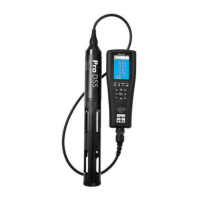
Pro-DSS
YSI ProDSS supplement 5 July 2015
readings, or your data will be flagged as
“estimated” or “rejected”.
14. If the stabilized DO % Saturation reading is
satisfactory, record it to the nearest 0.1%.
15. Record the time and sampler’s initials.
16.
Turn off the meter
, fully tighten the
calibration cup and place the unit in the field
bag
COMMON SENSE AND EXPECTED RANGES:
Please compare your readings with the
expected ranges on the datasheet. If you’re outside
the expected range, consider re-sampling or
troubleshooting with your fellow samplers.
Conductivity readings in particular have a
nasty habit of being wacky. Stream conductivity is
rarely lower than 25 µS. If your readings are lower
than this, you’ll need to troubleshoot:
-- If the reading is 0.0 or 0.1, you might be reading
the salinity (“ppt”) screen rather than the proper
conductivity screen; if so, scroll through the screens
again (by pressing ENTER) until you get to the right
one.
-- You might not have held the probe completely
underwater. Try taking another set of readings.
-- The readings might be in mS rather than µS (see
above).
MEASURED VS. CORRECTED READINGS:
The data for DO saturation and concentration will
get adjusted once entered into the database,
according to the pressure, temperature, and salinity
you recorded. This formula avoids a built-in error in
the YSI-85, which assumes “normal” atmospheric
pressure for a given altitude, when actually that
pressure can vary from normal by 5% or more.


 To Next Page
 Loading...