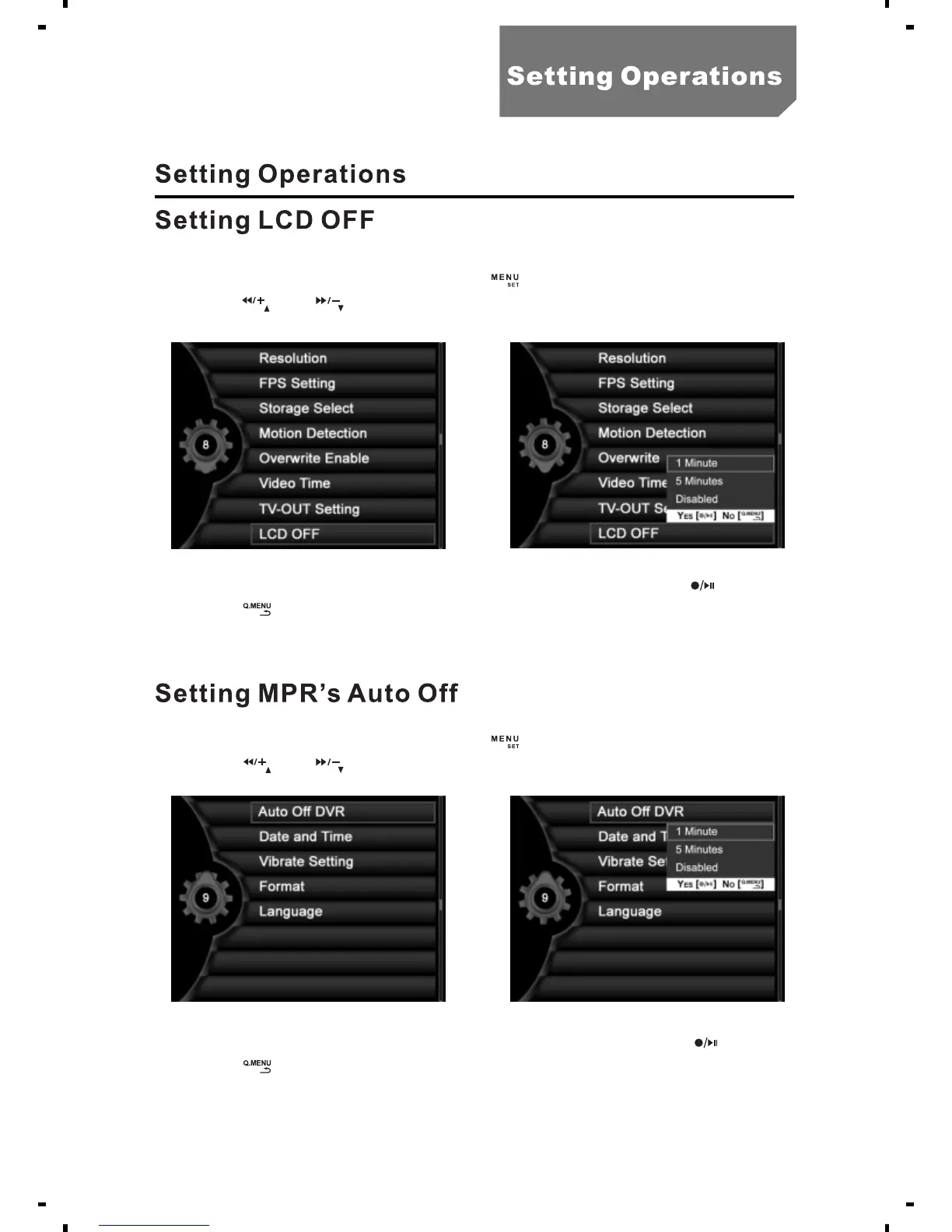
a. In the state of preview, press the [ ] button, select "System setting ".
b. Press [ ] or [ ], select the "LCD OFF" as illustrated.
c. Select "1 Minute", "5 Minutes" or “Disabled" and press [ ].
d. Press [ ] to return to the system setting menu.
a. In the state of preview, press the [ ] button, select "System setting ".
b. Press [ ] or [ ], select the “ " as illustrated.Auto Off DVR
c. Select "1 Minute", "5 Minutes" or " Disabled "and press [ ]
d. Press [ ] to return to the system setting menu.
19



 To Next Page