18
NFC KEY BINDING
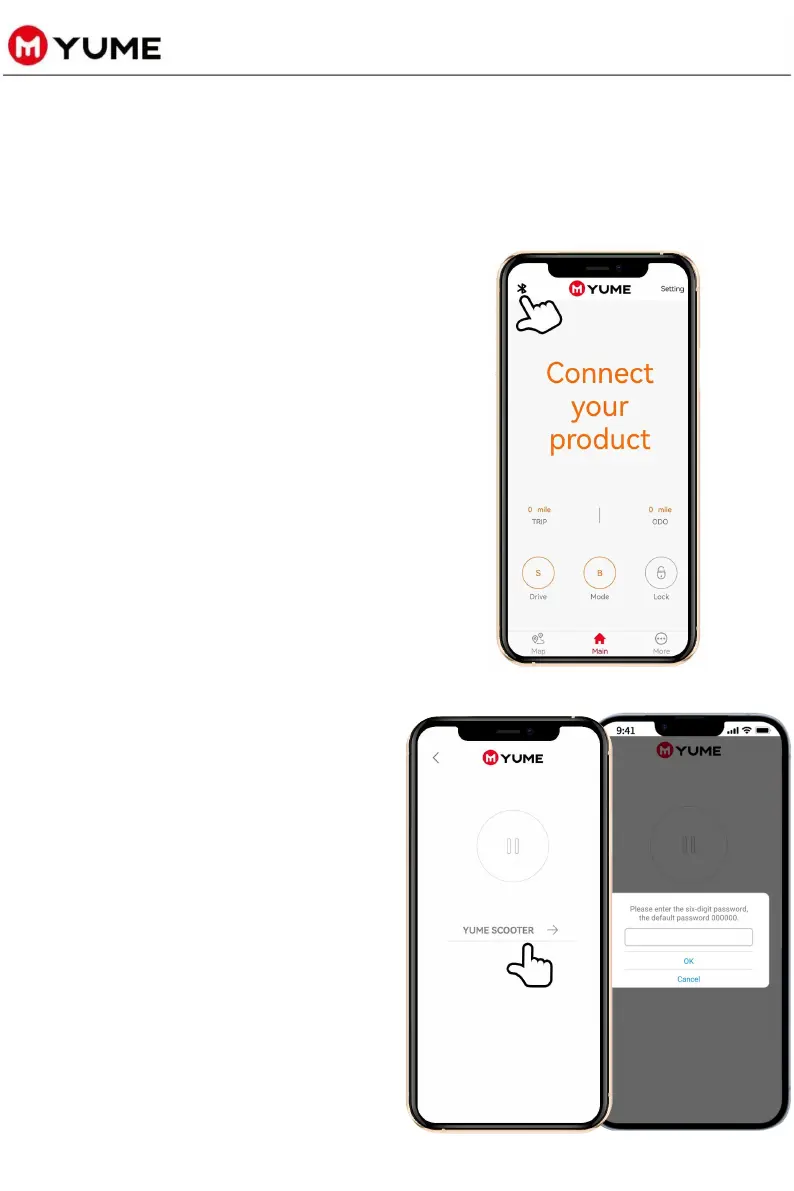
u Turn on the GPS
positioning/location settings on
your mobile phone, Click on the
Bluetooth icon on the upper left
corner of the [YUME RIDE]
application home page to open
the Bluetooth scooter
identification settings page.
Ø Step 2: Turn on Bluetooth
and GPS positioning
u Click YUME SCOOTER to connect
your scooter. When prompted
enter the password(The default
six-digit password is 000000) to
successfully connect with your
phone.



 To Next Page