5. Connect to the Camera
5.1. Wi-Fi Connection
You can connect the camera to an external device (smart phone / tablet) or a computer
(PC / Mac) through Wi-Fi with following steps:
1. Install a Wi-Fi antenna to the Wi-Fi Antenna Port of the camera.
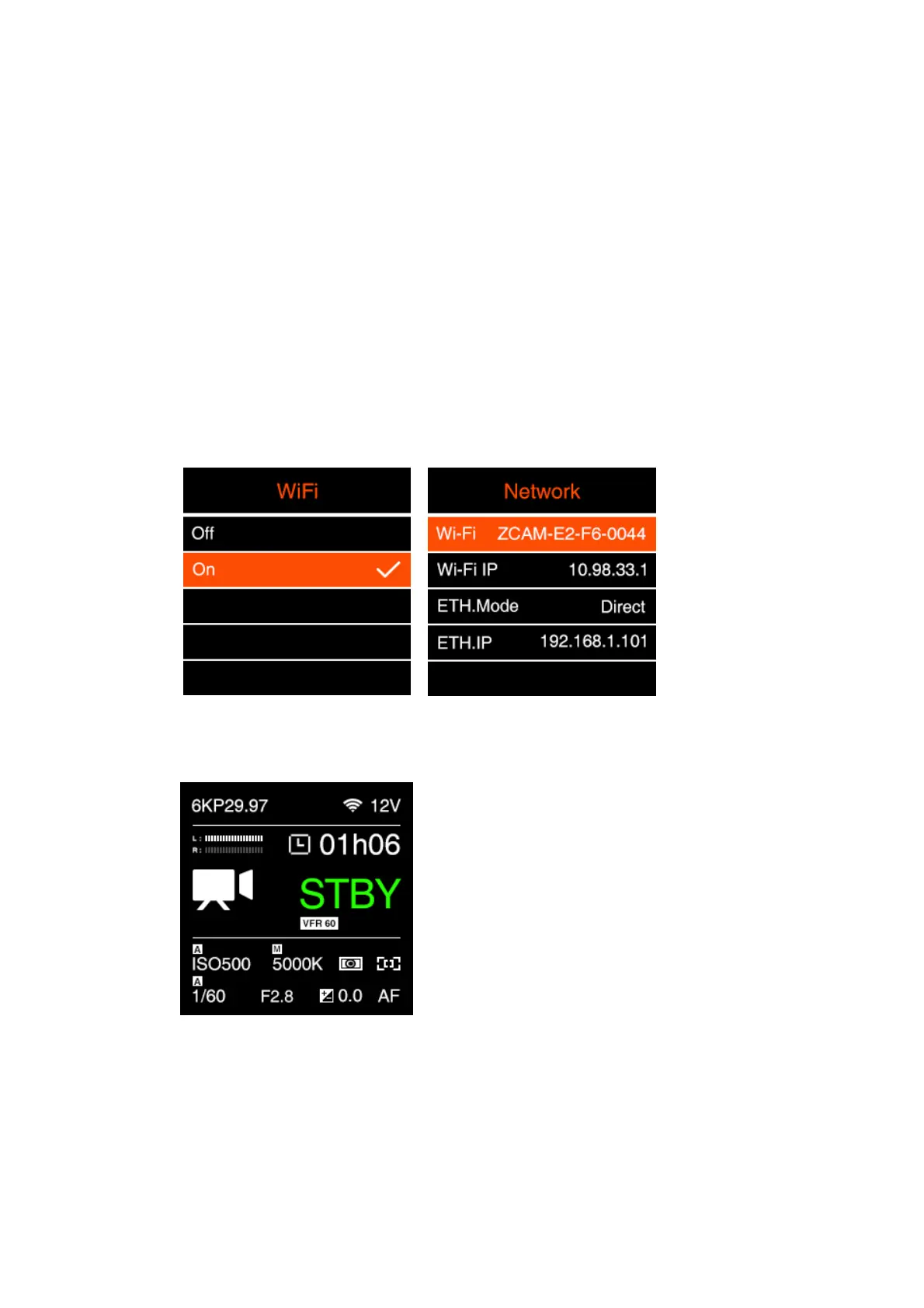
2. In Connect – Network setting menu, set the Wi-Fi to “On”,go back to Network
setting, there will show the Wi-Fi ID: ZCAM-E2-XX-XXXX (last 4 digits match to
camera ID) on the Wi-Fi item.
3. Press MENU to go back to Standby screen, there will be a Wi-Fi icon on top of the
screen.
4. Connect to the camera from the iOS device or a computer with that Wi-Fi ID, and
the default password of the Wi-Fi is 12345678. (not changeable for now)
*WIFI Antenna Gain: 2 dBi, one antenna in standard package



 To Next Page
 Loading...


